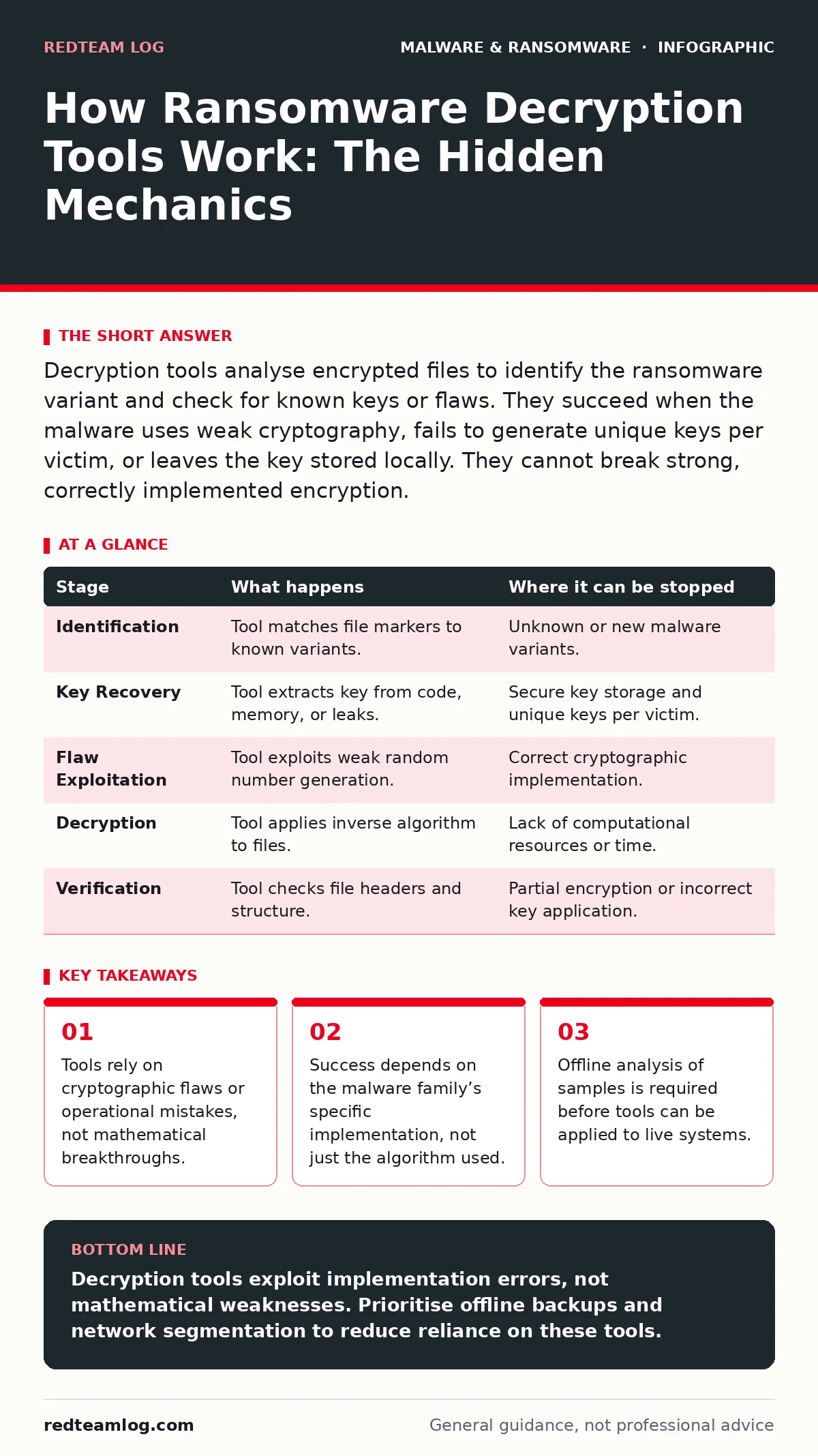
Decryption tools analyse encrypted files to identify the ransomware variant and check for known keys or flaws. They succeed when the malware uses weak cryptography, fails to generate unique keys per victim, or leaves the key stored locally. They cannot break strong, correctly implemented encryption.
The Illusion of Breaking Encryption
You cannot break modern encryption by brute force. Algorithms like AES-256 are designed so that trying every possible key would take longer than the age of the universe. When you see a decryption tool restore files, it is not performing a mathematical miracle. It is exploiting a human or code error.
The tool acts as a specialist surgeon. It identifies the specific strain of malware based on the file headers, the ransom note text, and the extension added to the files. Once identified, it applies a pre-existing solution. This solution usually involves a private key that was leaked, a hardcoded key found in the code, or a flaw in how the key was generated.
If the malware implemented the cryptography correctly and kept the private key secure, no tool will work. The tool is not a universal solvent. It is a targeted exploit against a specific implementation. Understanding this distinction prevents wasted effort when facing resilient threats.
Stage 1: Identification and Fingerprinting
The process begins with identification. The decryption tool scans the encrypted files for unique markers. These markers are often subtle changes to the file header. For example, a tool might look for a specific byte sequence appended to the end of a JPEG or PDF file.
The tool also examines the ransom note. The text, spelling, and formatting often match a known variant. By cross-referencing these digital fingerprints with a database of known ransomware families, the tool determines exactly which software infected the system. This step is critical. Applying the wrong decryption logic can further corrupt the data.
If the malware is new or unknown, the tool will fail at this stage. You cannot decrypt files if you do not know the encryption scheme used. This is why threat intelligence feeds are vital for keeping these databases updated.
Stage 2: Key Extraction or Recovery
Once the variant is identified, the tool attempts to retrieve the decryption key. There are three main ways this happens. First, the key might be hardcoded in the malware binary. Some poorly written malware uses the same key for every victim. If researchers have analysed the sample, they can extract this key.
Second, the key might be stored on the victim’s machine. Some ransomware variants generate the key locally but fail to delete it securely. The tool scans the system memory or temporary files for remnants of the key. This is a race against time, as the key may be overwritten.
Third, the key might have been published by law enforcement or security researchers. If a ransomware operator’s infrastructure is seized, their private keys may be recovered. The tool checks its database for these leaked keys. If a match is found, the decryption can proceed.
Stage 3: Cryptographic Flaw Exploitation
Some ransomware families use weak cryptographic implementations. A common error is using a weak random number generator to create the encryption key. If the generator is predictable, the tool can recreate the key by simulating the malware’s logic.
Another flaw involves using the same initialization vector for multiple files. This allows pattern analysis to reveal the key. The tool performs this analysis locally. It does not need to communicate with the attacker. This method works only if the malware authors made a mistake in their code.
Correctly implemented cryptography has no such flaws. If the malware uses a cryptographically secure pseudo-random number generator and unique initialization vectors, this stage will not succeed. The tool will report that no decryption method is available.
Stage 4: Local Decryption Execution
With the key in hand, the tool begins the decryption process. It reads each encrypted file, applies the inverse mathematical operation, and writes the original data back to the disk. This process is computationally intensive. It can take hours or days for large datasets.
The tool typically works offline. It does not require an internet connection to function. This is safer as it prevents the tool from being blocked by network security controls. It also ensures that no data is sent to external servers during the process.
During this phase, the tool may skip files it cannot decrypt. It is important to review the output logs. Some files, such as those encrypted with a different algorithm or corrupted during the initial attack, may remain locked. The tool does not guess; it applies the key precisely.
See also: Should I Invest in SOAR? The Truth About Automation ROI · Emergency Patching: Correcting Five Common Operational Errors
Stage 5: Verification and Integrity Check
After decryption, the tool verifies the files. It checks the file headers and structure to ensure they are valid. A decrypted PDF should open in a reader. A decrypted image should display correctly. This step confirms that the key was correct and the process was successful.
If the files are corrupted, the tool will flag them. This can happen if the ransomware partially encrypted a file before being stopped. It can also happen if the decryption key was incorrect. In these cases, the data may be unrecoverable.
You should compare the decrypted files with backups if available. This ensures that the content is intact. The tool cannot verify the logical correctness of the data, only the structural integrity. A decrypted file might open but contain gibberish if the key was wrong.
| Stage | What happens | Where it can be stopped |
|---|---|---|
| Identification | Tool matches file markers to known variants. | Unknown or new malware variants. |
| Key Recovery | Tool extracts key from code, memory, or leaks. | Secure key storage and unique keys per victim. |
| Flaw Exploitation | Tool exploits weak random number generation. | Correct cryptographic implementation. |
| Decryption | Tool applies inverse algorithm to files. | Lack of computational resources or time. |
| Verification | Tool checks file headers and structure. | Partial encryption or incorrect key application. |
Limits of Decryption Tools
Decryption tools are not a silver bullet. They only work against specific variants with known weaknesses. If the ransomware uses strong, standard cryptography and keeps keys secure, the tool will not help. You must rely on backups in these cases.
The tools also require time to update. New variants appear daily. It can take weeks or months for researchers to analyse a new strain and develop a decryption method. During this window, no tool will exist.
Furthermore, some ransomware deletes shadow copies and backups. If the only copy of the file is the encrypted one, and the tool fails, the data is lost. The tool cannot recover deleted data. It can only reverse the encryption if the key is available.
Integration with Broader Defences
Decryption is a last resort. Prevention is always superior. Understanding how these tools work helps you appreciate the importance of strong backups and network segmentation. If you can isolate the infected system, you prevent the spread.
For deeper insights into how threats evolve, see our guide on malware payloads. Understanding the delivery mechanism helps you block the infection before it reaches the file system. Also, consider the risks of firmware malware, which can persist even after a clean install.
See also: SEO poisoning; mobile malware; fileless malware; malicious PyPI packages; malicious browser extensions; Microsoft Defender Antivirus.
Key takeaways
- Tools rely on cryptographic flaws or operational mistakes, not mathematical breakthroughs.
- Success depends on the malware family’s specific implementation, not just the algorithm used.
- Offline analysis of samples is required before tools can be applied to live systems.
Decryption tools exploit implementation errors, not mathematical weaknesses. Prioritise offline backups and network segmentation to reduce reliance on these tools.
Frequently asked questions
Can decryption tools remove the ransomware from my system?
No. Decryption tools only restore the files. You must use security software to remove the malware.
Do I need to pay to use decryption tools?
Most official decryption tools provided by security researchers are free. Do not pay attackers.
Will running a decryption tool corrupt my files further?
Only if you use the wrong tool for the wrong variant. Always identify the ransomware first.
How long does it take to decrypt files?
It depends on the volume of data. Large datasets can take days to process fully.
How this guide was produced: written by the RedTeam Log editorial team with AI assistance, checked against the public references listed below, and reviewed when the facts change. See our editorial policy or report an error.