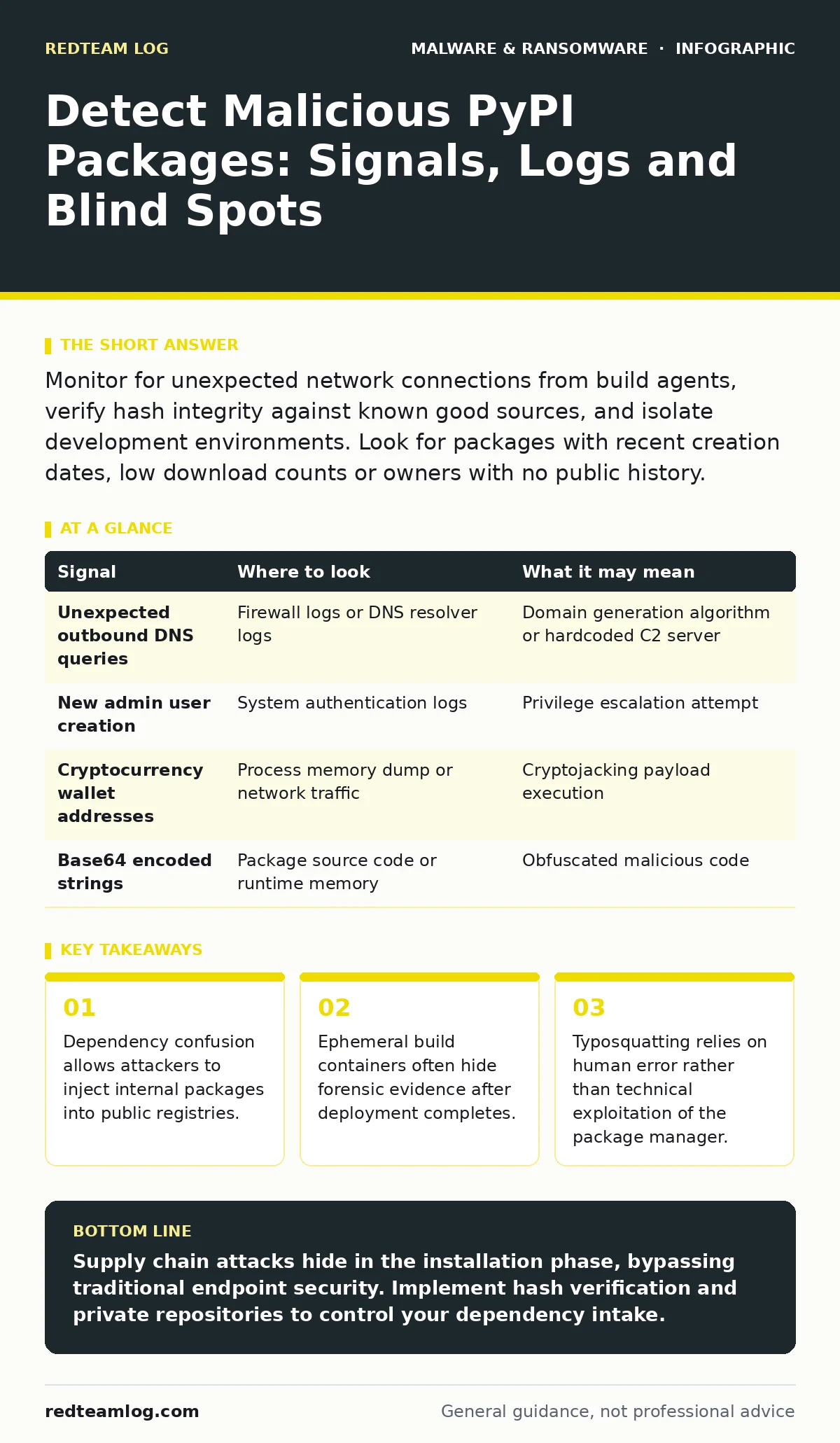
Monitor for unexpected network connections from build agents, verify hash integrity against known good sources, and isolate development environments. Look for packages with recent creation dates, low download counts or owners with no public history.
The Dependency Chain Attack Surface
Python’s package ecosystem relies on the Python Package Index, commonly known as PyPI. Developers trust this repository implicitly, assuming that published code has undergone some form of vetting. This trust is the primary vulnerability. Attackers do not need to exploit software flaws to compromise your infrastructure. They only need to convince your build process to install a package that looks legitimate.
When you run a command to install dependencies, your system resolves names and versions. If an attacker publishes a package with a name similar to a popular library, your system may download the malicious version. This is known as typosquatting. The danger increases when internal projects use names that overlap with public libraries. If your internal network can reach the public registry, an attacker can publish a package that shadows your internal code. This technique is called dependency confusion.
Initial Access and Installation Artifacts
The first sign of trouble often appears during the installation phase. You must examine the logs of your package manager. Look for requests to download packages from unexpected sources. Standard installations should pull from the official index or your private mirror. Any deviation from this path requires investigation.
Check the metadata of the installed package. Legitimate libraries usually have a history of updates, multiple contributors and consistent documentation. A package created recently with a single author and minimal description is suspicious. Pay attention to the package version. Attackers often use version numbers that mimic stable releases to bypass simple checks.
Runtime Behaviour and Network Anomalies
Once installed, the malicious code executes. This is where behavioural analysis becomes critical. You must monitor the processes spawned by your build agents or development servers. Look for commands that should not run in a build environment. Examples include reverse shells, cryptocurrency miners or data exfiltration scripts.
Network logs provide the clearest evidence of malicious activity. A build server should not initiate outbound connections to unknown IP addresses. If you see traffic to domains registered recently, or to ports commonly used for command and control, you have a problem. The malware may attempt to download additional payloads from these endpoints. This secondary stage is where the real damage occurs.
| Signal | Where to look | What it may mean |
|---|---|---|
| Unexpected outbound DNS queries | Firewall logs or DNS resolver logs | Domain generation algorithm or hardcoded C2 server |
| New admin user creation | System authentication logs | Privilege escalation attempt |
| Cryptocurrency wallet addresses | Process memory dump or network traffic | Cryptojacking payload execution |
| Base64 encoded strings | Package source code or runtime memory | Obfuscated malicious code |
Forensic Persistence and Evasion
Attackers know that detection is possible. They design their payloads to avoid leaving obvious traces. One common technique is to delete the malicious package after execution. The code runs in memory and performs its task, then cleans up the file system. This makes post-incident analysis difficult. You must rely on memory forensics or endpoint detection tools that capture process creation events.
Another evasion method is to use legitimate tools for malicious purposes. This is known as living off the land. The attacker might use Python’s standard library to connect to a remote server. Since these tools are signed by Microsoft or the Linux kernel, traditional antivirus software may not flag them. This approach mirrors the sophistication seen in malware payloads that rely on system utilities rather than external binaries.
Common Blind Spots in Detection
Most security teams focus on the final artifact. They scan the compiled application or the deployed container for known threats. This misses the supply chain attack entirely. The malicious code never exists in the final product. It only runs during the build process. By the time the application is deployed, the threat is gone. This is a significant blind spot.
Another oversight is the lack of visibility into development environments. Developers often work on local machines with fewer security controls. If a developer installs a malicious package on their laptop, it can spread to the corporate network. The malware might steal credentials or encrypt files. This scenario is similar to the risks associated with mobile malware that targets personal devices used for work.
Tooling and Verification Strategies
You need a combination of tools to detect these threats. Static analysis tools can inspect the source code of packages before installation. They look for suspicious imports, obfuscated code or network calls. Dynamic analysis tools run the code in a sandbox to observe its behaviour. This helps identify malware that only activates under specific conditions.
Dependency scanning tools check your project’s requirements against known vulnerabilities. They can also flag packages with poor reputation scores. Integrate these tools into your continuous integration pipeline. This ensures that every build is checked before deployment. For deeper insights, consult our guide on Microsoft Defender Antivirus for baseline endpoint protection strategies.
Mitigation and Supply Chain Hygiene
Prevention requires strict control over your dependencies. Pin your package versions to specific hashes. This ensures that you only install the exact code you have verified. Do not allow floating version numbers in production builds. Use a private package repository that mirrors public packages. This gives you control over what is available to your developers.
Implement allowlisting for package installations. Only permit packages that have been approved by your security team. This reduces the risk of typosquatting and dependency confusion. Regularly audit your dependencies for unused or outdated packages. Removing unused dependencies reduces your attack surface. This practice aligns with the principles discussed in ransomware decryption tools guides, where minimising attack vectors is key.
Key takeaways
- Dependency confusion allows attackers to inject internal packages into public registries.
- Ephemeral build containers often hide forensic evidence after deployment completes.
- Typosquatting relies on human error rather than technical exploitation of the package manager.
Supply chain attacks hide in the installation phase, bypassing traditional endpoint security. Implement hash verification and private repositories to control your dependency intake.
Frequently asked questions
How do I know if a PyPI package is malicious?
Check for recent creation dates, low download counts, single authors and lack of documentation. Compare the package hash with the official source.
Can antivirus software detect malicious Python packages?
Traditional antivirus may miss them if the code is ob
How this guide was produced: written by the RedTeam Log editorial team with AI assistance, checked against the public references listed below, and reviewed when the facts change. See our editorial policy or report an error.