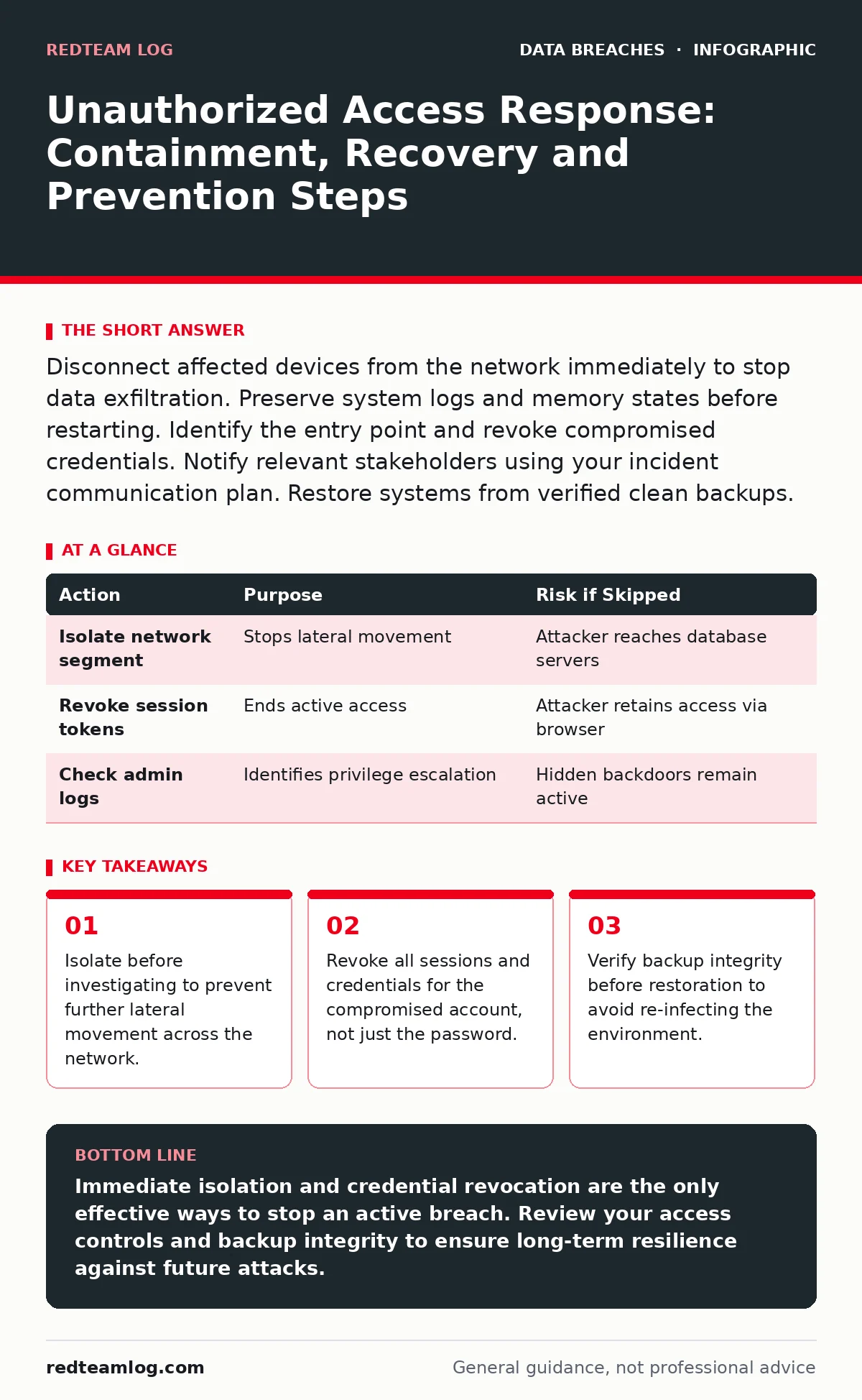
Disconnect affected devices from the network immediately to stop data exfiltration. Preserve system logs and memory states before restarting. Identify the entry point and revoke compromised credentials. Notify relevant stakeholders using your incident communication plan. Restore systems from verified clean backups.
First hour
The moment you detect unauthorized access, your primary objective is containment. Do not attempt to understand the full scope of the breach immediately. Speed matters more than completeness in these initial minutes. Every second the intruder remains connected, they can move laterally to other systems.
Imagine a scenario where an attacker has gained access to a single workstation. They are likely scanning for higher-privilege accounts or sensitive repositories. If you leave that machine connected to the network while you investigate, they will find their next target.
- Disconnect the compromised device from the network physically or via switch port disablement.
- Preserve the current state of the device; do not shut it down or restart it yet.
- Identify the specific account or credential used for the unauthorized entry.
- Force a logout for that account across all connected services and devices.
- Document the exact time of detection and the actions taken so far.
First day
Once the immediate bleed is stopped, you must contain the spread. The attacker may have used the initial foothold to access other systems. You need to determine if the breach is isolated or widespread.
Check authentication logs for the compromised account. Look for logins from unusual locations or at unusual times. Review administrative actions performed during the window of unauthorized access. Did they create new users? Did they change security settings?
You must revoke the compromised credentials entirely. Changing the password is insufficient if the attacker still holds valid session tokens or cookies. Force a global session invalidation for that user. If the breach involves service accounts, rotate those keys immediately. This is where understanding credential exposure becomes critical, as attackers often harvest multiple keys from a single breach.
| Action | Purpose | Risk if Skipped |
|---|---|---|
| Isolate network segment | Stops lateral movement | Attacker reaches database servers |
| Revoke session tokens | Ends active access | Attacker retains access via browser |
| Check admin logs | Identifies privilege escalation | Hidden backdoors remain active |
Investigating the entry point
You must understand how the intruder entered to prevent a repeat. Common entry points include phishing emails, exposed administrative interfaces and unpatched software vulnerabilities.
Review email gateways for malicious attachments or links. Check firewall logs for inbound connections to ports that should be closed. Look for brute-force attempts against remote access services.
Do not assume the initial point of entry is the only one. Attackers often use multiple vectors simultaneously. If you find a vulnerable web application, check all other public-facing applications for similar flaws. This is where the principle of least privilege helps; if the initial account had limited rights, the damage would be contained to a smaller scope.
Recovery and restoration
Recovery begins only after you are certain the environment is clean. Restoring systems from backups while malware is still present will simply re-infect the new systems. You must verify the integrity of your backups.
Check the backup logs for signs of corruption or encryption. Ransomware often targets backup files first. If your backups are compromised, you may need to restore from offline or immutable copies.
Restore systems in stages. Bring critical infrastructure back first, then support systems, then user workstations. Monitor each restored system closely for signs of re-compromise. This is where data encryption comes into play; if your backups were encrypted, you must ensure you have the keys to decrypt them before restoration.
Who to tell
Notification is a legal and ethical requirement. You must inform affected individuals, regulatory bodies and, in some cases, law enforcement. The timing and content of these notifications are governed by local regulations.
If the breach involves personally identifiable information, you must notify the affected individuals. Provide clear information about what data was exposed and what steps they can take to protect themselves.
For employee data breaches, the notification process may differ. Internal communications must be handled carefully to avoid panic while ensuring staff understand the situation. Refer to your incident communication plans for approved templates and approval workflows. Delaying notification can lead to severe legal penalties and loss of trust.
See also: Should I Invest in SOAR? The Truth About Automation ROI · Emergency Patching: Correcting Five Common Operational Errors
Preventing recurrence
The final phase is hardening your environment against similar attacks. You must address the root cause of the breach. If it was a phishing email, enhance email filtering and user training. If it was an unpatched vulnerability, improve your patch management process.
Implement multi-factor authentication for all user accounts, especially those with administrative privileges. This adds a layer of security that passwords alone cannot provide.
Review your access controls. Ensure that users only have the permissions they need to perform their jobs. This is the core of the principle of least privilege. Regular audits of user permissions help identify and remove excessive rights.
Consider the implications of data subject rights. If individuals request deletion of their data, ensure your processes can handle this securely without leaving residual copies that could be exposed in a future breach.
Long-term resilience
Security is not a one-time fix. It is a continuous process of improvement. You must regularly test your incident response procedures through tabletop exercises and simulations.
Update your incident response plan based on lessons learned from this breach. Document what worked and what failed. Share these lessons with your team to improve future responses.
Monitor your environment for signs of new threats. Use threat intelligence to stay informed about emerging tactics and techniques. This ongoing vigilance helps you stay ahead of attackers who are constantly evolving their methods.
Key takeaways
- Isolate before investigating to prevent further lateral movement across the network.
- Revoke all sessions and credentials for the compromised account, not just the password.
- Verify backup integrity before restoration to avoid re-infecting the environment.
Immediate isolation and credential revocation are the only effective ways to stop an active breach. Review your access controls and backup integrity to ensure long-term resilience against future attacks.
Frequently asked questions
How do I know if the breach is over?
You must monitor network traffic and system logs for anomalous behaviour for an extended period. Absence of alerts does not guarantee safety; active hunting is required to confirm the attacker is gone.
Should I hire external experts?
Consider engaging forensic specialists if the breach is complex or involves legal liability. They can provide unbiased analysis and preserve evidence for potential legal proceedings.
What if I don't have backups?
You must rebuild systems from scratch using clean installation media. This is time-consuming and may result in data loss, highlighting the need for regular, tested backups.
How long should I keep logs?
Retain logs for a period that satisfies legal requirements and forensic needs. Typically, this is several months to years, depending on the sensitivity of the data and local regulations.
How this guide was produced: written by the RedTeam Log editorial team with AI assistance, checked against the public references listed below, and reviewed when the facts change. See our editorial policy or report an error.