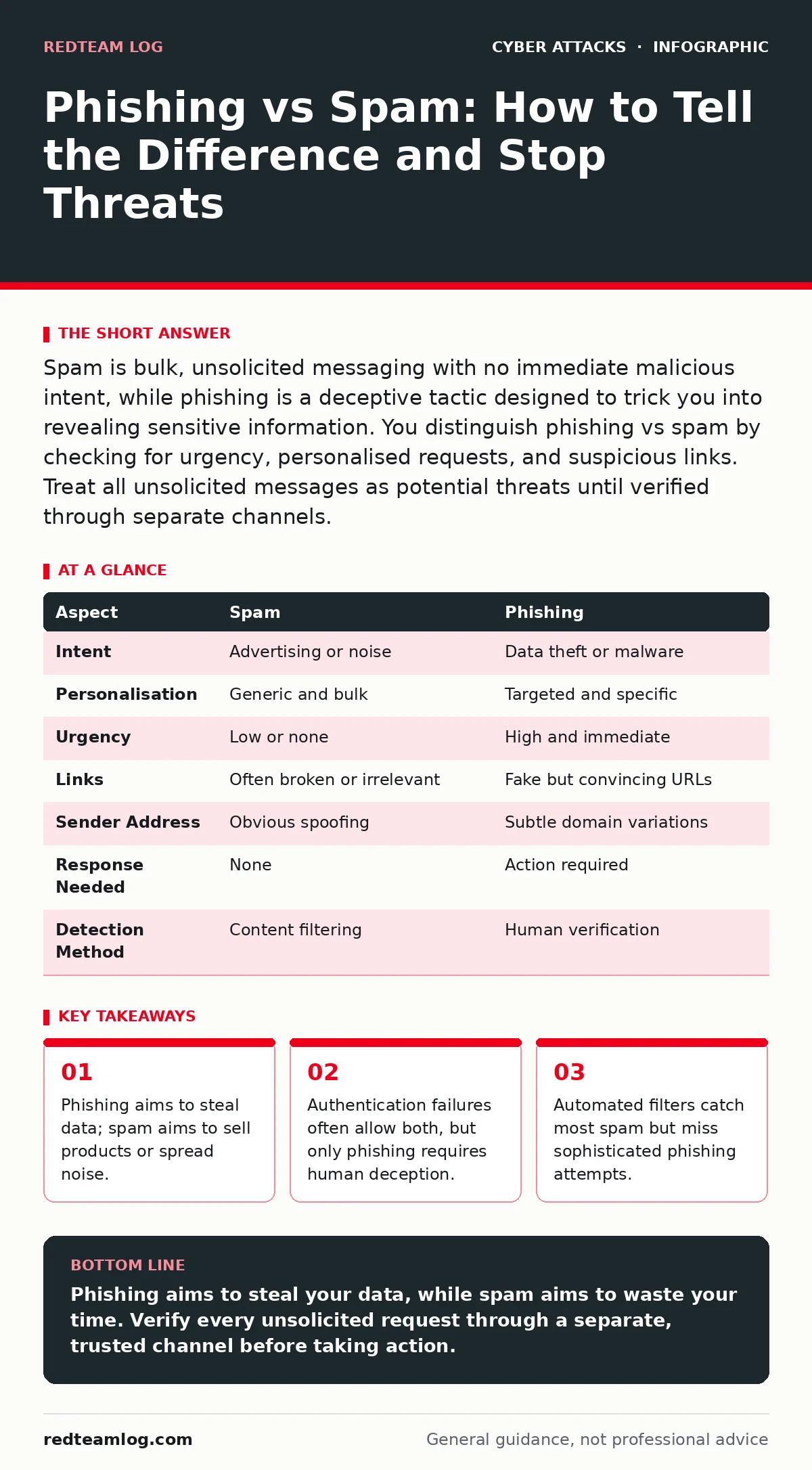
Spam is bulk, unsolicited messaging with no immediate malicious intent, while phishing is a deceptive tactic designed to trick you into revealing sensitive information. You distinguish phishing vs spam by checking for urgency, personalised requests, and suspicious links. Treat all unsolicited messages as potential threats until verified through separate channels.
The Core Difference Between Phishing and Spam
Phishing vs spam is a distinction between intent and outcome. Spam is unwanted, bulk electronic messaging that you did not request. Its primary goal is volume, not precision. Phishing is a targeted social engineering attack that mimics trusted entities to steal credentials, financial data, or install malware. The key difference lies in the attacker’s objective. Spam seeks to advertise or annoy. Phishing seeks to compromise. You must treat every unsolicited message as a potential phishing attempt because attackers often hide malicious payloads within what looks like harmless promotional content.
What Is Spam and How It Works
Spam relies on quantity over quality. Attackers send millions of messages, knowing that even a tiny response rate yields profit. These messages often contain broken links, poor grammar, or generic greetings. The mechanism is simple: broadcast widely and hope for a click. Spam does not typically require you to take immediate action. You can delete it without consequence, though doing so confirms your address is active. This confirmation can lead to more spam. Spam filters use reputation scores and content analysis to block these messages before they reach your inbox.
What Is Phishing and How It Operates
Phishing exploits human psychology rather than technical flaws. Attackers craft messages that create urgency, fear, or curiosity. They mimic the branding of legitimate organisations to lower your guard. The goal is to get you to click a link, download an attachment, or reply with sensitive information. Unlike spam, phishing messages are often personalised. They may reference your name, recent activity, or internal processes. This personalisation makes detection harder. Phishing attacks bypass traditional filters by using legitimate-looking domains and avoiding trigger words. You must verify the sender’s identity independently.
Point-by-Point Comparison of Threats
| Aspect | Spam | Phishing |
|---|---|---|
| Intent | Advertising or noise | Data theft or malware |
| Personalisation | Generic and bulk | Targeted and specific |
| Urgency | Low or none | High and immediate |
| Links | Often broken or irrelevant | Fake but convincing URLs |
| Sender Address | Obvious spoofing | Subtle domain variations |
| Response Needed | None | Action required |
| Detection Method | Content filtering | Human verification |
When to Choose Defensive Measures
Choose spam filtering when you want to reduce inbox clutter and improve productivity. Spam filters work best when they are aggressive. They block messages based on content patterns, sender reputation, and blacklists. You should configure these filters to quarantine suspicious messages rather than delete them. This allows you to review false positives. Choose phishing protection when you need to safeguard sensitive data and credentials. Phishing protection requires a layered approach. It includes technical controls like SPF and DKIM, along with user training. You must assume that some phishing messages will bypass filters.
See also: How SPF Records Work: The Mechanism Behind Email Sender Verification
Where Spam and Phishing Overlap
The line between spam and phishing blurs in many attacks. Attackers often use spam infrastructure to deliver phishing payloads. A message may start as a generic advertisement but contain a link to a phishing site. This hybrid approach allows attackers to test their methods. If the spam goes unnoticed, they escalate to targeted phishing. You must monitor for these overlaps. Look for messages that combine generic content with suspicious links. Implement web filtering to block access to known malicious sites. This adds a layer of defence beyond email headers. A cyber incident response team should review any message that triggers multiple alerts.
Social Engineering Red Flags and Mitigation
Social engineering red flags include requests for immediate action, threats of account suspension, or offers that seem too good to be true. Attackers exploit these emotions to bypass rational thinking. You must train users to recognise these cues. Encourage a culture of verification. If a message asks for sensitive data, contact the sender through a known, trusted channel. Do not use the contact details in the suspicious message. Intrusion prevention systems can block known malicious traffic, but they cannot stop human error. Combine technical controls with behavioural training.
Building a Resilient Email Defence
A resilient email defence requires multiple layers. Start with strict authentication protocols. Implement SPF, DKIM, and DMARC to prevent email spoofing. These protocols verify the sender’s identity and reduce the effectiveness of phishing. Next, deploy advanced filtering solutions. These tools use machine learning to detect anomalies in message content and sender behaviour. Finally, educate your users. Regular training helps them recognise social engineering tactics. Test their awareness with simulated phishing campaigns. Monitor for DDoS attacks that may accompany phishing campaigns to overwhelm support channels.
Key takeaways
- Phishing aims to steal data; spam aims to sell products or spread noise.
- Authentication failures often allow both, but only phishing requires human deception.
- Automated filters catch most spam but miss sophisticated phishing attempts.
Phishing aims to steal your data, while spam aims to waste your time. Verify every unsolicited request through a separate, trusted channel before taking action.
Frequently asked questions
Can spam turn into phishing?
Yes, attackers often use spam infrastructure to deliver phishing payloads, testing which messages get opened before escalating to targeted attacks.
How do I report phishing vs spam?
Report spam to your email provider to improve filters. Report phishing to your security team and relevant authorities to track malicious campaigns.
Does DMARC stop phishing?
DMARC helps prevent email spoofing by verifying sender identity, but it does not stop attackers from using legitimate accounts or social engineering.
Why do phishing emails bypass filters?
Phishing emails often use legitimate-looking domains and avoid trigger words, making them harder for content-based filters to detect.
How this guide was produced: written by the RedTeam Log editorial team with AI assistance, checked against the public references listed below, and reviewed when the facts change. See our editorial policy or report an error.