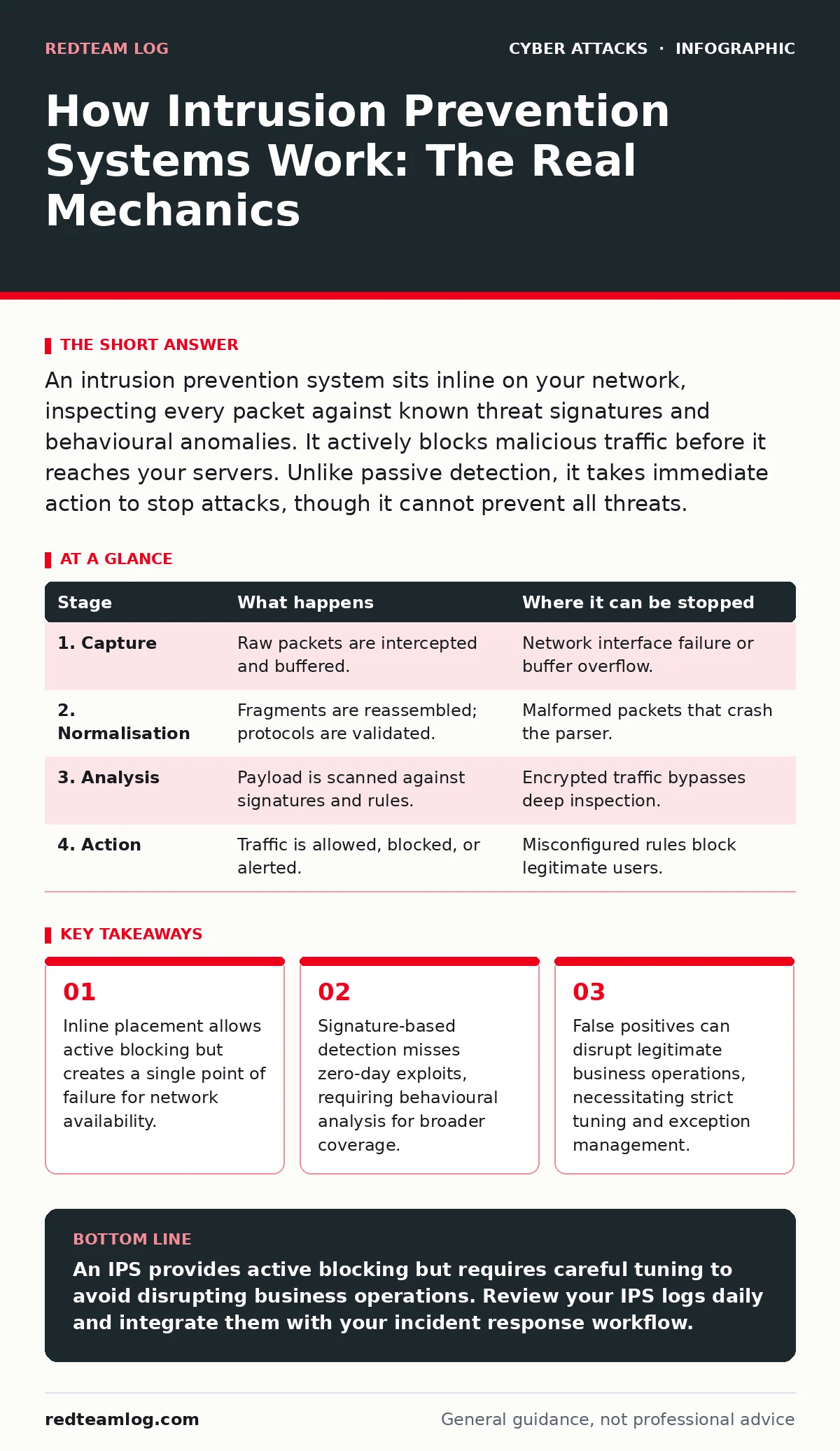
An intrusion prevention system sits inline on your network, inspecting every packet against known threat signatures and behavioural anomalies. It actively blocks malicious traffic before it reaches your servers. Unlike passive detection, it takes immediate action to stop attacks, though it cannot prevent all threats.
The Inline Inspection Trap
Most security tools sit at the edge of your network, watching traffic pass by. They see everything but touch nothing. An intrusion prevention system (IPS) is different. It sits directly in the path of data flow. Every packet destined for your internal servers must pass through the IPS engine. This inline position grants it the power to drop malicious connections instantly. It also introduces a critical vulnerability: if the IPS fails, your network goes dark. You are trading passive observation for active control and inherent risk.
The device does not just look at source and destination addresses. It opens each packet, examines the payload, and compares it against a database of known threats. This process adds latency. In high-speed environments, this delay can impact application performance. You must balance security depth against network speed.
### Stage 1: Packet Capture and Normalisation
The journey begins when a packet arrives at the interface. The IPS captures the raw data stream. Before analysis can occur, the system must normalise the traffic. Normalisation is the process of reconstructing fragmented packets and resolving ambiguous data formats into a standard structure. Attackers often split malicious code across multiple small packets to evade simple filters. By reassembling these fragments, the IPS reveals the complete picture.
If the traffic is encrypted, the IPS faces a dilemma. It cannot inspect the contents of TLS-encrypted sessions without terminating the encryption. This requires deploying a certificate authority and managing keys. Many organisations skip this step, leaving encrypted traffic blind to the IPS. You must decide which traffic is worth the computational cost of decryption.
### Stage 2: Protocol Analysis and Signature Matching
Once normalised, the packet undergoes protocol analysis. The IPS verifies that the data adheres to the standards of the protocol being used, such as HTTP or SMTP. It checks for malformed headers or unexpected sequences. These anomalies often indicate an attempt to exploit a software bug.
Next, the system applies signature matching. A signature is a unique pattern of bytes associated with a known attack. The IPS scans the packet payload for these patterns. If a match occurs, the system identifies the threat immediately. This method is highly accurate for known malware and exploits. However, it is useless against new, unknown threats that have no recorded signature. You are only as safe as your signature database is current.
| Stage | What happens | Where it can be stopped |
|---|---|---|
| 1. Capture | Raw packets are intercepted and buffered. | Network interface failure or buffer overflow. |
| 2. Normalisation | Fragments are reassembled; protocols are validated. | Malformed packets that crash the parser. |
| 3. Analysis | Payload is scanned against signatures and rules. | Encrypted traffic bypasses deep inspection. |
| 4. Action | Traffic is allowed, blocked, or alerted. | Misconfigured rules block legitimate users. |
### Stage 3: Behavioural Heuristics and Anomaly Detection
Signatures alone are insufficient. Sophisticated attackers modify their code to avoid matching known patterns. To catch these variants, the IPS uses behavioural heuristics. These are rules that define normal network behaviour. For example, a web server should not receive a database query command from a random IP address.
The system monitors for deviations from this baseline. It looks for unusual volume spikes, strange port usage, or command sequences that do not fit the application’s purpose. This is often called anomaly detection. It relies on statistical models rather than fixed patterns. While this catches zero-day exploits, it also generates more false positives. A legitimate user acting unusually might trigger a block. Tuning these thresholds requires deep knowledge of your specific environment.
### Stage 4: Decision Logic and Enforcement
When a threat is identified, the IPS must decide what to do. The most common action is to drop the packet silently. The sender receives no response, as if the packet vanished into the void. This prevents the attacker from knowing they were detected. Another option is to send a reset packet, closing the connection abruptly. This informs the sender that the connection was terminated, which can alert sophisticated attackers that an IPS is present.
Some configurations allow the IPS to reset the connection on both sides, ensuring the client and server both drop the session. This is cleaner but more resource-intensive. You must configure these actions carefully. A silent drop hides the activity from the attacker but also from your monitoring tools if not logged correctly. A reset provides visibility but reveals your defences.
See also: Port scanning meaning: how attackers map your network before striking · Beaconing Detected: Step-by-Step Response and Recovery Plan
### Stage 5: Logging and Alert Generation
Blocking the attack is only half the job. You must know it happened. The IPS generates a log entry for every action taken. This log includes the source IP, destination IP, timestamp, and the specific signature or rule triggered. Without these logs, you have no evidence for forensic analysis.
These logs feed into your security information and event management (SIEM) system. Correlating IPS alerts with other security data helps distinguish noise from real incidents. However, high-volume attacks can flood the logging system. You must ensure your logging infrastructure can handle the load. If the logs are lost, the IPS becomes a black box. You lose the ability to reconstruct the attack timeline during an incident.
The Hidden Cost of False Positives
The greatest risk of an IPS is not a missed attack, but a blocked legitimate user. A false positive occurs when the IPS incorrectly identifies benign traffic as malicious. This can happen when a new software update changes how an application communicates. The IPS sees the new format as an anomaly and blocks it.
This disrupts business operations. Users cannot access critical services. Support tickets flood in. Your team must manually investigate and whitelist the traffic. This process consumes time and resources. It also creates a window of vulnerability while the rule is adjusted. You must have a rigorous testing process before deploying new rules to production. Never apply aggressive blocking rules without a staging period.
Limits of Inline Defence
An IPS cannot protect you from everything. It operates at the network layer and the application layer. It cannot see what happens inside an endpoint once the traffic is allowed. If a user downloads a malicious file that passes inspection, the IPS does not stop the execution. You need endpoint detection and response (EDR) for that layer.
Furthermore, an IPS is useless against social engineering. It cannot stop a user from clicking a link in a baiting attacks or falling for CEO fraud. It cannot prevent gift card scams or deepfake scams that originate outside the network perimeter. These attacks rely on human error, not protocol violations. You must combine technical controls with user awareness.
Integrating with Broader Security
The IPS is a component, not a solution. It works best when integrated with other controls. For instance, web filtering can block access to malicious domains before traffic reaches the IPS, reducing its load. This layered approach ensures that if one control fails, another catches the threat.
When a breach does occur, your incident response plans must account for IPS data. The logs provide crucial context for the cyber incident response team. They help identify the scope and origin of the attack. Without this integration, your response will be slower and less effective. You must ensure that your IPS feeds into your broader security workflow.
Key takeaways
- Inline placement allows active blocking but creates a single point of failure for network availability.
- Signature-based detection misses zero-day exploits, requiring behavioural analysis for broader coverage.
- False positives can disrupt legitimate business operations, necessitating strict tuning and exception management.
An IPS provides active blocking but requires careful tuning to avoid disrupting business operations. Review your IPS logs daily and integrate them with your incident response workflow.
Frequently asked questions
Does an IPS replace a firewall?
No, a firewall controls access based on ports and protocols, while an IPS inspects packet content for malicious patterns. They serve different purposes and should be used together.
How do I reduce false positives?
Start in detection-only mode to monitor alerts without blocking. Tune rules based on observed traffic patterns before enabling active blocking for specific signatures.
Can an IPS stop ransomware?
It can block initial infection vectors like exploit kits, but it cannot stop ransomware that enters via legitimate means, such as user-downloaded files or email attachments.
Is cloud-based IPS better than hardware?
Cloud IPS offers easier updates and scalability, while hardware IPS provides lower latency and greater control over data privacy. The choice depends on your performance and compliance needs.
How this guide was produced: written by the RedTeam Log editorial team with AI assistance, checked against the public references listed below, and reviewed when the facts change. See our editorial policy or report an error.