
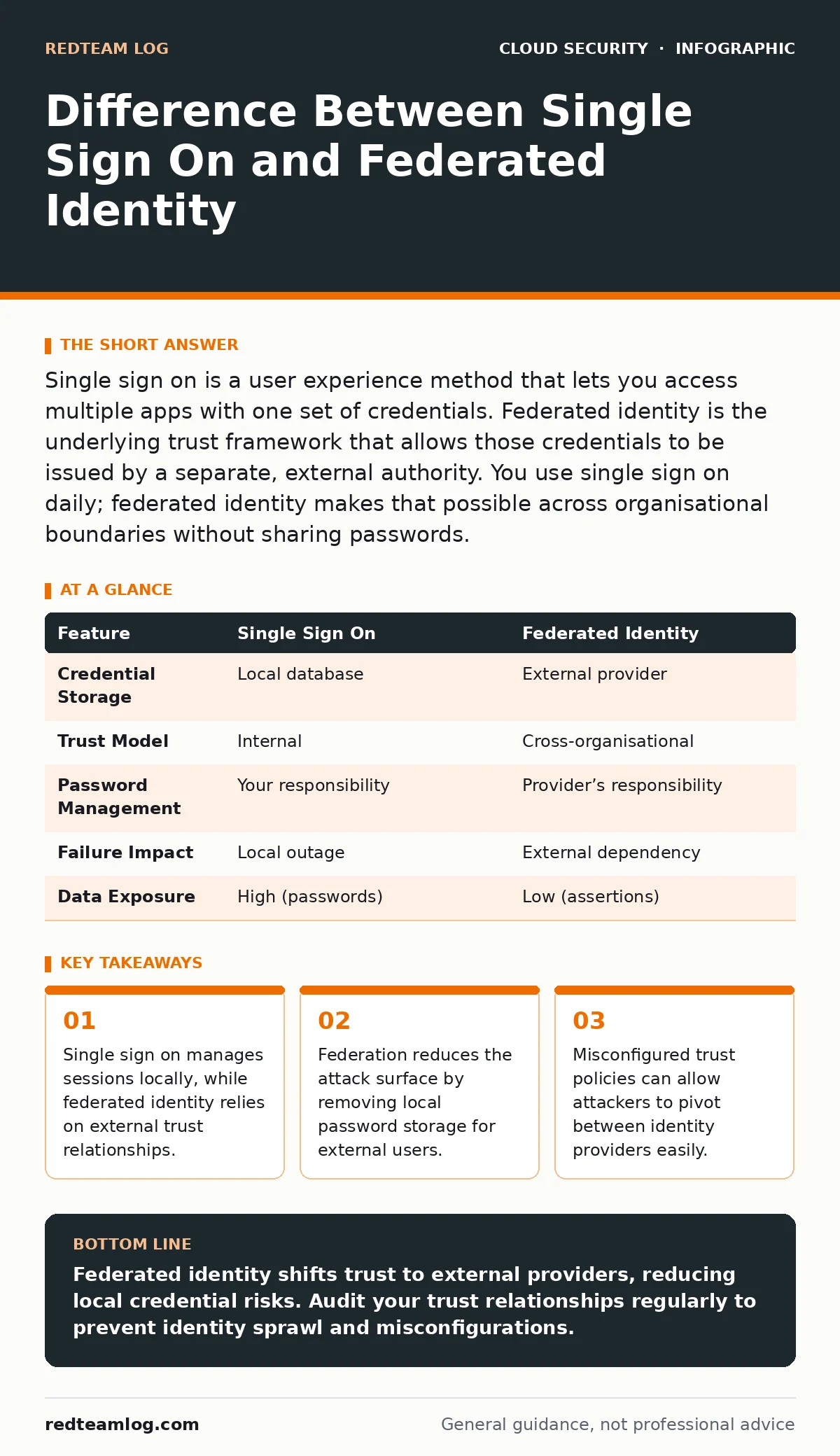
Single sign on is a user experience method that lets you access multiple apps with one set of credentials. Federated identity is the underlying trust framework that allows those credentials to be issued by a separate, external authority. You use single sign on daily; federated identity makes that possible across organisational boundaries without sharing passwords.
What is the difference between single sign on and federated identity
Single sign on is a session management technique, while federated identity is a trust delegation protocol. Single sign on allows a user to authenticate once and access multiple applications without re-entering credentials. Federated identity extends this concept by allowing an external identity provider to issue those credentials. The key distinction lies in ownership. In single sign on, your organisation owns the user database. In federated identity, another organisation owns the identity and asserts trust. This difference changes how you manage security controls and incident response.
How does single sign on work technically
Single sign on relies on a centralised authentication server that issues a session token. When you log in to the primary application, the server validates your credentials against a local database. It then creates a secure cookie or token that other applications recognise. Subsequent logins to connected applications check for this token rather than asking for a password. This reduces password fatigue and improves user experience. The security risk is concentrated in the central server. If an attacker compromises the primary session token, they gain access to every connected application. This creates a single point of failure for session integrity.
Why do organisations choose federated identity
Federated identity removes the need to store user credentials locally for external parties. You delegate authentication to an identity provider that the user already trusts. This is common for customer-facing applications or partner networks. The identity provider handles password resets, multi-factor authentication and account lockout policies. Your application only receives a signed assertion confirming the user’s identity. This reduces your compliance burden because you never touch sensitive authentication data. It also simplifies user onboarding and offboarding. The identity provider manages the lifecycle, ensuring access is revoked immediately when the user leaves their organisation.
What are the security risks of single sign on
Single sign on creates a high-value target for attackers. Compromising the central authentication server grants access to all connected systems. Attackers often target session fixation or token theft to bypass authentication. If the central server is misconfigured, it might issue tokens that are too long-lived or too permissive. Insider threats are also a significant concern. An administrator with access to the central directory can reset passwords or create backdoors. You must protect the central server with strict access controls and monitoring. Regular audits of session policies help detect anomalies. Without these controls, single sign on becomes a liability rather than a convenience.
Imagine an attacker steals a session cookie from a user’s browser. In a single sign on environment, this cookie might grant access to email, file storage and financial systems. The attacker does not need to guess passwords. They simply replay the valid token. This scenario highlights the need for short token lifespans and strict binding to device fingerprints.
How does federated identity mitigate credential theft
Federated identity ensures that passwords never leave the identity provider. Your application receives a cryptographic assertion instead of a password. This assertion is signed by the identity provider’s private key. Your application verifies the signature using the public key. If the signature is invalid, the assertion is rejected. This prevents attackers from harvesting passwords from your system. Even if your application is compromised, the attacker cannot obtain user credentials. They only gain access to the assertions, which are short-lived and specific to the session. This separation of duties limits the blast radius of a breach.
See also: Confidential Computing: 6 Misconceptions That Compromise Security · Data Center Resilience Planning: Keep Services Running During Failures
What happens when the identity provider goes down
Dependency on an external identity provider introduces availability risks. If the provider’s servers are unreachable, users cannot authenticate. Your application must handle this failure gracefully. You might implement a fallback mechanism, such as local emergency accounts for administrators. However, this fallback bypasses the federated trust model and introduces local credential risks. You must balance availability with security. Circuit breakers can detect provider outages and switch to degraded mode. This mode might allow existing sessions to continue but block new logins. Clear communication with users during outages reduces support tickets and frustration.
| Feature | Single Sign On | Federated Identity |
|---|---|---|
| Credential Storage | Local database | External provider |
| Trust Model | Internal | Cross-organisational |
| Password Management | Your responsibility | Provider’s responsibility |
| Failure Impact | Local outage | External dependency |
| Data Exposure | High (passwords) | Low (assertions) |
How do you prevent identity sprawl with federation
Identity sprawl occurs when users accumulate access across multiple providers without oversight. Federation can exacerbate this if trust relationships are created haphazardly. You must maintain an inventory of all active trust relationships. Regularly review and remove unused connections. Implement strict policies for creating new federation agreements.
Each agreement should define the scope of claims and permissions. Limit the data shared in assertions to only what is necessary. This minimises the information available if an assertion is intercepted. Automate the discovery of new trust relationships to detect shadow IT. Without visibility, you cannot enforce consistent security standards across your ecosystem.
What are the edge cases in federated trust
Not all identity providers implement security standards equally. Some might use weak signing algorithms or allow excessive claim delegation. You must validate the security posture of each provider. Check for support of modern protocols like OpenID Connect and SAML 2.0. Ensure that providers enforce multi-factor authentication for sensitive operations.
Be cautious of providers that allow silent authentication without user consent. This can lead to unexpected access grants. Test your integration with mock providers to simulate failure scenarios. Verify that your application rejects assertions with mismatched audiences or expired timestamps. These edge cases often reveal configuration weaknesses before attackers do.
How does this relate to insecure cloud APIs
Federated identity often interacts with cloud services through APIs. If these APIs are poorly secured, they can bypass identity checks. Attackers might exploit insecure endpoints to manipulate session states. You must ensure that all API calls validate the identity assertion. Implement strict input validation to prevent injection attacks. Use standard protocols for token exchange to avoid custom implementation errors. Refer to our guide on insecure cloud APIs for detailed remediation steps. Combining strong identity federation with secure API design creates a defence-in-depth strategy. This approach limits the impact of any single component failure.
What is the role of cloud guardrails in identity
Cloud guardrails provide automated enforcement of security policies. They can detect misconfigured federation trust relationships. For example, a guardrail might alert you if a new trust relationship allows excessive permissions. It can also enforce the use of specific signing algorithms. This automation reduces the risk of human error during configuration.
Guardrails ensure that your identity infrastructure aligns with organisational standards. They provide continuous monitoring and compliance reporting. Without guardrails, maintaining secure federation at scale is difficult. You must integrate these tools into your deployment pipeline. This ensures that security checks occur before new trust relationships go live.
Key takeaways
- Single sign on manages sessions locally, while federated identity relies on external trust relationships.
- Federation reduces the attack surface by removing local password storage for external users.
- Misconfigured trust policies can allow attackers to pivot between identity providers easily.
Federated identity shifts trust to external providers, reducing local credential risks. Audit your trust relationships regularly to prevent identity sprawl and misconfigurations.
Frequently asked questions
Can single sign on be used without federation?
Yes, single sign on can operate within a single organisation using a local directory. Federation is only required when trust crosses organisational boundaries.
Is federated identity more secure than single sign on?
Federation reduces the risk of local credential theft but introduces dependency on external providers. Security depends on the configuration of both systems.
What protocols are used for federated identity?
Common protocols include SAML 2.0, OpenID Connect and OAuth 2.0. Each has specific use cases and security considerations.
How do I handle user logout in federation?
Implement single log-out protocols to ensure that terminating a session with the identity provider also terminates sessions with connected applications.
How this guide was produced: written by the RedTeam Log editorial team with AI assistance, checked against the public references listed below, and reviewed when the facts change. See our editorial policy or report an error.