
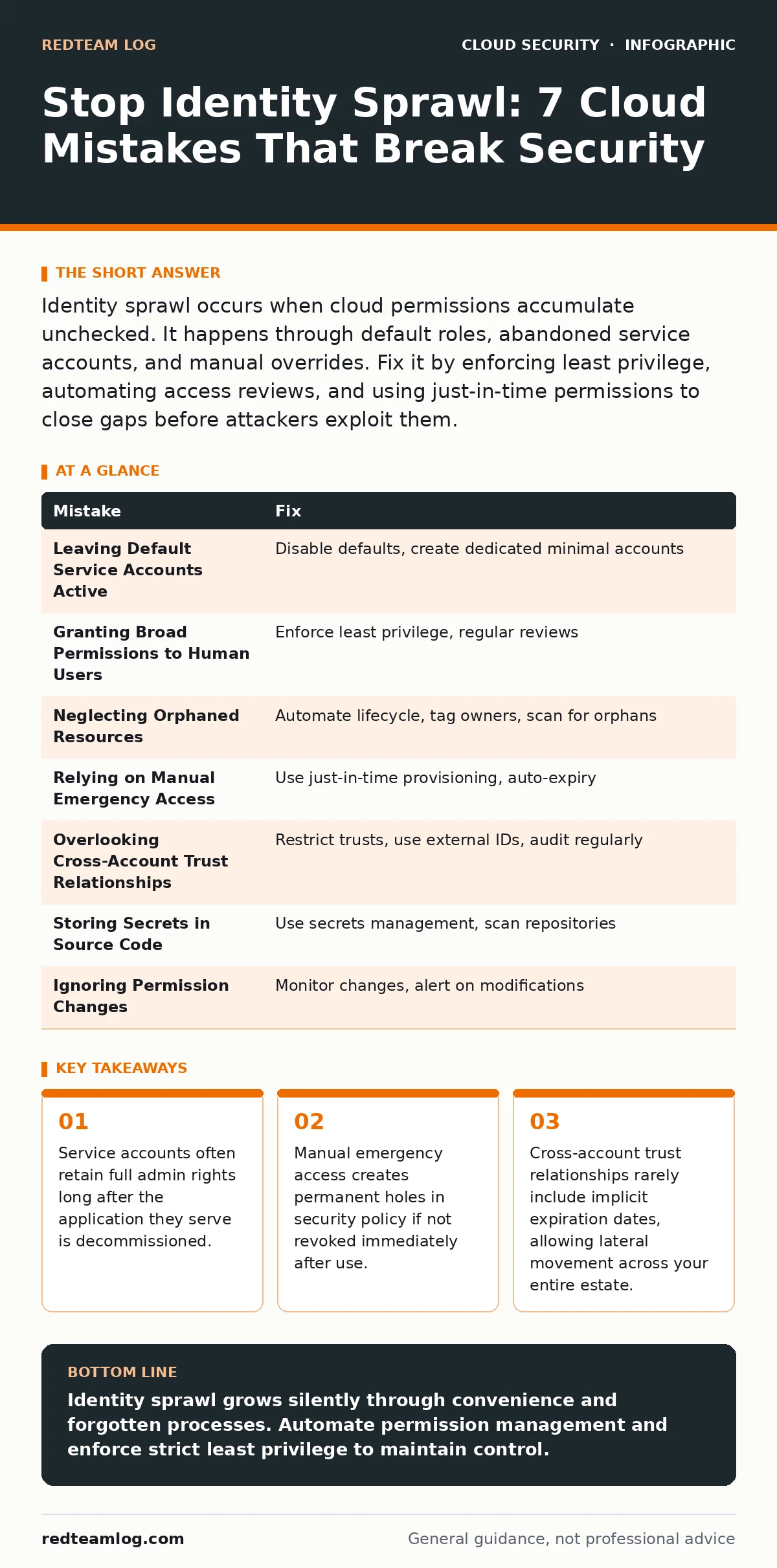
Identity sprawl occurs when cloud permissions accumulate unchecked. It happens through default roles, abandoned service accounts, and manual overrides. Fix it by enforcing least privilege, automating access reviews, and using just-in-time permissions to close gaps before attackers exploit them.
Mistake 1: Leaving Default Service Accounts Active
Cloud providers create default service accounts for management tasks. These accounts often possess broad administrative privileges by design. You leave them active because they are convenient for initial setup. The account remains in the system even when the specific workload it was meant to manage is deleted.
Why it hurts:
Attackers scan for default service accounts first. They know these accounts exist and often have predictable naming conventions. A compromised default account grants immediate access to core infrastructure components. This bypasses application-level security controls entirely. The account acts as a permanent backdoor into your environment.
The fix:
Disable default service accounts immediately after deployment. Create dedicated service accounts with minimal required permissions for each workload. Bind these accounts to specific resources rather than broad administrative roles. Review and remove any default accounts that are no longer attached to active services. This reduces the attack surface significantly.
Mistake 2: Granting Broad Permissions to Human Users
Administrators often grant users broader permissions than necessary to avoid friction. You might give a developer full access to a storage bucket instead of read-only access to a specific folder. This shortcut saves time during onboarding but accumulates risk over time. Users retain these elevated privileges even when their role changes.
Why it hurts:
Excessive permissions increase the blast radius of a compromised credential. If a user account is stolen, the attacker inherits all associated privileges. This allows lateral movement across unrelated systems. It also complicates forensic analysis because legitimate user activity blends with malicious actions. You cannot distinguish between a user doing their job and an attacker exploiting their access.
The fix:
Implement the principle of least privilege strictly. Assign permissions based on job function, not seniority. Use role-based access control to define granular permissions. Regularly review user permissions to ensure they match current responsibilities. Remove access for employees who change roles or leave the organisation. This limits the impact of any single compromised account.
Mistake 3: Neglecting Orphaned Resources
You delete applications but forget to remove the underlying infrastructure. Virtual machines, storage buckets, and databases remain running. The service accounts attached to these resources continue to exist. These orphaned resources often retain the permissions of the original application. They become invisible liabilities within your cloud estate.
Why it hurts:
Orphaned resources consume resources and money, but the security risk is higher. They often lack monitoring and patching because no one owns them. Attackers discover these forgotten assets and use them as staging grounds. The permissions attached to orphaned service accounts may allow access to sensitive data. You lose visibility into these assets, making detection nearly impossible.
The fix:
Automate the lifecycle management of cloud resources. Tie resource deletion to application decommissioning processes. Implement tagging strategies to identify owners of all assets. Regularly scan for resources without active owners or associated applications. Delete or restrict access to any resource that cannot be accounted for. This ensures your environment reflects your actual business needs.
Mistake 4: Relying on Manual Emergency Access
Teams create temporary admin accounts for emergency fixes. They grant full access to resolve a critical issue quickly. The plan is to revoke access once the fix is applied. In practice, the revocation step is often forgotten or delayed. These accounts remain active with full privileges, becoming permanent security gaps.
Why it hurts:
Manual processes are prone to human error. Forgotten emergency accounts are a common entry point for attackers. These accounts often lack multi-factor authentication or additional logging. They provide a direct path to sensitive systems without oversight. The lack of audit trails makes it difficult to trace actions taken during the emergency.
The fix:
Automate emergency access using just-in-time provisioning. Grant temporary privileges that expire automatically after a set duration. Require approval workflows for any emergency access requests. Log all actions taken during the elevated access period. Ensure the system automatically revokes permissions when the session ends. This eliminates the risk of forgotten privileges.
Mistake 5: Overlooking Cross-Account Trust Relationships
You set up trust relationships between cloud accounts for shared services. These relationships allow one account to assume roles in another. You often configure these trusts with broad permissions to simplify integration. The trust relationship remains active even if the shared service is no longer needed. This creates persistent pathways for lateral movement.
Why it hurts:
Cross-account trusts expand the attack surface across your entire cloud estate. An attacker who compromises one account can move to others. The trust relationship may grant more permissions than necessary for the shared service. This allows access to unrelated resources in trusted accounts. You lose the ability to isolate breaches effectively.
The fix:
Restrict cross-account trusts to specific external IDs. Limit permissions to the minimum required for the shared service. Regularly audit trust relationships to ensure they are still needed. Remove trusts for services that have been decommissioned. Use external IDs to prevent confused deputy attacks. This ensures that trust is granted only to verified entities.
See also: Confidential Computing: 6 Misconceptions That Compromise Security · Data Center Resilience Planning: Keep Services Running During Failures
Mistake 6: Storing Secrets in Source Code
Developers embed API keys and passwords directly in code repositories. They do this for convenience during development. These secrets are then committed to version control systems. Even if removed later, they remain in the commit history. Attackers can easily extract these secrets from public or private repositories.
Why it hurts:
Exposing secrets in source code compromises the entire system. Attackers use these credentials to access databases and services. The secrets often have broad permissions, allowing extensive damage. Rotating these secrets is difficult because they are embedded in many places. You lose control over who has access to these credentials.
The fix:
Use dedicated secrets management tools. Store credentials in secure vaults separate from code. Inject secrets at runtime rather than hardcoding them. Scan repositories for exposed secrets regularly. Rotate credentials immediately if any are found in code history. This prevents accidental exposure and limits the impact of leaks.
Mistake 7: Ignoring Permission Changes
You focus on who has access but not what they can do. Permission changes often happen silently through policy updates. A minor change to a role can inadvertently grant access to sensitive data. These changes accumulate over time, creating a complex web of permissions. You lose track of who can access what.
Why it hurts:
Silent permission changes create hidden vulnerabilities. Attackers exploit these overlooked permissions to escalate privileges. You cannot detect these changes without continuous monitoring. The complexity of permission structures makes it difficult to assess risk. This leads to a false sense of security.
The fix:
Monitor permission changes in real-time. Alert on any modifications to critical roles or policies. Implement change management processes for permission updates. Review permission changes regularly to ensure they are intentional. Use automated tools to detect anomalous permission grants. This ensures you maintain visibility over your access controls.
| Mistake | Fix |
|---|---|
| Leaving Default Service Accounts Active | Disable defaults, create dedicated minimal accounts |
| Granting Broad Permissions to Human Users | Enforce least privilege, regular reviews |
| Neglecting Orphaned Resources | Automate lifecycle, tag owners, scan for orphans |
| Relying on Manual Emergency Access | Use just-in-time provisioning, auto-expiry |
| Overlooking Cross-Account Trust Relationships | Restrict trusts, use external IDs, audit regularly |
| Storing Secrets in Source Code | Use secrets management, scan repositories |
| Ignoring Permission Changes | Monitor changes, alert on modifications |
Key takeaways
- Service accounts often retain full admin rights long after the application they serve is decommissioned.
- Manual emergency access creates permanent holes in security policy if not revoked immediately after use.
- Cross-account trust relationships rarely include implicit expiration dates, allowing lateral movement across your entire estate.
Identity sprawl grows silently through convenience and forgotten processes. Automate permission management and enforce strict least privilege to maintain control.
Frequently asked questions
How do I identify identity sprawl in my cloud environment?
Run regular access reviews and audit service accounts. Look for unused roles, orphaned resources, and broad permissions that no longer match job functions.
Is it safe to disable default service accounts?
Yes, if you replace them with dedicated accounts. Ensure the new accounts have only the permissions required for specific workloads before disabling the defaults.
How often should I review cloud permissions?
Review permissions quarterly or after any significant role change. Automate continuous monitoring to detect unauthorized changes in real-time.
What is the biggest risk of cross-account trusts?
Lateral movement. An attacker can use a compromised account to access other trusted accounts, bypassing isolation boundaries and expanding the breach.
How this guide was produced: written by the RedTeam Log editorial team with AI assistance, checked against the public references listed below, and reviewed when the facts change. See our editorial policy or report an error.