
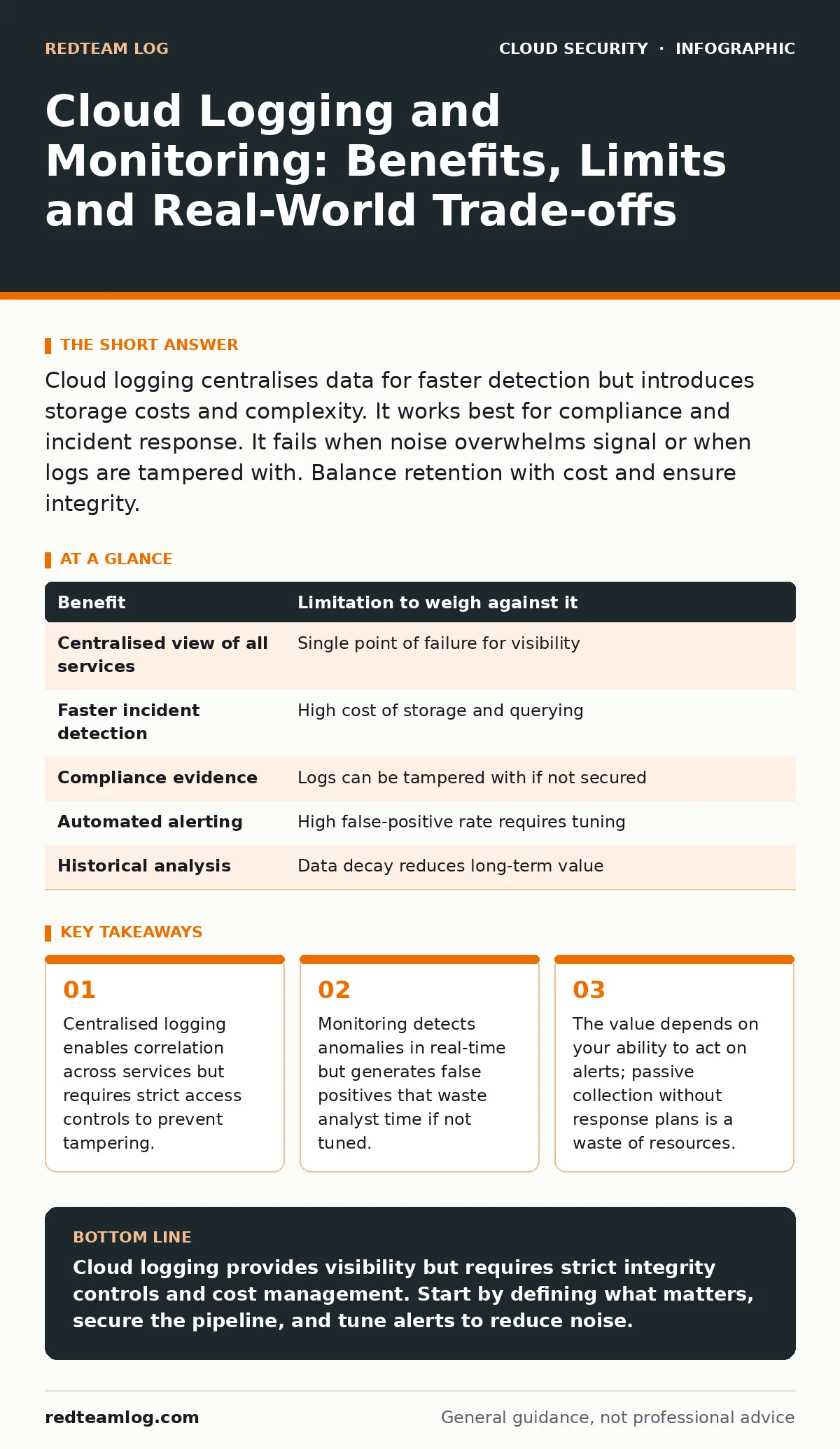
Cloud logging centralises data for faster detection but introduces storage costs and complexity. It works best for compliance and incident response. It fails when noise overwhelms signal or when logs are tampered with. Balance retention with cost and ensure integrity.
The Visibility Illusion
You assume that collecting every log entry gives you total visibility. This assumption is dangerous. Cloud environments generate terabytes of data daily. Most of it is noise. Without careful filtering, you drown in alerts. You miss the actual threat because it is buried under routine operational messages.
Logging is the process of recording events. Monitoring is the act of analysing those records for anomalies. They are distinct functions. Logging captures history. Monitoring looks for patterns in real-time. You need both, but they serve different purposes. Many organisations confuse the two and build systems that collect everything but understand nothing.
The Cost of Truth
Every log entry costs money to store and process. Cloud providers charge for ingestion, storage and querying. As your infrastructure scales, so do these costs. A single misconfigured service can generate millions of useless entries. You pay for data you never read.
This financial pressure leads to a hidden trade-off. You might reduce log verbosity to save money. This creates blind spots. Attackers exploit these gaps. They move laterally through services that do not log detailed access events. You see the breach only when it is too late.
The solution is not to log less, but to log smarter. Define what constitutes a security-relevant event. Prioritise authentication failures, privilege escalations and configuration changes. Ignore routine health checks. This requires discipline. It also requires regular review. What is relevant today may not be relevant tomorrow.
Tampering and Trust
Logs are evidence. If an attacker gains access to your logging system, they can delete or alter that evidence. This is a common tactic. Attackers want to hide their tracks. If your logs are mutable, you cannot trust them.
You must treat log integrity as a primary security control. Use write-only access for log sources. This means services can append data but cannot read or delete it. Store logs in a separate account or region from your production environment. This adds complexity but prevents a single breach from wiping your history.
Refer to the principles of immutable infrastructure when designing your logging pipeline. If the logging system itself is immutable, attackers cannot modify its configuration to disable logging. This creates a chain of custody. You can prove what happened, even if the primary system is compromised.
| Benefit | Limitation to weigh against it |
|---|---|
| Centralised view of all services | Single point of failure for visibility |
| Faster incident detection | High cost of storage and querying |
| Compliance evidence | Logs can be tampered with if not secured |
| Automated alerting | High false-positive rate requires tuning |
| Historical analysis | Data decay reduces long-term value |
The Noise Problem
Monitoring tools alert you when something looks wrong. The problem is defining "wrong". Normal cloud activity is dynamic. Auto-scaling groups create and destroy instances. Deployments change configurations. These actions look like attacks to a naive monitor.
You will receive alerts for benign events. This is called alert fatigue. Your team stops paying attention. When a real attack happens, it is just another alert in the queue. You ignore it. The attacker succeeds.
To combat this, you must tune your detection rules. Start with strict rules and loosen them based on observed behaviour. Use machine learning to establish baselines. However, even AI makes mistakes. You need human oversight. Regularly review alerts that were dismissed as false positives. Some may have been true positives that you missed.
Identity and Access
Who can read your logs? This is a critical question. Logs contain sensitive information. They may include user data, internal IP addresses and configuration details. If an attacker reads your logs, they learn about your environment. They map your network. They identify high-value targets.
Apply the principle of least privilege. Only security analysts should have read access to logs. Developers should not. Use workload identity to restrict access from automated systems. Ensure that logging services authenticate properly. Do not use shared credentials.
Also, consider the concept of secrets in source code. If developers accidentally commit credentials to a repository, those credentials may appear in logs if the application is misconfigured. Scan your code and your logs for accidental secret exposure. This prevents attackers from using leaked credentials to gain further access.
See also: Confidential Computing: 6 Misconceptions That Compromise Security · Data Center Resilience Planning: Keep Services Running During Failures
When It Is Worth It
Cloud logging and monitoring are worth the investment when you have complex, multi-service architectures. If your services talk to each other, you need correlation. A failure in one service may be caused by an issue in another. Logs help you trace this dependency.
They are also worth it for compliance. Regulations often require you to retain logs for a specific period. You must prove that you monitored access to sensitive data. Without a robust logging system, you cannot demonstrate compliance. This exposes you to legal and financial risk.
Finally, it is worth it when you have a dedicated security team. If no one is watching the alerts, you are wasting money. The value of logging lies in the response. If you can detect and respond to threats faster, you reduce damage. This justifies the cost.
When It Is Not
Logging is not worth it if you have a simple, static infrastructure. If you have a single web server with no external dependencies, basic system logs may suffice. Complex cloud-native logging tools add overhead without benefit.
It is also not worth it if you lack the skills to analyse the data. Collecting data is easy. Understanding it is hard. If your team does not know how to query logs or investigate alerts, you are building a library no one reads. Invest in training first.
Consider the alternative of cloud backup. For some organisations, the priority is data recovery, not real-time detection. If your main risk is ransomware, backing up your data securely is more effective than monitoring for every keystroke. Focus your resources on the risks that matter most.
Integrating with Defence
Logging does not exist in a vacuum. It must integrate with other security controls. For example, container image scanning helps you identify vulnerabilities before deployment. Logs help you detect if an attacker exploits those vulnerabilities after deployment.
Similarly, cloud penetration testing validates your logging effectiveness. Testers try to hide their actions. If your logs catch them, your system works. If not, you have gaps. Regular testing ensures your logging strategy remains effective against new tactics.
Also, review the Cloud Controls Matrix to ensure your logging meets industry standards. This matrix maps controls to frameworks. It helps you identify gaps in your coverage. Align your logging strategy with these controls to ensure you are not missing critical areas.
Key takeaways
- Centralised logging enables correlation across services but requires strict access controls to prevent tampering.
- Monitoring detects anomalies in real-time but generates false positives that waste analyst time if not tuned.
- The value depends on your ability to act on alerts; passive collection without response plans is a waste of resources.
Cloud logging provides visibility but requires strict integrity controls and cost management. Start by defining what matters, secure the pipeline, and tune alerts to reduce noise.
Frequently asked questions
How long should I keep my cloud logs?
Keep logs long enough to meet compliance requirements and support incident investigation. Typically, this is between one and two years. Balance retention against storage costs.
Can I use free tier logging for production?
Free tiers have strict limits on volume and retention. They are unsuitable for production environments with high traffic. You will hit limits quickly and lose data.
Do I need separate logging for each cloud account?
No. Centralise logs from all accounts into a single security account. This provides a unified view and simplifies analysis. Ensure the security account is isolated and protected.
How do I reduce false positives?
Tune your alert rules based on historical data. Exclude known benign activities. Use thresholds to avoid alerting on minor deviations. Regularly review and update your rules.
How this guide was produced: written by the RedTeam Log editorial team with AI assistance, checked against the public references listed below, and reviewed when the facts change. See our editorial policy or report an error.