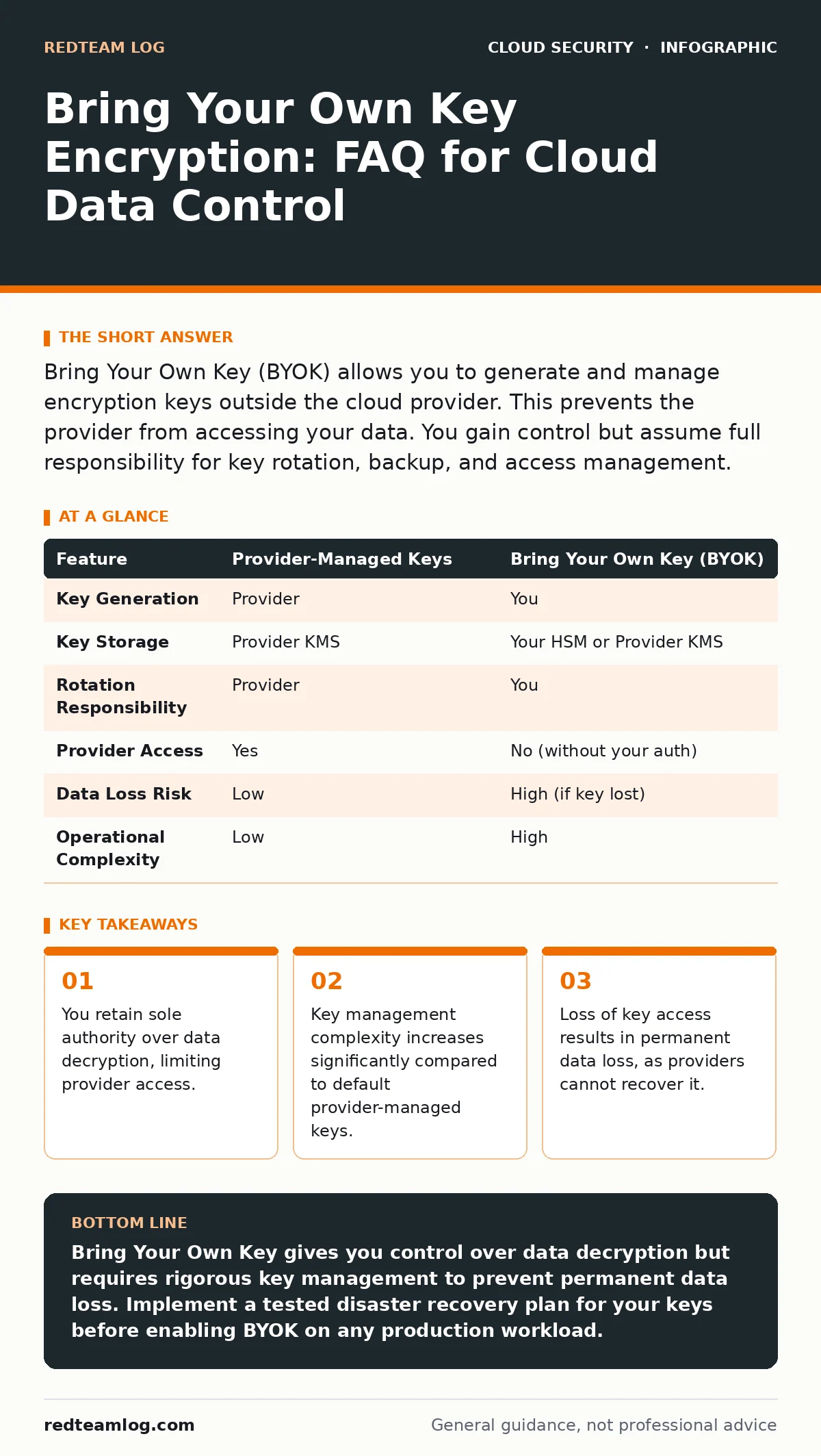
Bring Your Own Key (BYOK) allows you to generate and manage encryption keys outside the cloud provider. This prevents the provider from accessing your data. You gain control but assume full responsibility for key rotation, backup, and access management.
What is Bring Your Own Key encryption?
Bring Your Own Key (BYOK) is a cloud security model where you generate, store, and manage your own encryption keys rather than using the cloud provider’s default keys. In this arrangement, the cloud provider still performs the actual encryption and decryption operations on the data at rest. However, they cannot access the plaintext data without your explicit permission and the correct key. This mechanism ensures that even if a provider employee or a compromised provider system attempts to access your data, they will only see encrypted ciphertext. It shifts the cryptographic root of trust from the provider to your organisation.
How does BYOK differ from default provider keys?
Default provider keys are managed entirely by the cloud vendor, who rotates them automatically and uses them to encrypt data across many customers. With BYOK, you generate the key material yourself, often using a Hardware Security Module (HSM). You then upload this key to the provider’s Key Management Service (KMS) or keep it in your own HSM and grant the provider permission to use it. The critical difference is control: you decide when to rotate, update, or revoke the key. The provider never holds the private material needed to decrypt your data without your ongoing authorisation. This separation limits the blast radius of a provider-side breach.
Who is responsible for key rotation?
You are responsible for defining and executing the key rotation schedule when using BYOK. Rotation involves generating a new key and re-encrypting data with that new key, or updating the active key version in the KMS. If you do not rotate keys, old key versions remain valid indefinitely, which increases risk if a key is compromised. Automated rotation is possible but requires configuration within your key management infrastructure. Failure to rotate keys does not break encryption, but it does violate many compliance standards. You must balance the operational cost of re-encryption against the security benefit of fresh key material.
What happens if I lose access to my key?
If you lose access to your BYOK, your data becomes permanently inaccessible because the cloud provider cannot decrypt it without the key. The provider has no backdoor or master key to recover your data. This is the most significant trade-off of BYOK: you gain control, but you also assume the risk of total data loss. You must implement rigorous backup and disaster recovery procedures for your keys before adopting this model. Consider integrating with cloud backup strategies that include key backups, not just data backups. Without a verified recovery path for the key itself, the data is effectively destroyed.
Does BYOK protect against insider threats at the provider?
BYOK significantly reduces the risk of insider threats at the cloud provider level. Provider employees, even those with high-level administrative privileges, cannot decrypt your data without the key material you control. However, it does not protect against insider threats within your own organisation. If an employee with access to your key management system steals the key, they can decrypt your data. It also does not protect data in transit or while it is being processed in memory. You must combine BYOK with strict identity and access management policies. See our guide on Cloud Controls Matrix for mapping these internal controls.
See also: Microsegmentation for Small Teams: Contain Breaches Fast · Cloud Guardrails: 8 FAQs on Policy Enforcement and Prevention
How does BYOK impact application performance?
BYOK can introduce slight latency to encryption and decryption operations, depending on the architecture. If you store keys in a remote HSM, every decryption request may require a network call to that HSM. This adds milliseconds to data access times, which can accumulate at scale. If you use a local KMS cache, the initial handshake is slower, but subsequent operations are faster. The impact is usually negligible for most workloads but can be critical for high-frequency trading or real-time analytics. You must test your specific application’s tolerance for this latency. Poorly configured key access paths can become a bottleneck.
Is BYOK compliant with major regulations?
BYOK is generally accepted as a best practice for meeting strict data sovereignty and privacy regulations. Regulations often require that the data controller retains control over encryption keys to prove they are not relying on third-party access. However, compliance is not automatic; you must demonstrate that your key management practices meet the standard’s requirements. This includes secure generation, storage, access logging, and rotation. You cannot claim compliance if your keys are stored in plaintext or shared via insecure channels. Refer to insecure cloud APIs documentation to ensure your key management endpoints are protected.
What are the costs of implementing BYOK?
BYOK introduces costs for key management infrastructure, such as dedicated HSMs or managed KMS services. You also incur operational costs for staff time to manage rotation, backups, and access controls. Some cloud providers charge extra for BYOK usage compared to default keys. The hidden cost is complexity: integrating BYOK into your deployment pipelines requires engineering effort. You must also budget for disaster recovery testing to ensure keys can be restored. While the financial cost is measurable, the operational overhead is the larger investment.
| Feature | Provider-Managed Keys | Bring Your Own Key (BYOK) |
|---|---|---|
| Key Generation | Provider | You |
| Key Storage | Provider KMS | Your HSM or Provider KMS |
| Rotation Responsibility | Provider | You |
| Provider Access | Yes | No (without your auth) |
| Data Loss Risk | Low | High (if key lost) |
| Operational Complexity | Low | High |
How do I integrate BYOK with containerised applications?
Integrating BYOK with containers requires careful handling of key material within the container lifecycle. You should never embed keys directly in container images or environment variables. Instead, use a sidecar pattern or a secrets manager to inject keys at runtime. This ensures keys are not persisted in the image layers. You must also ensure that the container’s access to the key is limited by least-privilege policies. For deeper insights on securing containers, read container image scanning practices. Improper key injection can lead to secrets leaking into logs or memory dumps.
Can I use BYOK for data in transit?
BYOK typically applies to data at rest, not data in transit. Data in transit is protected by Transport Layer Security (TLS), which uses different certificate-based mechanisms. While you can manage TLS certificates yourself, this is distinct from BYOK for storage encryption. Some advanced setups use TLS for key transport, but the core BYOK benefit is preventing provider access to stored data. Do not assume BYOK protects your data while it moves between services. You must configure cloud firewalls and TLS settings separately. Combining both provides a layered defence strategy.
Key takeaways
- You retain sole authority over data decryption, limiting provider access.
- Key management complexity increases significantly compared to default provider-managed keys.
- Loss of key access results in permanent data loss, as providers cannot recover it.
Bring Your Own Key gives you control over data decryption but requires rigorous key management to prevent permanent data loss. Implement a tested disaster recovery plan for your keys before enabling BYOK on any production workload.
Frequently asked questions
Can I migrate from provider-managed keys to BYOK?
Yes, most cloud providers allow you to re-encrypt data with your own keys. This process may take time and require temporary increased storage or compute resources.
Does BYOK protect against ransomware?
No, BYOK does not prevent ransomware from encrypting your data. It only ensures the cloud provider cannot access it. You still need backups and endpoint protection.
What is a Hardware Security Module?
An HSM is a physical device that generates, stores, and manages cryptographic keys securely. It protects keys from software-based attacks and physical tampering.
How often should I rotate my keys?
Rotation frequency depends on your risk profile and compliance requirements. Common practices range from annually to every few years, but critical data may require more frequent rotation.
How this guide was produced: written by the RedTeam Log editorial team with AI assistance, checked against the public references listed below, and reviewed when the facts change. See our editorial policy or report an error.