Block external emails from entering your organisation that impersonate internal executives. Force all financial requests through a separate communication channel. Train staff to verify identities via voice calls, not email replies. These steps reduce the success rate of impersonation attacks significantly.
The Illusion of Trust in Inboxes
Imagine receiving an email from your chief executive. It is urgent. It asks you to process a payment or share credentials. The domain looks correct. The tone matches the leader’s style. You act quickly because the request appears authentic. This scenario is the foundation of CEO fraud, also known as Business Email Compromise. The attacker does not need to hack your server. They only need to mimic trust.
The danger lies in the separation of technical authenticity and human intent. An email can be technically valid while carrying malicious instructions. Attackers exploit the psychological bias that assumes authority figures do not make mistakes or need verification. They craft messages that trigger immediate action, bypassing normal security checks. Your staff must learn to question the sender, not just the message content.
Blocking Domain Spoofing
The first line of defence is ensuring that your domain cannot be used to send fake emails. You must implement Sender Policy Framework (SPF), DomainKeys Identified Mail (DKIM), and Domain-based Message Authentication, Reporting, and Conformance (DMARC). These are open standards that verify the sender’s identity. SPF lists the servers authorised to send email for your domain. DKIM adds a cryptographic signature to emails, proving they were not altered in transit. DMARC tells receiving servers what to do if an email fails SPF or DKIM checks.
Without DMARC, an attacker can register a look-alike domain and send convincing fakes. With strict DMARC policies, receiving servers reject or quarantine these messages automatically. This stops the most obvious impersonation attempts. However, this measure only protects your own domain. It does not stop attackers from using compromised third-party accounts or free email services to contact your staff. You must treat these controls as a baseline, not a solution.
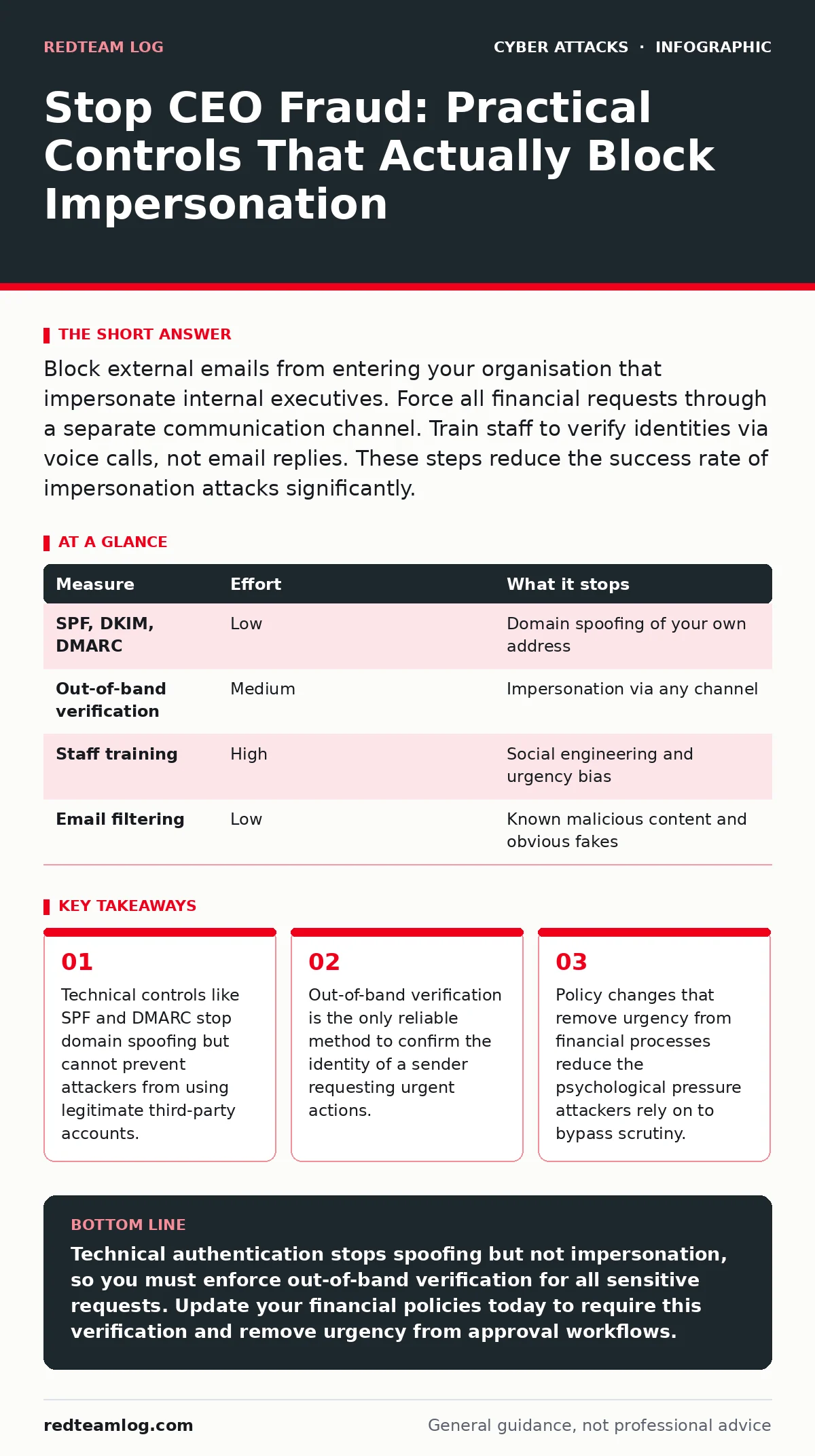
| Measure | Effort | What it stops |
|---|---|---|
| SPF, DKIM, DMARC | Low | Domain spoofing of your own address |
| Out-of-band verification | Medium | Impersonation via any channel |
| Staff training | High | Social engineering and urgency bias |
| Email filtering | Low | Known malicious content and obvious fakes |
Enforcing Out-of-Band Verification
Technical controls cannot read human intent. An attacker using a legitimate, compromised email account will pass all authentication checks. The only way to verify the sender is to contact them through a different channel. This is out-of-band verification. It means using a phone call, a secure messaging app, or an in-person conversation to confirm the request.
You must establish a policy that requires this verification for any request involving money, data transfer, or access changes. The verification must occur before any action is taken. Do not reply to the email with a question. Attackers often monitor the victim’s inbox and can respond instantly. Instead, use a pre-agreed phone number or internal directory to call the supposed sender. This breaks the attacker’s control of the communication loop.
Removing Urgency from Financial Processes
Attackers rely on urgency to override your staff’s critical thinking. A request that says “do this now” bypasses standard approval workflows. You must redesign your financial processes to eliminate this pressure. Implement mandatory cooling-off periods for large transactions. Require dual approval for any payment exceeding a set threshold. These steps add friction, which is exactly what you need to stop impulsive actions.
Suppose an employee receives a request for an urgent wire transfer. The policy requires two signatures and a twenty-four-hour hold. The attacker cannot force the transaction through. The delay gives time for verification and scrutiny. This approach reduces the risk of successful fraud, even if the attacker has bypassed other controls. It shifts the burden from individual vigilance to systemic protection.
Detecting Anomalies in Communication Patterns
Most CEO fraud attempts follow predictable patterns. They often come from unexpected domains, use generic greetings, or contain subtle spelling errors. Your email security tools can flag these anomalies. Configure your filters to highlight emails from executives that arrive outside of business hours or originate from external domains. These flags prompt staff to pause and verify.
You should also monitor for unusual activity in email accounts. A sudden change in sending volume or recipient list can indicate a compromised account. If your chief executive usually emails the marketing team, a sudden request to the finance department is suspicious. An intrusion prevention systems can help detect these behavioural shifts, but you must tune them to avoid false positives. The goal is to create visibility into normal patterns so deviations stand out.
See also: Email Spoofing Prevention Checklist: Stop Forged Messages · Phishing vs Spam: How to Tell the Difference and Stop Threats
Integrating with Broader Security Frameworks
CEO fraud is not an isolated issue. It often accompanies other attacks that aim to gather intelligence or gain access. Attackers may use baiting attacks to trick staff into downloading malware, which then provides the credentials needed for impersonation. They might use web filtering evasion techniques to bypass content controls and send phishing links. Understanding these connections helps you build a more resilient defence.
Your incident response plans should include specific steps for handling suspected CEO fraud. This includes isolating affected accounts, contacting the executive through a known secure channel, and reversing any actions taken. A dedicated cyber incident response team can coordinate these efforts efficiently. Without a clear plan, confusion and delay can turn a contained incident into a significant breach.
What Does Not Work Against Impersonation
Many organisations invest in tools that provide a false sense of security. Advanced phishing filters can miss sophisticated social engineering attempts. They analyse content and links but cannot understand context. If an attacker uses a clean, text-only email from a compromised account, filters often let it through. Similarly, multi-factor authentication protects account access but does not verify the intent of the person using the account. If an attacker has stolen valid credentials and MFA tokens, they can act as the legitimate user.
You must also avoid relying on visual cues like logos or signatures. Attackers can copy these elements easily. Do not trust the display name in an email header, as it can be forged. The only reliable indicators are cryptographic signatures and out-of-band confirmation. Focus your efforts on these proven methods rather than chasing new tools that promise complete protection.
Closing Checklist for Immediate Action
You can reduce your risk of CEO fraud by taking three specific steps today. First, review your DMARC policy to ensure it is set to reject or quarantine failing messages. Second, update your finance policy to require out-of-band verification for all payment requests. Third, inform your staff of the new verification process and provide them with a list of approved contact methods for executives. These actions create immediate barriers against the most common attack vectors.
Key takeaways
- Technical controls like SPF and DMARC stop domain spoofing but cannot prevent attackers from using legitimate third-party accounts.
- Out-of-band verification is the only reliable method to confirm the identity of a sender requesting urgent actions.
- Policy changes that remove urgency from financial processes reduce the psychological pressure attackers rely on to bypass scrutiny.
Technical authentication stops spoofing but not impersonation, so you must enforce out-of-band verification for all sensitive requests. Update your financial policies today to require this verification and remove urgency from approval workflows.
Frequently asked questions
Can AI detection tools stop CEO fraud emails?
AI tools can flag suspicious content, but they cannot verify the identity of the sender or the intent behind the message. They should supplement, not replace, human verification and policy controls.
Is two-factor authentication enough to prevent account takeover?
Two-factor authentication adds a layer of security but does not prevent attackers from using stolen credentials if they bypass the second factor. It is part of a broader defence strategy, not a standalone solution.
How do I handle a request from a known executive that seems urgent?
Pause and verify the request through a separate communication channel, such as a phone call. Do not act on the email alone, regardless of the perceived urgency or authority of the sender.
Should I block all external emails from executives?
Blocking all external emails is impractical and disrupts business operations. Instead, flag these emails for extra scrutiny and require out-of-band verification for any action they request.
How this guide was produced: written by the RedTeam Log editorial team with AI assistance, checked against the public references listed below, and reviewed when the facts change. See our editorial policy or report an error.