
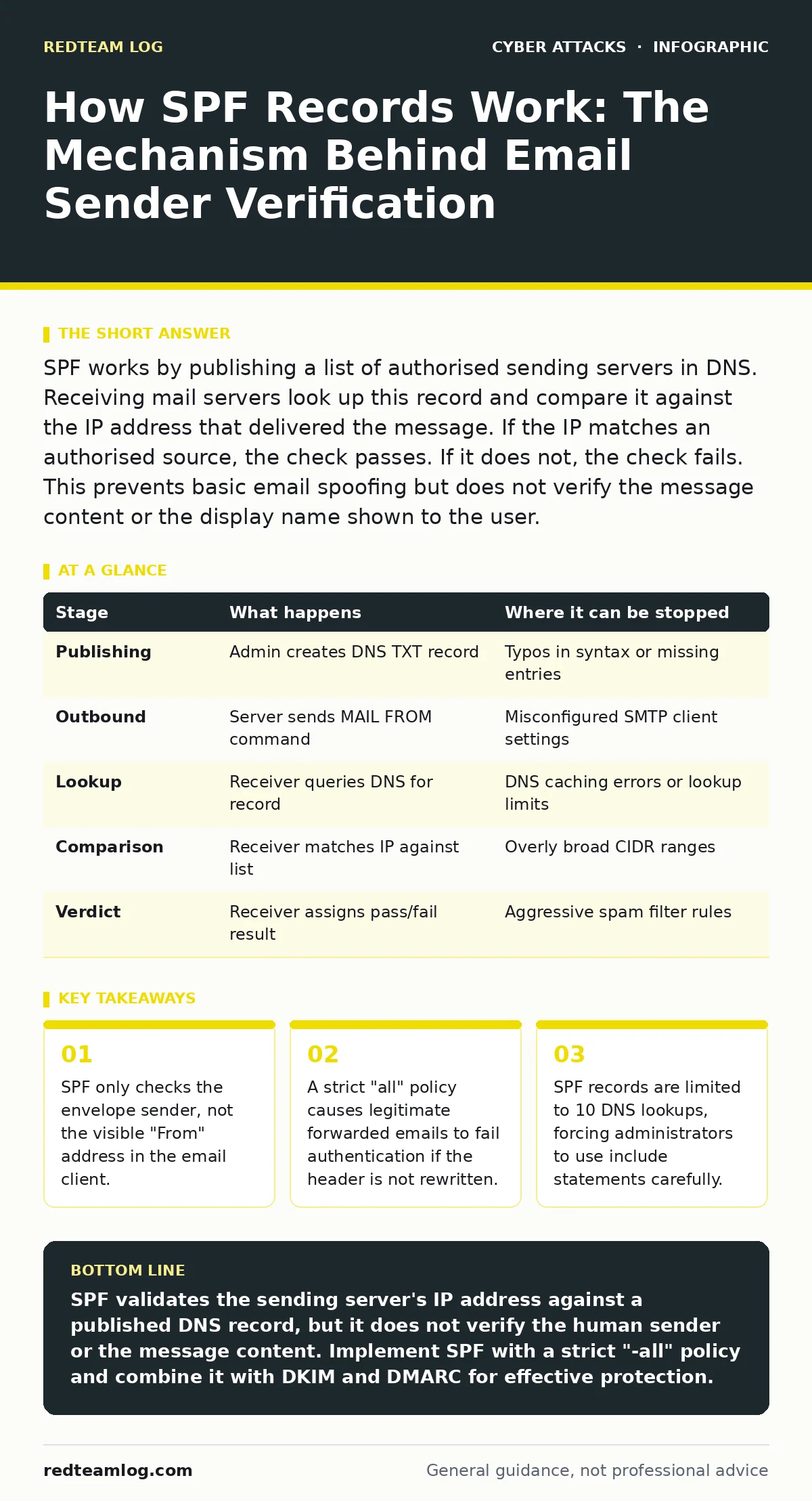
SPF works by publishing a list of authorised sending servers in DNS. Receiving mail servers look up this record and compare it against the IP address that delivered the message. If the IP matches an authorised source, the check passes. If it does not, the check fails. This prevents basic email spoofing but does not verify the message content or the display name shown to the user.
The Foundation of Sender Policy Framework
Email was designed for open communication, not security. The protocol allows any server to claim it is sending mail from any domain. Sender Policy Framework (SPF) addresses this vulnerability by adding a layer of verification. It does not encrypt data or hide content. It simply answers one question: is this specific server allowed to send mail for this domain?
You define the answer in a Domain Name System (DNS) text record. This record lists every server, application or service that has permission to send email on your behalf. When a receiving server processes an incoming message, it performs a lookup. It compares the connecting IP address against your published list. The result determines whether the message is accepted, rejected or flagged as suspicious.
This mechanism relies on trust in the DNS infrastructure. If an attacker can poison DNS caches, they can manipulate the SPF lookup. This is rare but possible. The system assumes the DNS response is truthful. It does not verify the intent of the sender, only the technical authorisation of the machine.
Stage 1: Publishing the Policy
The process begins with you. You create a TXT record in your DNS zone file. This record contains your SPF policy. The syntax is specific. It starts with "v=spf1" to indicate the version. You then list mechanisms that define authorised sources.
Common mechanisms include "ip4" for IPv4 addresses and "include" for third-party services. The "include" mechanism tells the receiver to check another domain’s SPF record. This is useful for cloud services. You must end the record with an "all" mechanism. This defines the default action for any IP not explicitly listed.
You must audit your sending infrastructure regularly. Every marketing platform, CRM system and backup mail server needs an entry. Missing an entry causes legitimate mail to fail. Adding too many entries makes the record slow to process. Balance completeness with performance.
Stage 2: The Outbound Handshake
When your authorised server sends an email, it constructs the message. It sets the envelope sender address. This is the address used by the Simple Mail Transfer Protocol (SMTP) during transmission. It is distinct from the "From" header that users see.
The server connects to the recipient’s mail server. It introduces itself using the HELO or EHLO command. It then issues the MAIL FROM command. This command specifies the envelope sender. The receiving server extracts the domain from this address. It ignores the display name and the visible "From" field for this check.
This separation is critical. An attacker can set the display name to "Your Boss" while using a different envelope sender. SPF will not catch this discrepancy. It only validates the technical source of the transmission. The human element remains unverified at this stage.
Stage 3: The DNS Lookup
The receiving server initiates the verification process. It queries the DNS for the domain found in the MAIL FROM address. It requests the TXT record containing the SPF policy. This lookup happens in real time. It adds latency to the mail delivery process.
The receiving server parses the SPF record. It follows any "include" mechanisms. Each include triggers a new DNS lookup. The server must track the total count. If it reaches 10 lookups before finding a match or a definitive result, it stops. The result is treated as a permanent error.
This limit forces domain owners to consolidate their records. You cannot simply list every individual IP if you have many. You must use CIDR notation for ranges or include statements for large providers. Poorly structured records break under this constraint.
Stage 4: The IP Comparison
The receiving server now holds two pieces of data. It has the IP address of the connecting server. It has the list of authorised IPs from the SPF record. It compares them directly.
If the connecting IP matches an "ip4" or "ip6" mechanism, the check passes. If the IP is within an included domain’s authorised list, the check passes. If no match is found, the server looks at the "all" mechanism.
This comparison is binary. There is no partial match. The IP must be explicitly authorised. Wildcards are limited. You cannot authorise "all servers in London" without listing specific ranges. This precision prevents ambiguity but requires meticulous maintenance.
Stage 5: The Verdict
The receiving server assigns a result. Common results are "pass", "fail", "softfail", "neutral" and "none". A "pass" means the IP is authorised. A "fail" means the IP is explicitly unauthorised. A "softfail" means the IP is likely unauthorised but the domain owner is unsure.
The domain owner sets the policy in the "all" mechanism. "-all" means hard fail. Any unauthorised IP is rejected. "~all" means soft fail. The message is accepted but flagged. "+all" means pass. This provides no security. It is equivalent to having no SPF record.
The receiving server uses this result to make a final decision. It may reject the message immediately. It may deliver it to the spam folder. It may deliver it to the inbox. This decision depends on the receiver’s configuration, not your SPF record.
The Critical Limitations of SPF
SPF is not a silver bullet. It has structural weaknesses that attackers exploit. Understanding these limits is necessary for effective defence. SPF only checks the envelope sender. It does not verify the message body or attachments. It does not confirm the identity of the person typing the email.
Forwarding email breaks SPF. When a server forwards a message, it often keeps the original envelope sender. The new server’s IP is not in the original domain’s SPF record. The check fails. This causes legitimate internal communications to be marked as spam.
| Stage | What happens | Where it can be stopped |
|---|---|---|
| Publishing | Admin creates DNS TXT record | Typos in syntax or missing entries |
| Outbound | Server sends MAIL FROM command | Misconfigured SMTP client settings |
| Lookup | Receiver queries DNS for record | DNS caching errors or lookup limits |
| Comparison | Receiver matches IP against list | Overly broad CIDR ranges |
| Verdict | Receiver assigns pass/fail result | Aggressive spam filter rules |
To mitigate these issues, you must combine SPF with other protocols. DKIM adds a cryptographic signature to the message headers. This verifies that the content has not been altered. DMARC ties SPF and DKIM together. It tells receivers how to handle messages that fail both checks.
Imagine an attacker sends a phishing email. They use a domain with a loose SPF policy. They set the display name to match a trusted brand. The SPF check passes because the server is technically authorised. The user sees a familiar name. They click the link. The damage is done. SPF failed to protect the user because it only checked the machine, not the message.
Beyond Basic Authentication
Relying on SPF alone leaves gaps. Attackers adapt quickly. They register domains with similar names to yours. They configure SPF to authorise their servers. They send convincing scams. Your SPF record cannot stop this. It only validates your own domain.
You must monitor your DNS records for changes. Unauthorised modifications to your SPF record can allow attackers to send mail on your behalf. Use DNSSEC to sign your DNS zone. This prevents cache poisoning and record tampering.
Consider the impact of mergers and acquisitions. If you acquire another company, you must update your SPF record to include their sending infrastructure. If you migrate to a new cloud provider, you must update the record before the switch. Downtime in email delivery is costly.
Security operations centers often use SPF results as a signal. A high volume of "fail" results for your domain indicates abuse. Attackers are spoofing your name. You must investigate and tighten your policy. You may need to implement stricter controls on your sending infrastructure.
The goal is zero trust. Do not assume that a passing SPF check means the email is safe. Treat all external email with suspicion. Verify unexpected requests through a secondary channel. Train users to look beyond the display name. Check the actual email address. Look for subtle misspellings.
Integrating with Broader Defences
SPF is one piece of a larger puzzle. It works best when combined with other technologies. Intrusion prevention systems can block traffic from known malicious IPs. These systems complement SPF by stopping attacks before they reach your mail server.
A cyber incident response team should have procedures for SPF abuse. If attackers are spoofing your domain, you need a plan to mitigate the damage. This may involve sending DMARC reports to major providers. It may involve legal action. It may involve changing your SPF policy temporarily.
Social engineering red flags often appear alongside email spoofing. Attackers use urgency and fear to bypass technical controls. They know SPF will pass if they use an authorised server. They rely on human error. Your training must address this reality.
Deepfake scams are emerging. Attackers use AI to mimic voices and faces. They combine this with spoofed email headers. SPF cannot stop audio or video fakes. You need multi-factor verification for high-value transactions. Do not rely on email alone for sensitive requests.
Gift card scams are a common outcome of successful phishing. Attackers trick users into buying gift cards. They use spoofed emails to appear legitimate. SPF helps reduce the volume of these attacks. It does not eliminate them. You must educate users about these specific tactics.
See also: How to Setup DKIM: The Technical Rollout for Email Authentication · Stop CEO Fraud: Practical Controls That Actually Block Impersonation
Final Considerations for Implementation
Implementing SPF requires discipline. It is not a one-time task. It is an ongoing process. Your infrastructure changes. Your partners change. Your threats change. Your SPF record must reflect these changes.
Start with a monitoring-only policy. Use "~all" instead of "-all". This allows you to see what fails without breaking delivery. Analyse the results. Identify legitimate sources that are missing. Add them to the record. Once you are confident, switch to "-all".
This gradual approach reduces risk. It prevents accidental lockouts. It gives you time to fix configuration errors. It builds a robust foundation. You can then add DKIM and DMARC. This layered defence provides stronger protection.
Remember that SPF is a technical control. It does not replace human judgement. It does not stop all attacks. It raises the cost for attackers. It makes spoofing harder. It provides data for your security team. Use that data wisely.
The future of email security depends on collaboration. Domain owners, service providers and receivers must work together. Standards evolve. New protocols emerge. Stay informed. Adapt your practices. Keep your policies tight.
Key takeaways
- SPF only checks the envelope sender, not the visible "From" address in the email client.
- A strict "all" policy causes legitimate forwarded emails to fail authentication if the header is not rewritten.
- SPF records are limited to 10 DNS lookups, forcing administrators to use include statements carefully.
SPF validates the sending server's IP address against a published DNS record, but it does not verify the human sender or the message content. Implement SPF with a strict "-all" policy and combine it with DKIM and DMARC for effective protection.
Frequently asked questions
Does SPF protect against phishing attacks?
SPF reduces the risk of domain spoofing by verifying the sending server. It does not stop phishing if the attacker uses a legitimate server or a lookalike domain.
What is the difference between SPF and DKIM?
SPF checks the sending server’s identity. DKIM adds a cryptographic signature to verify that the message content has not been altered during transit.
Why do my forwarded emails fail SPF?
Forwarding often preserves the original envelope sender. The forwarding server’s IP is not in the original domain’s SPF record, causing a mismatch and failure.
How many DNS lookups are allowed in an SPF record?
The SPF specification limits the total number of DNS lookups to 10. Exceeding this limit results in a permanent error, causing the check to fail.
How this guide was produced: written by the RedTeam Log editorial team with AI assistance, checked against the public references listed below, and reviewed when the facts change. See our editorial policy or report an error.