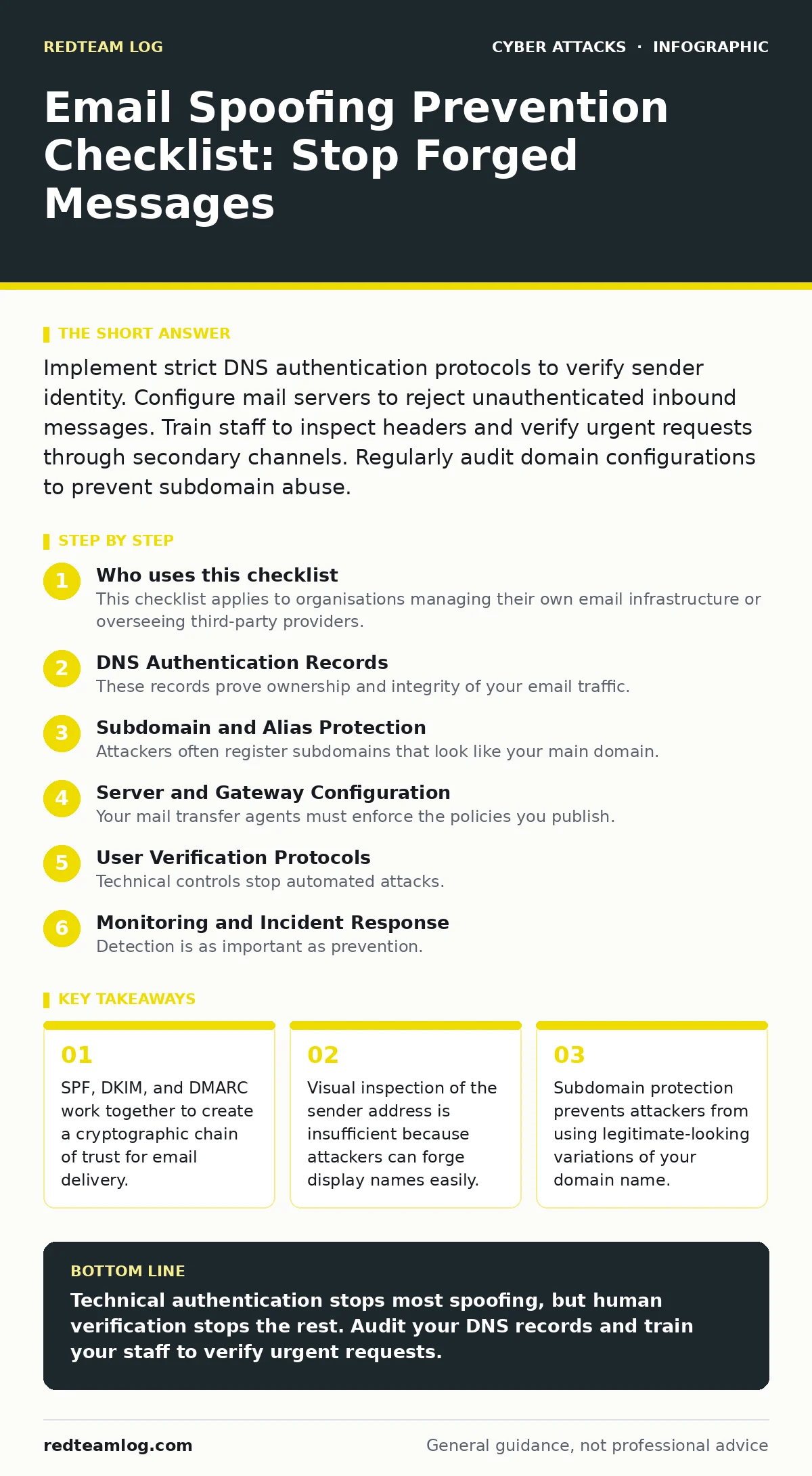
Implement strict DNS authentication protocols to verify sender identity. Configure mail servers to reject unauthenticated inbound messages. Train staff to inspect headers and verify urgent requests through secondary channels. Regularly audit domain configurations to prevent subdomain abuse.
Who uses this checklist
This checklist applies to organisations managing their own email infrastructure or overseeing third-party providers. You use it to harden your domain against impersonation. Spoofing occurs when an attacker forges the sender address to appear legitimate. This technique exploits trust rather than technical vulnerabilities in the receiving client. The goal is to make it impossible for outsiders to send mail from your domain. You must treat email security as a continuous process, not a one-time setup.
DNS Authentication Records
These records prove ownership and integrity of your email traffic. Without them, your domain is open to impersonation.
- Publish a strict SPF record: This lists authorised sending servers and tells receivers to reject mail from others.
- Enable DKIM signing: This adds a cryptographic signature to each message, proving the content was not altered in transit.
- Set DMARC policy to reject: This instructs receiving servers to discard messages that fail SPF or DKIM checks.
- Align DKIM domains: This ensures the signing domain matches the visible sender domain, preventing subtle spoofing tricks.
SPF (Sender Policy Framework) defines which servers can send mail for your domain. DKIM (DomainKeys Identified Mail) attaches a digital signature to the email header. DMARC (Domain-based Message Authentication, Reporting, and Conformance) links these two protocols and specifies how to handle failures.
Subdomain and Alias Protection
Attackers often register subdomains that look like your main domain. They use these variations to bypass basic checks. You must secure these variations explicitly.
- Monitor for similar domains: This helps you detect typosquatting attempts before they are used for phishing.
- Publish SPF for all subdomains: This prevents attackers from sending mail from subdomains you own but do not actively use.
- Use include statements carefully: This avoids broadening your authorised list, which reduces the effectiveness of SPF.
- Audit third-party senders: This ensures marketing platforms and notification services are correctly listed in your SPF record.
Imagine a scenario where an attacker registers security-update.yourdomain.com. If you do not control this subdomain, they can send emails that appear to come from your organisation. Even if you own the domain, forgetting to publish SPF for the subdomain leaves it open to abuse.
Server and Gateway Configuration
Your mail transfer agents must enforce the policies you publish. Configuration errors here allow forged mail to pass through.
- Reject inbound mail without DKIM: This blocks messages that lack a valid cryptographic signature from known senders.
- Validate SPF strictly: This ensures your server does not accept mail from unlisted sources, even if the display name looks correct.
- Log rejected attempts: This provides data for forensic analysis and helps identify targeting patterns.
- Update TLS certificates regularly: This ensures encrypted connections between servers, preventing man-in-the-middle interception.
Mail servers often default to accepting mail to avoid losing legitimate messages. You must override this default. Tighten your acceptance criteria gradually. Monitor bounce rates to ensure you are not blocking valid partners.
User Verification Protocols
Technical controls stop automated attacks. They do not stop determined attackers who bypass filters. Human verification is the last line of defence.
- Verify urgent requests via phone: This confirms the identity of the requester using a known, trusted channel.
- Check full email headers: This reveals the true originating IP address, which often differs from the display name.
- Train staff on spoofing signs: This helps users spot mismatched domains and urgent, high-pressure language.
- Implement out-of-band authentication: This requires a second factor for sensitive actions, such as password resets.
Social engineering relies on urgency and fear. Attackers mimic senior leadership or IT support to bypass scrutiny. See our guide on CEO fraud for more on these tactics. Users must feel safe asking questions. A culture of verification reduces the success rate of these attacks.
See also: How to Setup DKIM: The Technical Rollout for Email Authentication · Stop CEO Fraud: Practical Controls That Actually Block Impersonation
Monitoring and Incident Response
Detection is as important as prevention. You must know when your domain is being abused.
- Aggregate DMARC reports: This shows you who is sending mail from your domain and whether it is authorised.
- Set up alerts for failures: This notifies you immediately when unauthorised sources attempt to use your domain.
- Review bounce messages: This helps identify compromised accounts that are sending spam or phishing mail.
- Update records after changes: This ensures your SPF and DKIM records reflect current infrastructure and partners.
DMARC reports provide a clear view of your email ecosystem. You can see which services are sending mail on your behalf. Use this data to remove stale entries. This keeps your security posture tight and reduces the attack surface.
Integration with Other Controls
Email security does not exist in isolation. It connects to broader security strategies.
- Align with web filtering policies: This blocks access to malicious sites linked in spoofed emails.
- Coordinate with intrusion prevention systems: This detects lateral movement if an attacker gains access via email.
- Review API abuse controls: This prevents attackers from using your APIs to send malicious payloads.
- Assess deepfake scam risks: This prepares your team for audio or video impersonation that may accompany email attacks.
See our guide on DDoS attacks for context on how attackers might overwhelm your systems while launching phishing campaigns. Email is often the entry point for broader compromises. Integrating these controls creates a layered defence.
Key takeaways
- SPF, DKIM, and DMARC work together to create a cryptographic chain of trust for email delivery.
- Visual inspection of the sender address is insufficient because attackers can forge display names easily.
- Subdomain protection prevents attackers from using legitimate-looking variations of your domain name.
Technical authentication stops most spoofing, but human verification stops the rest. Audit your DNS records and train your staff to verify urgent requests.
Frequently asked questions
Does SPF alone prevent email spoofing?
No, SPF only verifies the sending server. Attackers can still forge the display name. You need DKIM and DMARC for full protection.
How often should I update DMARC records?
Update them whenever you change email services or add new senders. Review them quarterly to catch drift.
Can I block all spoofed emails?
You can block most, but not all. Some legitimate mail may fail checks. Use DMARC reporting to tune your policy.
What if I use a third-party email provider?
Ensure they support DKIM and are listed in your SPF record. You remain responsible for your domain's reputation.
How this guide was produced: written by the RedTeam Log editorial team with AI assistance, checked against the public references listed below, and reviewed when the facts change. See our editorial policy or report an error.