
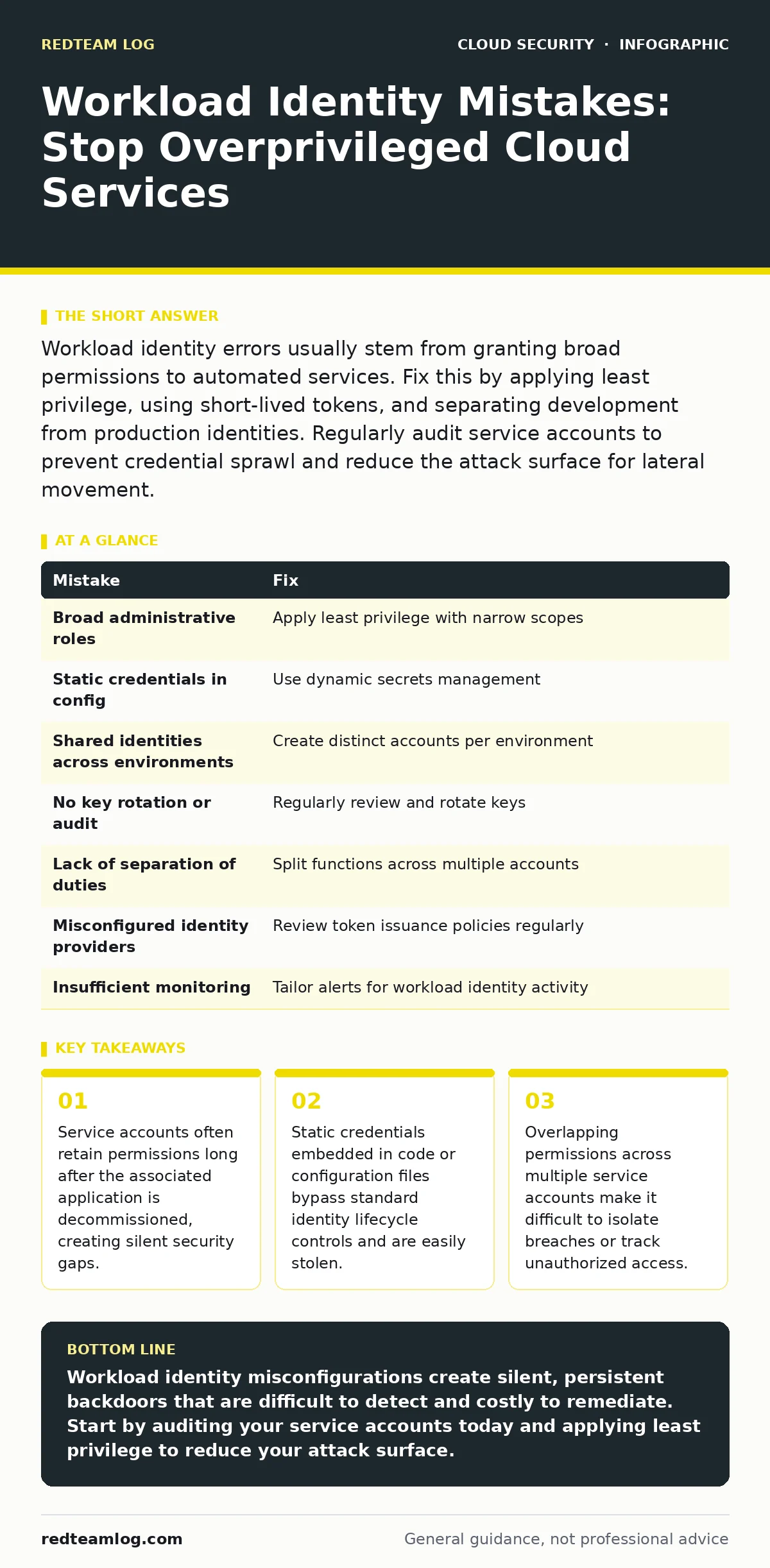
Workload identity errors usually stem from granting broad permissions to automated services. Fix this by applying least privilege, using short-lived tokens, and separating development from production identities. Regularly audit service accounts to prevent credential sprawl and reduce the attack surface for lateral movement.
Workload identity refers to the digital credentials that allow servers, containers, and scripts to interact with cloud resources. Unlike human users, these identities operate without direct supervision, making them prime targets for attackers seeking automated access. Misconfigurations here do not just expose data; they grant attackers the ability to move laterally across your environment with minimal detection.
Mistake 1: Assigning broad administrative roles to service accounts
Developers often assign high-level roles to service accounts to avoid permission errors during testing. This convenience creates a persistent security hole because automated services run continuously and often have broader access than necessary.
Why it hurts: If an attacker compromises a service account with administrative rights, they gain immediate control over large sections of your infrastructure. This bypasses most access controls and allows them to disable security tools or exfiltrate data without triggering alerts tied to human activity.
The fix: Apply the principle of least privilege strictly. Grant only the specific permissions required for the service to function. Use role-based access control to define narrow scopes for each workload, ensuring that a compromised account cannot access unrelated resources.
Mistake 2: Embedding static credentials in configuration files
Hardcoding keys or passwords into application configuration files is a common practice for rapid deployment. These files are often stored in version control systems or shared across multiple environments, increasing the risk of exposure.
Why it hurts: Static credentials do not expire, meaning a leaked key remains valid indefinitely. Attackers who gain access to your code repository can extract these secrets and use them to authenticate as your workload, maintaining persistent access even if you rotate other credentials.
The fix: Use a secrets management solution to inject credentials dynamically at runtime. Ensure that secrets are never stored in plain text within your codebase or configuration files. This approach allows you to rotate credentials frequently without redeploying applications.
Mistake 3: Sharing a single identity across multiple environments
Using the same service account for development, testing, and production simplifies management but creates significant security risks. This practice blurs the lines between environments, making it difficult to track which actions belong to which context.
Why it hurts: A breach in the development environment can grant attackers access to production data if the same identity is used. This lack of isolation means that vulnerabilities in less secure environments directly compromise your most critical systems, undermining the entire security posture.
The fix: Create distinct identities for each environment. Ensure that development and testing accounts have strictly limited permissions and cannot access production resources. This separation limits the blast radius of any compromise and makes it easier to audit activity per environment.
Mistake 4: Failing to rotate or audit service account keys
Service account keys are often created once and never reviewed. Over time, these keys accumulate unused permissions or remain active after the associated workload is decommissioned, leading to credential sprawl.
Why it hurts: Unused keys become low-hanging fruit for attackers. Because they are not tied to active human users, they rarely trigger login alerts. An attacker can use these dormant keys to access resources without detection, as the activity appears to come from a legitimate, albeit inactive, service.
The fix: Implement a regular audit process to review and rotate service account keys. Disable or delete keys that are no longer in use. Automated tools can help identify inactive keys and flag them for removal, reducing the number of potential entry points.
Mistake 5: Ignoring the principle of separation of duties
Allowing a single service account to perform multiple unrelated functions, such as logging and data processing, violates separation of duties. This consolidation increases the risk that a single compromise can lead to widespread damage.
Why it hurts: If an attacker compromises a multi-purpose account, they gain access to all functions associated with that identity. This can allow them to manipulate logs to cover their tracks while simultaneously exfiltrating data, making detection and response significantly more difficult.
The fix: Split responsibilities across multiple service accounts. Ensure that no single identity has permissions to both perform actions and audit those actions. This separation creates a system of checks and balances that limits the impact of any single breach.
See also: Confidential Computing: 6 Misconceptions That Compromise Security · Data Center Resilience Planning: Keep Services Running During Failures
Mistake 6: Overlooking the security of identity providers
The systems that issue and manage workload identities, such as identity providers, are often assumed to be secure by default. However, misconfigurations in these systems can lead to the issuance of invalid or overly permissive tokens.
Why it hurts: If the identity provider is misconfigured, it may issue tokens that grant more access than intended. This undermines all other security controls, as the tokens themselves are valid and accepted by the cloud infrastructure, allowing attackers to move freely within the environment.
The fix: Regularly review the configuration of your identity providers. Ensure that token issuance policies are strict and that only authorized workloads can request tokens. Integrate with cloud logging and monitoring to detect unusual token issuance patterns that may indicate a compromise.
Mistake 7: Neglecting to monitor workload identity activity
Workload identities often generate high volumes of activity, which can drown out security alerts. Without specific monitoring rules, anomalous behaviour from service accounts can go unnoticed, allowing attackers to operate freely.
Why it hurts: Automated services are expected to perform routine tasks, so their activity is rarely scrutinised. Attackers can mimic this routine behaviour to avoid detection, performing malicious actions that blend in with normal operations. This lack of visibility delays incident response and allows breaches to persist.
The fix: Implement tailored monitoring rules for workload identities. Focus on detecting unusual access patterns, such as access from unexpected locations or at unusual times. Combine this with immutable infrastructure practices to ensure that any changes to the environment are tracked and reversible.
| Mistake | Fix |
|---|---|
| Broad administrative roles | Apply least privilege with narrow scopes |
| Static credentials in config | Use dynamic secrets management |
| Shared identities across environments | Create distinct accounts per environment |
| No key rotation or audit | Regularly review and rotate keys |
| Lack of separation of duties | Split functions across multiple accounts |
| Misconfigured identity providers | Review token issuance policies regularly |
| Insufficient monitoring | Tailor alerts for workload identity activity |
Key takeaways
- Service accounts often retain permissions long after the associated application is decommissioned, creating silent security gaps.
- Static credentials embedded in code or configuration files bypass standard identity lifecycle controls and are easily stolen.
- Overlapping permissions across multiple service accounts make it difficult to isolate breaches or track unauthorized access.
Workload identity misconfigurations create silent, persistent backdoors that are difficult to detect and costly to remediate. Start by auditing your service accounts today and applying least privilege to reduce your attack surface.
Frequently asked questions
How do I identify overprivileged service accounts?
Review the permissions assigned to each service account and compare them against the actual actions performed. Look for accounts with administrative roles that do not require them.
Can workload identity compromise affect on-premises systems?
Yes, if your cloud workloads interact with on-premises systems, a compromised identity can be used to bridge the gap and access internal resources.
What is the best way to rotate service account keys?
Use automated tools to generate new keys and update configurations without downtime. Ensure that old keys are immediately disabled after rotation.
How often should I audit workload identities?
Conduct audits at least quarterly, or whenever there are significant changes to your infrastructure or application architecture.
How this guide was produced: written by the RedTeam Log editorial team with AI assistance, checked against the public references listed below, and reviewed when the facts change. See our editorial policy or report an error.