
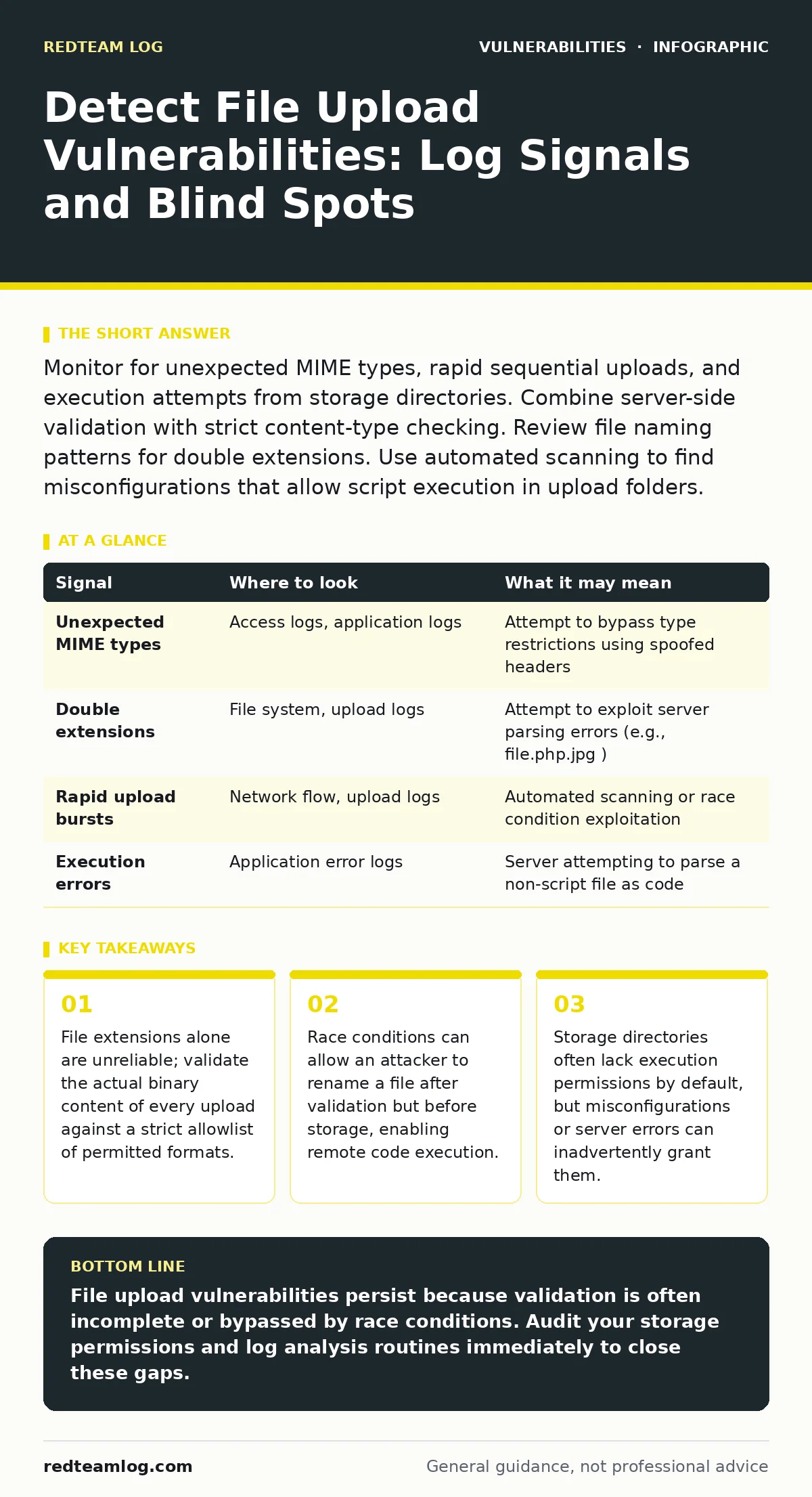
Monitor for unexpected MIME types, rapid sequential uploads, and execution attempts from storage directories. Combine server-side validation with strict content-type checking. Review file naming patterns for double extensions. Use automated scanning to find misconfigurations that allow script execution in upload folders.
The Anatomy of a Successful Upload
File upload functionality is a common requirement for modern web applications, yet it remains a frequent entry point for attackers. The core risk lies in the gap between what the application expects and what the server actually processes. When you allow users to upload data, you are effectively granting them the ability to place files on your file system. If the server interprets those files as executable code, the consequences are severe.
Imagine an application that accepts profile pictures. An attacker uploads a script disguised as an image. If the server saves this file with a .php or .asp extension and the directory permits execution, the script runs with the privileges of the web server. This is not a theoretical risk. It is a persistent reality in web development. The challenge for security teams is not just preventing the upload, but detecting when prevention mechanisms have failed.
Server-Side Validation Failures
Client-side checks are the first line of defence, but they are easily bypassed. An attacker can intercept the request using a proxy tool, modify the file extension or MIME type, and resend it. Relying on browser validation is insufficient. You must validate every file on the server side. This includes checking the file extension, the MIME type, and the actual file header, known as the magic bytes.
Many applications check only the extension. An attacker can upload script.php.jpg. Some servers, particularly older versions of IIS, may execute the .php part while ignoring the .jpg suffix. Others may execute the file if it is placed in a directory that supports script execution. You must ensure that the server does not execute files from upload directories. Configure your web server to treat these directories as static content only.
Log Analysis for Anomalous Patterns
Logs are your primary source of evidence for detection. You are looking for deviations from normal behaviour. Start by establishing a baseline of what normal uploads look like for your application. Note the typical file sizes, extensions, and frequency. Any significant deviation from this baseline warrants investigation.
Look for rapid sequential uploads. An attacker may upload multiple files in quick succession to overwhelm validation logic or to exploit a race condition. They may also attempt to upload files with unusual names or extensions. Pay attention to requests that result in 403 Forbidden or 404 Not Found responses immediately after an upload. This could indicate an attempt to access the uploaded file before it is fully processed or renamed.
| Signal | Where to look | What it may mean |
|---|---|---|
| Unexpected MIME types | Access logs, application logs | Attempt to bypass type restrictions using spoofed headers |
| Double extensions | File system, upload logs | Attempt to exploit server parsing errors (e.g., file.php.jpg) |
| Rapid upload bursts | Network flow, upload logs | Automated scanning or race condition exploitation |
| Execution errors | Application error logs | Server attempting to parse a non-script file as code |
Race Conditions and Timing Attacks
Race conditions occur when the outcome of a process depends on the sequence or timing of uncontrollable events. In file uploads, this often happens between validation and storage. An application may validate a file, confirm it is safe, and then save it. If an attacker can rename the file during this window, they may bypass the validation.
Suppose the application validates safe.jpg. The attacker intercepts the save operation and renames the file to malicious.php before it is written to disk. The server saves the malicious file. This is difficult to detect because the validation step passed. You must ensure that the file name is determined by the server, not the client. Use randomised names for stored files. This prevents attackers from predicting the file path or manipulating the name during the save process.
Storage Directory Permissions
Even if an attacker uploads a malicious file, it will not execute if the server does not have permission to run it. The upload directory should be configured to serve static content only. Disable script execution in these directories. This is a critical mitigation. If the directory is misconfigured, any uploaded script will run.
Check your web server configuration. Ensure that upload directories are excluded from script execution rules. For Apache, this might involve using php_flag engine off in the .htaccess file for the upload directory. For Nginx, ensure that the location block for uploads does not pass requests to the PHP processor. Regularly audit these configurations. Misconfigurations can occur during updates or migrations.
See also: How to Build Security Operations Center: 6 Steps to Launch · SIEM Mistakes That Blind Your Defenders and How to Fix Them
Common Blind Spots in Detection
Many security tools focus on network traffic or application code. They often miss file system anomalies. Your vulnerability scanning tools may identify known vulnerabilities in the application framework, but they will not detect a misconfigured upload directory. You need to combine automated scanning with manual verification.
Another blind spot is the use of third-party libraries. These libraries may handle file uploads, but they may not be configured securely. Check the documentation for any file handling libraries you use. Ensure that they enforce strict validation and do not expose file paths to users. Insecure direct object references (IDOR) can also allow attackers to access files uploaded by other users. Ensure that access controls are enforced at the file level, not just the application level.
Integrating Detection into CI/CD
Detection should not be a manual, periodic task. Integrate it into your continuous integration and continuous deployment pipeline. Use automated tools to scan your code for insecure file handling patterns. Check for hardcoded paths, missing validation, and improper error handling.
Your software bill of materials (SBOM) should include all libraries that handle file uploads. Monitor these libraries for known vulnerabilities. If a library is updated, test the new version for file handling issues. This proactive approach reduces the risk of introducing new vulnerabilities through dependencies. It also ensures that your detection mechanisms are aligned with your current technology stack.
Beyond Basic Validation
Simple validation is not enough. You must consider the context in which the file is used. If the file is displayed in a browser, ensure that it is served with the correct content type. If the file is processed by another system, ensure that it is sanitised before processing. Prototype pollution vulnerabilities can also arise from untrusted file metadata. Ensure that any JSON or YAML data extracted from uploaded files is validated.
Content Security Policy (CSP) headers can help mitigate the impact of successful uploads. If an attacker manages to inject a script, CSP can prevent it from executing. Configure CSP to restrict the sources from which scripts can be loaded. This does not prevent the upload, but it limits the damage. Combine this with strict file handling practices to create a defence-in-depth strategy.
Key takeaways
- File extensions alone are unreliable; validate the actual binary content of every upload against a strict allowlist of permitted formats.
- Race conditions can allow an attacker to rename a file after validation but before storage, enabling remote code execution.
- Storage directories often lack execution permissions by default, but misconfigurations or server errors can inadvertently grant them.
File upload vulnerabilities persist because validation is often incomplete or bypassed by race conditions. Audit your storage permissions and log analysis routines immediately to close these gaps.
Frequently asked questions
How do I distinguish between a legitimate large file and a malicious upload?
Legitimate large files usually follow expected patterns in size and type. Look for anomalies in file headers or unexpected MIME types that do not match the extension.
Can I rely on antivirus scanning to detect malicious uploads?
Antivirus scanning is helpful but not sufficient. It may miss zero-day exploits or obfuscated code. Combine it with strict validation and execution restrictions.
What is the best way to handle user-uploaded images?
Resize and re-encode images on the server. This strips out any malicious metadata or embedded scripts. Serve the processed image, not the original file.
How often should I review upload directory permissions?
Review them after every deployment or configuration change. Misconfigurations can occur during updates. Automate this check where possible.
How this guide was produced: written by the RedTeam Log editorial team with AI assistance, checked against the public references listed below, and reviewed when the facts change. See our editorial policy or report an error.