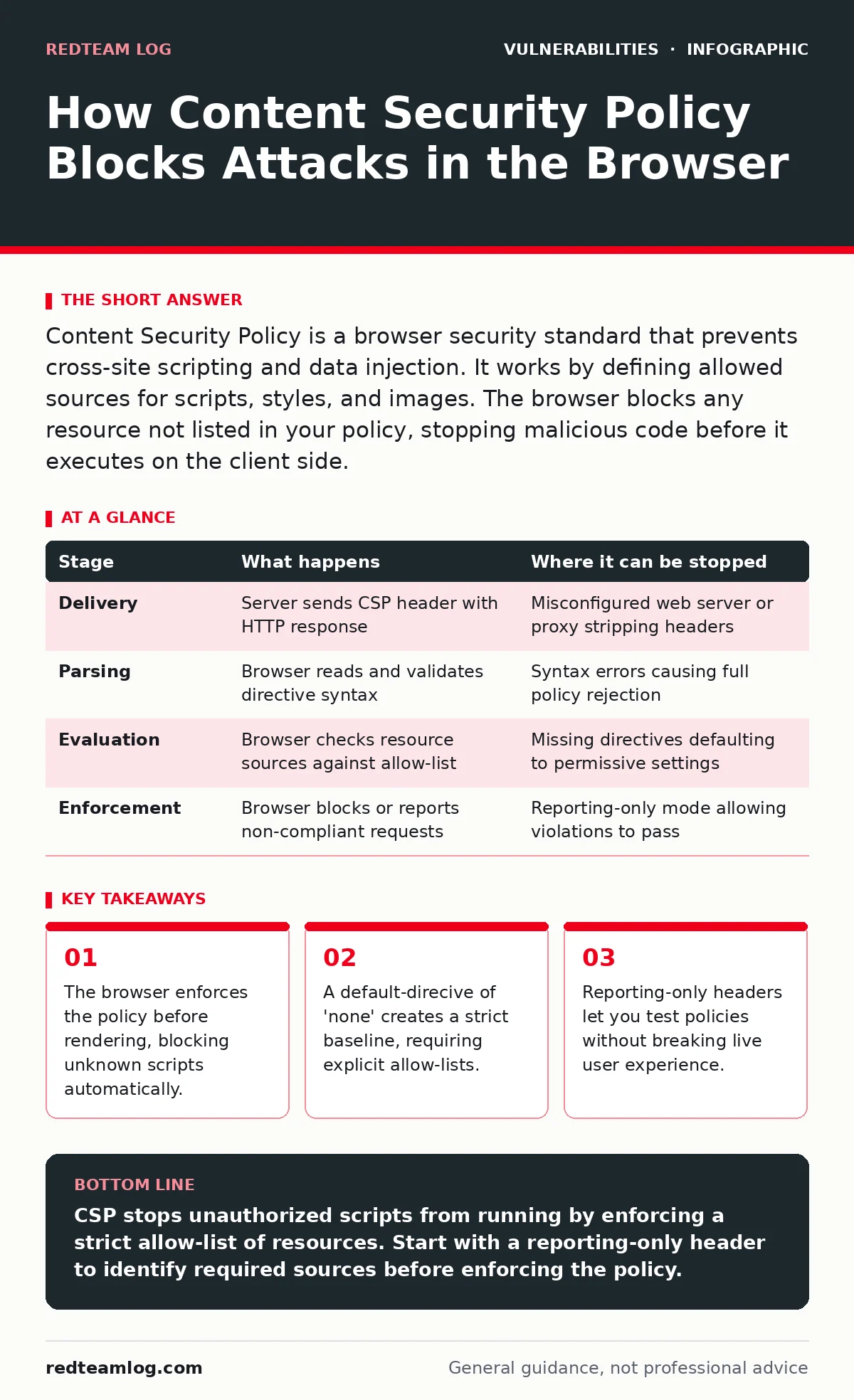
Content Security Policy is a browser security standard that prevents cross-site scripting and data injection. It works by defining allowed sources for scripts, styles, and images. The browser blocks any resource not listed in your policy, stopping malicious code before it executes on the client side.
The Browser Enforcement Layer
You cannot secure a web application solely with server-side controls. The browser is the final execution environment where an attack succeeds or fails. Content Security Policy (CSP) operates entirely within the browser engine. It acts as a gatekeeper for resources before they load or execute.
When a user visits your site, the server sends HTTP headers alongside the HTML. The browser reads these headers before processing the page content. If the headers contain a CSP directive, the browser builds a set of rules. These rules determine what the page is allowed to do.
This mechanism shifts security from prevention to detection and blocking. Traditional input validation tries to stop bad data entering the system. CSP stops the result of that data from acting. Even if an attacker injects a script, the browser refuses to run it if the source is not authorised.
Stage 1: Policy Delivery and Parsing
The server must send the policy correctly for the browser to accept it. You deliver CSP via the Content-Security-Policy HTTP response header. You can also use a <meta> tag in the HTML document, but headers are preferred for security. Headers cannot be manipulated by client-side scripts, whereas meta tags can.
The browser parses the header value into individual directives. Each directive controls a specific type of resource. For example, script-src controls JavaScript. style-src controls CSS. img-src controls images. The parser is strict. A syntax error in the header usually causes the entire policy to be ignored by the browser.
| Stage | What happens | Where it can be stopped |
|---|---|---|
| Delivery | Server sends CSP header with HTTP response | Misconfigured web server or proxy stripping headers |
| Parsing | Browser reads and validates directive syntax | Syntax errors causing full policy rejection |
| Evaluation | Browser checks resource sources against allow-list | Missing directives defaulting to permissive settings |
| Enforcement | Browser blocks or reports non-compliant requests | Reporting-only mode allowing violations to pass |
Stage 2: Resource Source Evaluation
Once the policy is active, the browser evaluates every resource request. When the HTML references a JavaScript file, the browser checks the script-src directive. It compares the URL of the script against the allowed sources.
Allowed sources can be specific domains, schemes, or keywords. The keyword 'self' allows resources from the same origin. The wildcard * allows any source, which negates the security benefit. You should avoid wildcards. Instead, list exact domains.
This evaluation happens for every resource type. If you load a font from a third-party provider, the font-src directive must include that provider’s domain. If you do not list it, the browser blocks the font. This strictness prevents attackers from loading malicious resources from external servers.
Stage 3: Inline Script Blocking
Inline scripts are JavaScript code written directly inside HTML tags. For example, an onload attribute or a <script> block without a src attribute. CSP blocks these by default. This is a critical security feature.
Cross-site scripting (XSS) attacks often rely on injecting inline scripts. If an attacker can inject <script>alert(1)</script> into your page, they execute code in the user’s context. With CSP, the browser sees an inline script with no allowed source and blocks it.
To allow inline scripts, you must use nonces or hashes. A nonce is a random string generated by the server for each request. You include this nonce in the CSP header and in the <script> tag. The browser verifies the nonce matches. If it does not, the script is blocked. This ensures only server-authorized scripts run.
Stage 4: Violation Reporting and Feedback
When the browser blocks a resource, it does not always notify the server by default. You must configure a reporting endpoint. Use the report-uri or report-to directive to specify where the browser should send violation reports.
These reports are JSON objects. They contain details about the blocked resource, the directive that failed, and the document origin. This data is invaluable for debugging. It shows you which resources your policy is blocking unexpectedly.
Without reporting, you operate in the dark. A broken image or missing script might seem like a bug. With CSP reports, you know it is a security enforcement. You can then update your policy to allow the legitimate resource. This feedback loop is vital for maintaining a secure yet functional application.
See also: Browser Update Best Practices: Secure Deployments Without Breaking Users
The Limits of Policy Enforcement
CSP does not protect against all vulnerabilities. It is a mitigation strategy, not a complete solution. If an attacker finds a way to execute code without using scripts, CSP may not stop them. For example, CSS-based attacks or data exfiltration via images might bypass script restrictions.
You must also consider the complexity of modern web applications. Single-page applications often load resources dynamically. Managing allow-lists for every possible resource can be difficult. Overly restrictive policies break functionality. Overly permissive policies provide little security.
Another limit is browser support. While most modern browsers support CSP, older versions may not. You should test your policy across different browsers. Ensure that your application degrades gracefully if the policy is not enforced.
Integrating with Other Security Controls
CSP works best when combined with other security measures. It complements input validation and output encoding. If you fail to encode user input, CSP can still block the resulting script execution. This layered approach reduces risk significantly.
Consider how CSP interacts with other vulnerabilities. If you have insecure direct object references (IDOR), an attacker might access sensitive data. CSP does not prevent this access. However, if the attacker tries to exfiltrate the data via a malicious script, CSP can block that transmission.
Similarly, if you suffer from prototype pollution, an attacker might manipulate object properties. CSP does not stop this manipulation. But it can prevent the attacker from using JavaScript to exploit the polluted objects further. Always use vulnerability scanning to find issues that CSP cannot address.
Managing Policy Complexity
Maintaining a strict CSP requires discipline. You must audit your resource dependencies regularly. New third-party services often break existing policies. You should update your allow-lists promptly.
Use reporting-only mode when introducing new policies. This lets you see what would be blocked without actually blocking it. Once you are confident the policy is correct, switch to enforcement mode. This gradual approach prevents outages.
Remember that CSP is a client-side control. It can be bypassed if the attacker controls the server. If an attacker injects a malicious CSP header, they can weaken your policy. Ensure your server configuration is secure. Review hard-coded credentials to prevent unauthorized header modifications.
Conclusion on Defense Depth
Content Security Policy adds a critical layer of defence. It forces the browser to act as a security checkpoint. By defaulting to deny, it reduces the attack surface significantly. You must balance security with functionality.
Start with a reporting-only policy. Identify the resources your application needs. Build a strict allow-list. Then enforce the policy. Monitor reports for violations. Adjust as needed. This process ensures your application remains secure without breaking user experience.
Key takeaways
- The browser enforces the policy before rendering, blocking unknown scripts automatically.
- A default-direcive of 'none' creates a strict baseline, requiring explicit allow-lists.
- Reporting-only headers let you test policies without breaking live user experience.
CSP stops unauthorized scripts from running by enforcing a strict allow-list of resources. Start with a reporting-only header to identify required sources before enforcing the policy.
Frequently asked questions
Can CSP stop all XSS attacks?
No, CSP mitigates many XSS attacks by blocking script execution, but it does not prevent all types, such as CSS-based attacks or those using allowed sources.
What is the difference between nonce and hash?
A nonce is a random server-generated value included in the header and script tag. A hash is a cryptographic digest of the inline script content, calculated by the browser.
Does CSP affect page performance?
CSP adds minimal overhead. The browser checks headers and sources quickly. However, misconfigured policies can block resources, causing visual glitches or functional errors.
How do I handle third-party analytics scripts?
Add the analytics provider’s domain to the `script-src` directive. Ensure you use a specific subdomain rather than a wildcard to limit exposure.
How this guide was produced: written by the RedTeam Log editorial team with AI assistance, checked against the public references listed below, and reviewed when the facts change. See our editorial policy or report an error.