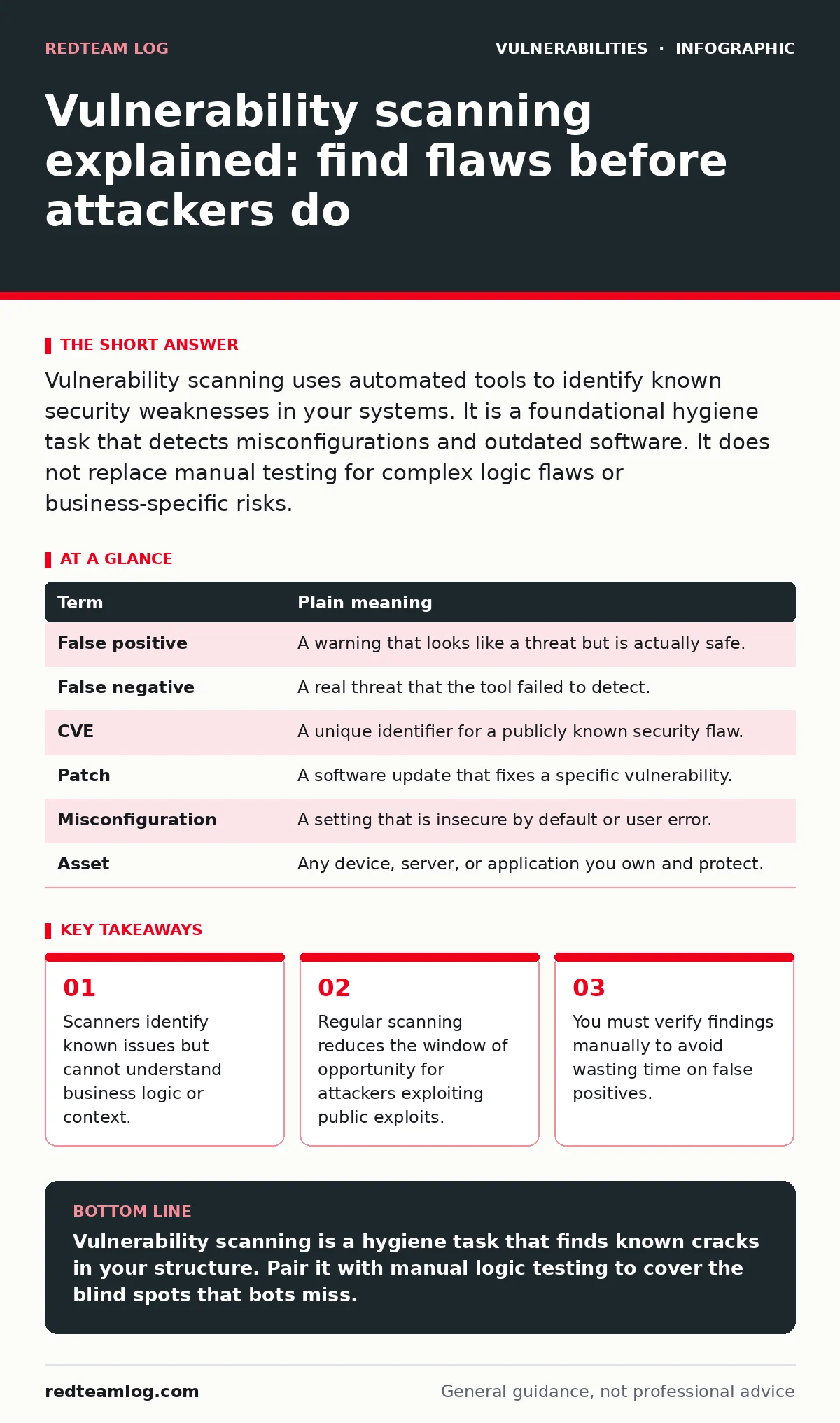
Vulnerability scanning uses automated tools to identify known security weaknesses in your systems. It is a foundational hygiene task that detects misconfigurations and outdated software. It does not replace manual testing for complex logic flaws or business-specific risks.
The structural survey analogy
Imagine you hire an architect to inspect a large, ageing building. The architect walks the perimeter, checks the foundation for cracks, tests the electrical wiring, and ensures the fire exits are clear. They produce a detailed report of physical defects. This is your vulnerability scan. It is thorough, systematic, and reliable for structural issues. However, the architect cannot tell you if the building’s insurance policy is void. They cannot see if the security guard has been bribed. They cannot understand that the back door is left open because the cleaning crew needs access at night. The scan finds the cracks; it does not understand the human context.
What scanners actually see
Automated scanners work by comparing your system against a database of known weaknesses. They look for missing patches, default configurations, and exposed services. When a scanner sends a request to a web server, it checks the response headers and version numbers. If the version matches a known flawed release, the scanner flags it. This process is fast and covers a wide surface area. It is effective at finding low-hanging fruit that attackers script-kiddies often exploit first.
| Term | Plain meaning |
|---|---|
| False positive | A warning that looks like a threat but is actually safe. |
| False negative | A real threat that the tool failed to detect. |
| CVE | A unique identifier for a publicly known security flaw. |
| Patch | A software update that fixes a specific vulnerability. |
| Misconfiguration | A setting that is insecure by default or user error. |
| Asset | Any device, server, or application you own and protect. |
The blind spots of automation
Scanners are blind to logic. They cannot determine if a user can access another user’s data by changing an ID number in a URL. This is known as insecure direct object references (IDOR). A scanner sees a valid HTTP response and assumes the access control is fine. You must test this manually. Similarly, scanners struggle with file upload vulnerabilities where the danger lies in the content of the uploaded file, not the endpoint itself. The scanner sees a working upload form; it does not execute the uploaded script to see if it runs code on the server.
Managing the noise
Every scan produces noise. A false positive is a finding that is not actually a risk. If your scanner reports that a server is vulnerable to a specific flaw, but you know that feature is disabled, you have a false positive. Acting on every finding wastes resources. You must triage. Verify the finding by checking the configuration yourself. If the scanner says a port is open, connect to it and see what happens. This verification step is non-negotiable. It transforms a list of warnings into a list of actionable tasks.
Integrating with other controls
Scanning is one layer of defence. It works best when combined with other practices. For example, maintaining a software bill of materials (SBOM) helps you understand what components are in your application. When a new vulnerability is disclosed, you can check your SBOM to see if you use that component. This is faster than waiting for a scanner to crawl your entire network. Scanning checks the running state; SBOM checks the inventory. Together they provide a clearer picture.
Prioritising the repairs
Not all vulnerabilities are equal. A flaw in an internal tool that no one uses is less urgent than a flaw in your public-facing login page. Context matters. You must consider the exposure of the asset. Is it internet-facing? Does it handle sensitive data? Prioritise fixes based on risk, not just severity scores. A high-severity flaw in a disconnected printer is less risky than a medium-severity flaw in your customer database. This prioritisation prevents alert fatigue and focuses effort where it counts.
A sustainable scanning rhythm
You cannot scan once and forget. New vulnerabilities emerge daily. Your systems change constantly. You need a regular rhythm. Scan after every major deployment. Scan weekly for critical internet-facing assets. Scan monthly for internal networks. This cadence ensures that new weaknesses are found quickly. It also keeps your team familiar with the process. Consistency is more valuable than frequency. A weekly scan that is ignored is worse than a monthly scan that leads to action.
- Identify your most critical internet-facing assets.
- Run an authenticated scan against those assets.
- Manually verify the top three highest-risk findings.
Key takeaways
- Scanners identify known issues but cannot understand business logic or context.
- Regular scanning reduces the window of opportunity for attackers exploiting public exploits.
- You must verify findings manually to avoid wasting time on false positives.
Vulnerability scanning is a hygiene task that finds known cracks in your structure. Pair it with manual logic testing to cover the blind spots that bots miss.
Frequently asked questions
Does vulnerability scanning replace penetration testing?
No, scanning finds known technical flaws while penetration testing simulates real-world attacks including logic errors and social engineering.
How often should I scan my internal network?
Monthly scans are generally sufficient for internal networks, provided you scan immediately after significant infrastructure changes.
Can scanners detect hard-coded credentials?
Some advanced static analysis tools can find hard-coded credentials in code, but standard network vulnerability scanners usually cannot see inside application code.
What is the difference between authenticated and unauthenticated scanning?
Unauthenticated scanning sees only what the public can see, while authenticated scanning logs in to check for deeper internal misconfigurations and patch levels.
How this guide was produced: written by the RedTeam Log editorial team with AI assistance, checked against the public references listed below, and reviewed when the facts change. See our editorial policy or report an error.