Block remote desktop traffic from the internet immediately. Force multi-factor authentication for every connection. Restrict access to specific internal subnets. These three actions eliminate the most common avenues for abuse, reducing exposure without complex engineering changes.
Block External Access Immediately
The first line of defence against remote desktop abuse is to ensure the service cannot be reached from the public internet. Attackers scan for open ports continuously. If your remote desktop protocol listener is exposed, you are under constant pressure. Configure your firewall to drop all inbound traffic destined for the remote desktop port from external sources. This single action removes the majority of automated attacks. It does not stop an insider threat, but it eliminates the vast majority of opportunistic breaches.
Enforce Multi-Factor Authentication
Once network access is restricted to internal users, credential theft becomes the primary vector. Standard passwords are often weak, reused, or stolen via phishing. Multi-factor authentication requires a second proof of identity, such as a hardware token or a push notification. This ensures that a stolen password alone cannot grant access. You must enforce this for every user, including administrators. The trade-off is minor friction during login. The benefit is a massive reduction in successful brute-force and credential-stuffing attacks.
Segment the Network
Imagine a scenario where an attacker gains access to a standard user workstation. If that workstation can initiate a remote desktop connection to your domain controllers or servers, the attacker can move laterally. Network segmentation isolates critical systems into separate zones. Standard users should not have the ability to connect to administrative networks. Use firewall rules to allow remote desktop traffic only from specific management workstations. This limits the blast radius of any single compromise. It forces attackers to jump through additional hoops, increasing the chance of detection.
Audit and Restrict Permissions
Many organisations grant remote desktop access to more users than necessary. Review who has the right to connect remotely. Remove access for anyone who does not require it for their daily role. Use group policy to define precise access lists. This principle of least privilege reduces the number of accounts an attacker can target. It also simplifies auditing. When an alert fires, you can quickly identify if the source is authorised. Regular reviews prevent permission creep, where former employees or contractors retain access long after their need has ended.
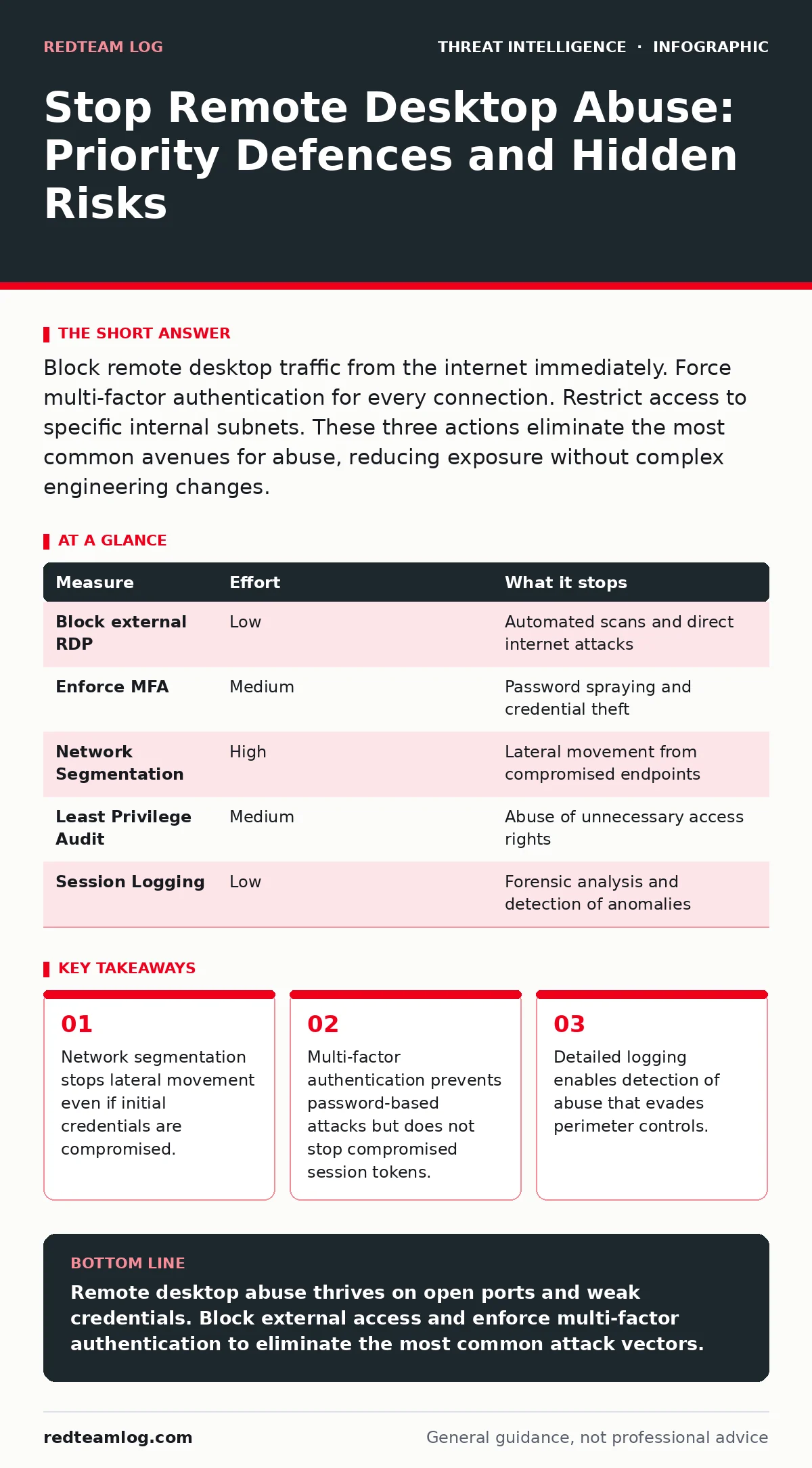
| Measure | Effort | What it stops |
|---|---|---|
| Block external RDP | Low | Automated scans and direct internet attacks |
| Enforce MFA | Medium | Password spraying and credential theft |
| Network Segmentation | High | Lateral movement from compromised endpoints |
| Least Privilege Audit | Medium | Abuse of unnecessary access rights |
| Session Logging | Low | Forensic analysis and detection of anomalies |
Monitor for Anomalous Behaviour
Prevention is not enough. You must detect abuse that slips through. Configure your systems to log every remote desktop connection attempt. Record the source IP, the user account, the time, and the result. Feed these logs into your log management system. Look for patterns that deviate from the norm. Logins at unusual hours, from unexpected locations, or in rapid succession are red flags. Integrate these indicators with your SIEM to create automated alerts. This allows you to respond before the attacker establishes a foothold.
See also: Port scanning meaning: how attackers map your network before striking · Beaconing Detected: Step-by-Step Response and Recovery Plan
Harden the Protocol Configuration
Remote desktop protocols have known vulnerabilities that can be exploited without valid credentials. Ensure your servers are patched to the latest stable version. Disable weak encryption methods. Configure the server to reject connections that do not use network level authentication. This forces authentication before a full session is established. It prevents certain types of denial-of-service attacks and memory corruption exploits. Review your configuration regularly. Default settings often prioritise convenience over security.
Validate Your Detection Logic
Even with strong controls, attackers will adapt. You need to verify that your detection rules work. Use detection use cases to test your environment. Simulate a remote desktop abuse scenario in a safe, isolated lab. Check if your alerts trigger. Refine your rules to reduce noise. This practice ensures your MITRE ATT&CK framework mapping is accurate. It helps you identify gaps in your visibility. Regular testing is the only way to trust your monitoring systems.
Closing Checklist
Use this checklist to verify your immediate posture. These actions provide the highest return on effort.
- Confirm remote desktop traffic is blocked from all external IP ranges.
- Verify multi-factor authentication is enforced for all remote desktop users.
- Audit user access lists and remove unnecessary permissions immediately.
Key takeaways
- Network segmentation stops lateral movement even if initial credentials are compromised.
- Multi-factor authentication prevents password-based attacks but does not stop compromised session tokens.
- Detailed logging enables detection of abuse that evades perimeter controls.
Remote desktop abuse thrives on open ports and weak credentials. Block external access and enforce multi-factor authentication to eliminate the most common attack vectors.
Frequently asked questions
Does a firewall stop remote desktop abuse?
A firewall blocks external access but cannot stop an attacker who already has valid credentials or is inside your network. You must combine network controls with authentication and monitoring.
Is remote desktop inherently insecure?
No, but it is a high-value target. When configured correctly with strong authentication and network segmentation, it is a secure management tool. The risk comes from misconfiguration and overexposure.
How do I detect a compromised remote desktop session?
Monitor for unusual login times, source IPs, and rapid successive connections. Integrate these logs into your security monitoring platform to trigger alerts on anomalous behaviour.
Can I use remote desktop securely from home?
Yes, by routing traffic through a secure remote access gateway that enforces multi-factor authentication and endpoint health checks. Never expose the service directly to the internet.
How this guide was produced: written by the RedTeam Log editorial team with AI assistance, checked against the public references listed below, and reviewed when the facts change. See our editorial policy or report an error.