Attackers exploit Directory Replication Service privileges to request password hashes from any domain controller. This process relies on legitimate replication protocols, meaning network traffic appears normal. Detection requires analysing specific directory service access patterns rather than monitoring for file transfers or unusual process execution.
Understanding the Replication Mechanism
Directory services replicate data across controllers to ensure availability. This replication is a core function of the infrastructure. It allows one controller to update another with changes to user accounts and groups. The protocol used for this is secure and encrypted by default.
Attackers do not break into the database directly. Instead, they impersonate a legitimate controller. They request a copy of the directory data. The source controller trusts the request because the requester holds valid credentials. The source then sends the requested data, including password hashes.
This method bypasses many traditional security controls. Antivirus software looks for known malware signatures. Intrusion detection systems look for unusual network traffic. DCSync traffic looks exactly like standard replication. It uses the same ports and protocols as healthy operations.
Stage 1: Credential Acquisition
The attacker needs credentials with specific privileges. These are not just any login details. The account must have the right to replicate directory data. This usually means domain administrator rights. However, lower-privileged accounts can sometimes be manipulated to gain these rights.
Imagine an attacker compromises a service account. This account has rights to modify group memberships. The attacker adds the service account to a group with replication rights. Now the account can request data it never could before. This step is often silent. It leaves few immediate traces in standard logs.
Stage 2: Privilege Escalation and Validation
Once the attacker has potential credentials, they must validate them. They check if the account can actually perform replication. This involves querying the directory for its own permissions. The system responds with the access control lists. These lists define what the account can do.
If the account lacks the right permissions, the attacker stops. They cannot proceed without the necessary rights. This step helps them avoid alerting defenders with failed requests. Successful validation confirms the path forward. It tells the attacker that the directory will honour their request.
Stage 3: The Replication Request
The attacker initiates the DCSync process. They connect to a domain controller. They present their credentials. They specify which data they want. Often, they target specific high-value accounts. These might be administrative accounts or service principals. The request looks like a standard replication operation.
The domain controller processes the request. It checks the permissions again. If valid, it prepares the data. The data includes the password hashes for the requested accounts. These hashes are the encrypted versions of the passwords. They are used to verify logins without storing plain text.
Stage 4: Data Extraction
The controller sends the data to the attacker. The transfer is encrypted. It travels over the standard replication port. Firewalls allow this traffic. It is expected and routine. The attacker receives the hash data. They now possess the cryptographic keys to the kingdom.
This extraction is the critical moment. If caught here, the attacker fails. But the traffic is indistinguishable from normal operations. Standard network monitoring tools see only encrypted replication traffic. They do not see the content. They cannot tell that a user account is being replicated instead of a group policy update.
See also: Cyber Range Training Myths: What Platforms Actually Do · ISACs Checklist: Verify Data Sharing Protocols and Operational Readiness
Stage 5: Offline Cracking
The attacker now works offline. They take the hashes to their own environment. They use powerful hardware to guess the passwords. This is called brute-forcing. It does not interact with the target network. It leaves no new logs on the target system.
The attacker tries millions of guesses per second. Weak passwords fall quickly. Strong passwords may resist for days or weeks. This stage is invisible to the target. The target system is already compromised. The data has left the network. Defenders are looking in the wrong place.
Stage 6: Persistence and Lateral Movement
With valid credentials, the attacker moves. They log in to other systems. They install remote access tools. They create new accounts. They modify logs to hide their tracks. The initial DCSync attack is over. The long-term compromise begins.
This phase exploits the trust established. The attacker uses the stolen credentials. They move laterally through the network. They reach servers and workstations. They exfiltrate sensitive data. The entire breach stems from that single replication request.
Detection and Interruption Points
Detecting DCSync requires specific knowledge. You must look for the wrong things in the right places. Standard endpoint detection fails. Network intrusion detection fails. You need directory service logs. You need to correlate events across the environment.
Look for replication requests from unusual sources. A workstation should not request replication. Only controllers do that. Look for requests for specific accounts. Normal replication updates many objects. Targeted requests for one account are suspicious.
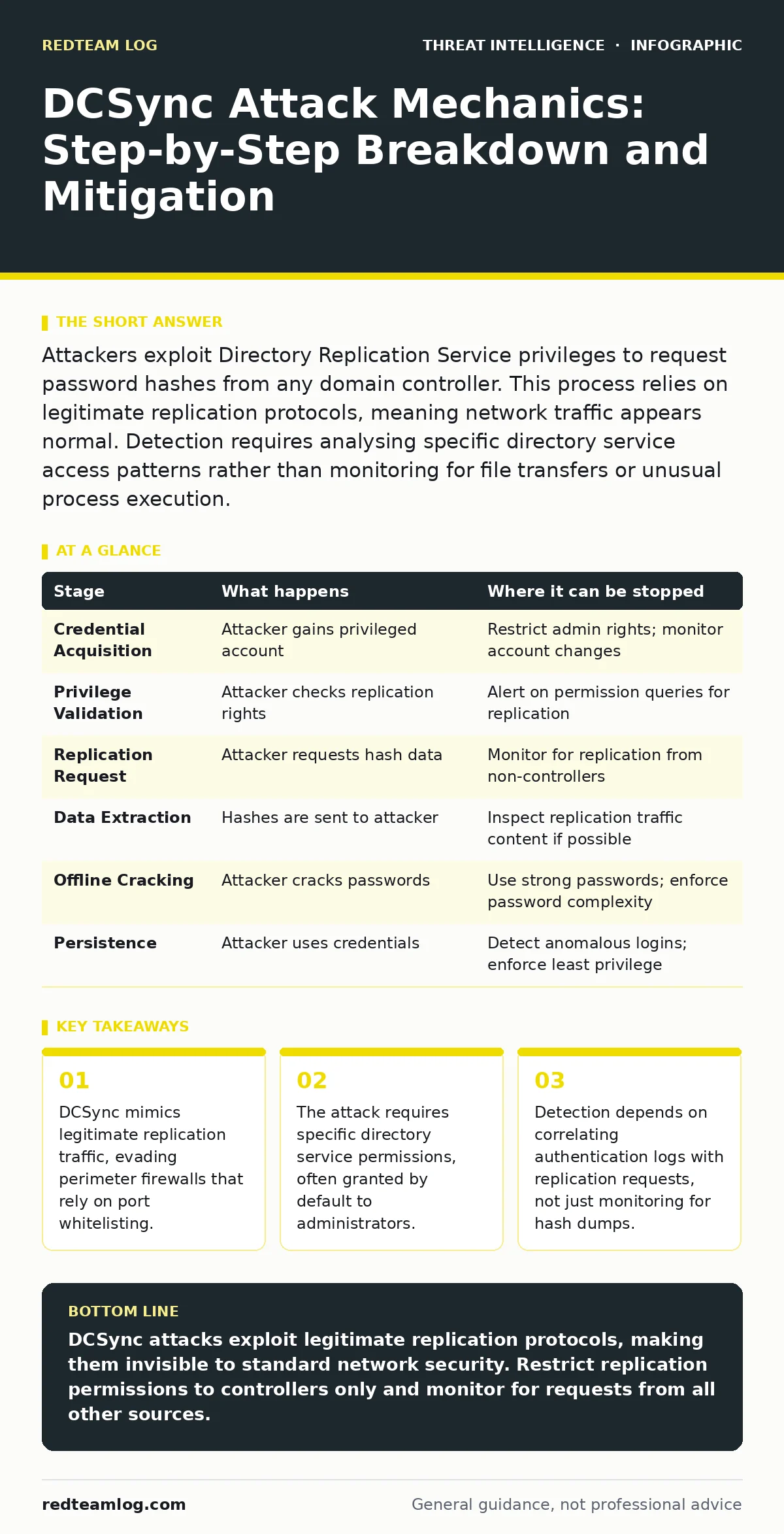
| Stage | What happens | Where it can be stopped |
|---|---|---|
| Credential Acquisition | Attacker gains privileged account | Restrict admin rights; monitor account changes |
| Privilege Validation | Attacker checks replication rights | Alert on permission queries for replication |
| Replication Request | Attacker requests hash data | Monitor for replication from non-controllers |
| Data Extraction | Hashes are sent to attacker | Inspect replication traffic content if possible |
| Offline Cracking | Attacker cracks passwords | Use strong passwords; enforce password complexity |
| Persistence | Attacker uses credentials | Detect anomalous logins; enforce least privilege |
Strategic Mitigation Strategies
Preventing DCSync requires a layered approach. You cannot rely on a single control. You must restrict permissions. You must monitor for anomalies. You must assume breach and verify continuously.
Restricting who can replicate data is key. Only domain controllers should have this right. No user account should have it. This includes administrative accounts. This is a fundamental security hygiene step.
Monitoring is equally vital. You need to see the replication requests. You need to see who is making them. You need to see what they are requesting. This requires detailed logging. It requires correlation. It requires alerting on deviations from the norm.
Integrating these controls into your broader strategy is necessary. Use strategic threat intelligence to understand how attackers operate. Use incident response runbooks to prepare for detection. Use MITRE ATT&CK framework to map your defences. This ensures you are not just blocking one attack, but building resilience.
Also consider log management practices. Ensure you retain enough data to investigate. Ensure you can correlate events across time. This allows you to see the full picture. It allows you to spot the subtle signs of compromise.
Key takeaways
- DCSync mimics legitimate replication traffic, evading perimeter firewalls that rely on port whitelisting.
- The attack requires specific directory service permissions, often granted by default to administrators.
- Detection depends on correlating authentication logs with replication requests, not just monitoring for hash dumps.
DCSync attacks exploit legitimate replication protocols, making them invisible to standard network security. Restrict replication permissions to controllers only and monitor for requests from all other sources.
Frequently asked questions
Can DCSync be performed from a workstation?
Yes, if the account used has the necessary replication privileges. The source machine does not matter, only the credentials do.
Does DCSync require remote desktop access?
No, it uses directory service protocols. It does not require interactive logon or remote desktop sessions.
How do I distinguish DCSync from normal replication?
Normal replication updates many objects. DCSync often targets specific accounts. Monitor for requests from non-controller machines.
Can antivirus detect DCSync?
Generally no, as it uses legitimate system functions. Endpoint detection and response solutions may detect it if configured to monitor directory service calls.
How this guide was produced: written by the RedTeam Log editorial team with AI assistance, checked against the public references listed below, and reviewed when the facts change. See our editorial policy or report an error.