Disconnect the infected device from the network immediately to stop data exfiltration. Do not power it off, as this loses volatile memory. Document the incident, isolate other vulnerable devices, and restore systems from clean backups. Update firmware and implement network segmentation to prevent recurrence.
First hour
The clock starts when you detect anomalous traffic or device behaviour. Speed matters, but panic causes errors. Your primary goal is containment, not cure. You must stop the malware from spreading to other devices or the wider internet.
- Disconnect the affected device from the network at the physical or switch level.
- Block the device’s MAC address on the router or firewall if physical access is impossible.
- Document the exact time of detection and observed symptoms for the incident log.
- Identify other devices on the same subnet that share the same manufacturer or model.
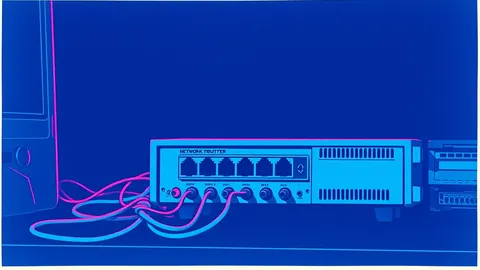
Imagine a smart camera begins sending large data packets to an unknown external IP. You pull the Ethernet cable. The bleeding stops. The device remains on, preserving the state of its memory for later analysis. This simple action buys you time to assess the damage without escalating the breach.
First day
Once the immediate threat is contained, you shift to assessment and wider containment. You need to understand what the malware did and whether it has compromised other systems. IoT devices often lack standard logging, making this phase challenging.
Check the router logs for unusual outbound connections. Look for traffic on non-standard ports or to unknown destinations. If the device uses cloud services, check the vendor’s console for multiple login attempts or configuration changes.
| Action | Purpose | Risk if Skipped |
|---|---|---|
| Review router logs | Identify lateral movement | Missed compromised devices |
| Check cloud console | Detect account takeover | Persistent remote access |
| Isolate similar devices | Prevent spread | Repeat infection cycle |
You must determine if the attacker gained access to your broader network. IoT malware often acts as a beachhead. It allows attackers to pivot to more valuable targets like servers or workstations. If the IoT device was on the same network segment as your main computers, assume they are compromised too.
Consider the scenario where a smart thermostat is infected. It does not hold sensitive data, but it shares the network with your laptop. The malware scans for other vulnerable hosts. If you only reset the thermostat, the attacker may have already moved to your laptop. You must treat the entire segment as untrusted.
First week
Recovery involves restoring functionality without reintroducing the vulnerability. This is not just about turning devices back on. You must ensure the underlying weakness is fixed. Many organisations fail here by restoring from backups that already contain the vulnerability.
Replace the device if possible. If the vendor has not released a patch for the exploited firmware version, the device is permanently vulnerable. Leaving it on the network is an invitation for re-infection. If replacement is not feasible, you must isolate it in a separate VLAN with strict firewall rules.
- Update firmware to the latest stable version before reconnecting.
- Change all default credentials to unique, complex passwords.
- Disable unused services like Telnet or FTP to reduce the attack surface.
- Verify that the device no longer communicates with known malicious IPs.
You must also review your business continuity planning procedures. Did the incident disrupt critical operations? If so, update your plans to include IoT devices. Many organisations overlook these devices in their disaster recovery strategies, leading to extended downtime.
Who to tell
Communication is a critical part of incident response. You need to inform stakeholders without causing unnecessary alarm. Be factual, concise, and honest about what you know and what you are still investigating.
Tell your IT security team first. They need to coordinate the technical response. Inform management about the potential business impact. If customer data was involved, you may have legal obligations to notify regulators. Check your local data protection laws for specific requirements.
Do not blame individuals. Focus on the process failure. Was the device configured securely? Was firmware updated regularly? These questions help prevent future incidents. Transparency builds trust, even in difficult situations.
How to stop a repeat
Prevention is cheaper than response. You must change your security posture to make future attacks harder. This involves technical controls and policy changes.
Implement network segmentation. Place IoT devices on a separate network segment from your critical systems. Use firewall rules to restrict outbound traffic to only necessary destinations. This limits the damage if a device is compromised again.
Monitor for anomalies. Use network detection and response tools to identify unusual behaviour. Look for devices communicating with unexpected IPs or on non-standard ports. Early detection reduces the impact of future incidents.
Review vendor security practices. Choose devices from vendors that provide regular firmware updates and have a clear security policy. Avoid devices that rely on default credentials or lack encryption.
Hidden costs of IoT security
Many organisations underestimate the ongoing cost of securing IoT devices. It is not a one-time setup. You must continuously monitor and update devices. This requires staff time and potentially additional tooling.
The hidden cost is complexity. Each new device adds to the attack surface. You must track firmware versions, credentials, and network configurations. This administrative burden grows with the number of devices.
Imagine a large building with hundreds of smart sensors. Managing updates for each one is tedious. Missing one update can compromise the entire network. You need automated tools to track and manage these devices effectively.
Lessons from related threats
Understanding broader malware trends helps you prepare for IoT-specific attacks. For instance, the principles of handling malicious PyPI packages apply here. Both involve trusting external code that runs on your infrastructure. You must verify the integrity of all software before deployment.
Similarly, the tactics used in mobile malware often mirror those in IoT malware. Attackers exploit weak authentication and outdated software. Learning from mobile security practices can improve your IoT defence strategy.
Consider the threat of polymorphic malware. These variants change their code to evade detection. IoT devices often lack advanced antivirus solutions, making them vulnerable to such techniques. You must rely on behavioural analysis rather than signature-based detection.
Final checks
Before declaring the incident closed, perform final validation. Ensure all affected devices are secure. Review logs for any remaining suspicious activity. Update your incident response plan with lessons learned.
- Verify that all credentials have been changed.
- Confirm that firmware is up to date.
- Test network segmentation rules.
- Document the incident for future reference.
This process ensures you have addressed the root cause. It prevents the same attack from succeeding again. Security is a continuous cycle of improvement.
Key takeaways
- Immediate network isolation stops lateral movement without destroying volatile evidence.
- Factory resets alone fail if default credentials or vulnerable firmware remain unchanged.
- Network segmentation limits blast radius and simplifies future incident response.
Isolate infected IoT devices immediately to contain the threat and preserve evidence. Implement network segmentation and regular firmware updates to prevent recurrence.
Frequently asked questions
Should I factory reset an infected IoT device?
Factory resets may not remove all malware if the firmware itself is compromised. Always update firmware to a clean version after resetting.
How do I know if my IoT device is infected?
Look for unusual network traffic, unexpected reboots, or changes in device behaviour. Monitor router logs for connections to unknown IPs.
Can IoT malware spread to my computer?
Yes, if they share the same network. Attackers often use IoT devices as a stepping stone to access more valuable targets like computers and servers.
What is the first step in IoT malware response?
Disconnect the device from the network immediately. Do not power it off, as this destroys volatile memory evidence.
How this guide was produced: written by the RedTeam Log editorial team with AI assistance, checked against the public references listed below, and reviewed when the facts change. See our editorial policy or report an error.