Workflow injection occurs when untrusted data enters a GitHub Actions workflow and is interpreted as executable code. Attackers manipulate inputs to inject malicious commands. You must treat all external inputs as hostile. Use strict environment variables and avoid direct interpolation of user-controlled data in shell commands.
What is GitHub Actions workflow injection?
Workflow injection is a technique where an attacker inserts malicious code into a GitHub Actions workflow through untrusted inputs. The workflow engine interprets these inputs as executable instructions rather than plain text. This happens because the workflow configuration merges user data with system commands during runtime. The result is arbitrary code execution on the runner machine.
How does the injection mechanism work?
The mechanism relies on the way GitHub Actions parses workflow files. When a workflow step uses expressions to include external data, the system evaluates the content. If the data contains syntax that matches command structures, the runner executes it. This evaluation occurs before the step’s primary logic runs. The attacker controls the input, effectively controlling the execution path.
Why do standard input validations fail here?
Standard input validation often checks for known bad patterns or restricts character sets. Workflow injection bypasses these checks by using valid syntax within the workflow language. The payload looks like legitimate configuration data to basic filters. It only reveals its malicious nature when the workflow engine interprets the merged string. This timing difference allows the attack to slip past perimeter defenses.
What are the primary attack vectors?
Attackers primarily use pull request titles, comments, or commit messages as injection points. These fields are accessible to external contributors and are often used in workflow triggers. Another vector is environment variables passed from external services. If the workflow maps these variables directly into shell commands, the attacker can append their own instructions. The vector depends on how the workflow consumes external data.
How can you detect suspicious workflow activity?
Detection requires monitoring for unusual command sequences in workflow logs. Look for steps that execute unexpected binaries or network connections. Monitor for changes in workflow configuration files that introduce new inputs. Check for workflows that run with excessive permissions on untrusted branches. Anomalous execution patterns often indicate an injection attempt rather than normal development activity.
What are the immediate containment steps?
Isolate the affected runner by stopping the workflow immediately. Revoke any tokens or secrets that were exposed during the execution. Audit the workflow logs to identify the specific input that triggered the injection. Block the source of the malicious input, such as a specific pull request or user account. Rotate any credentials that might have been accessed by the compromised runner.
How do you mitigate the risk effectively?
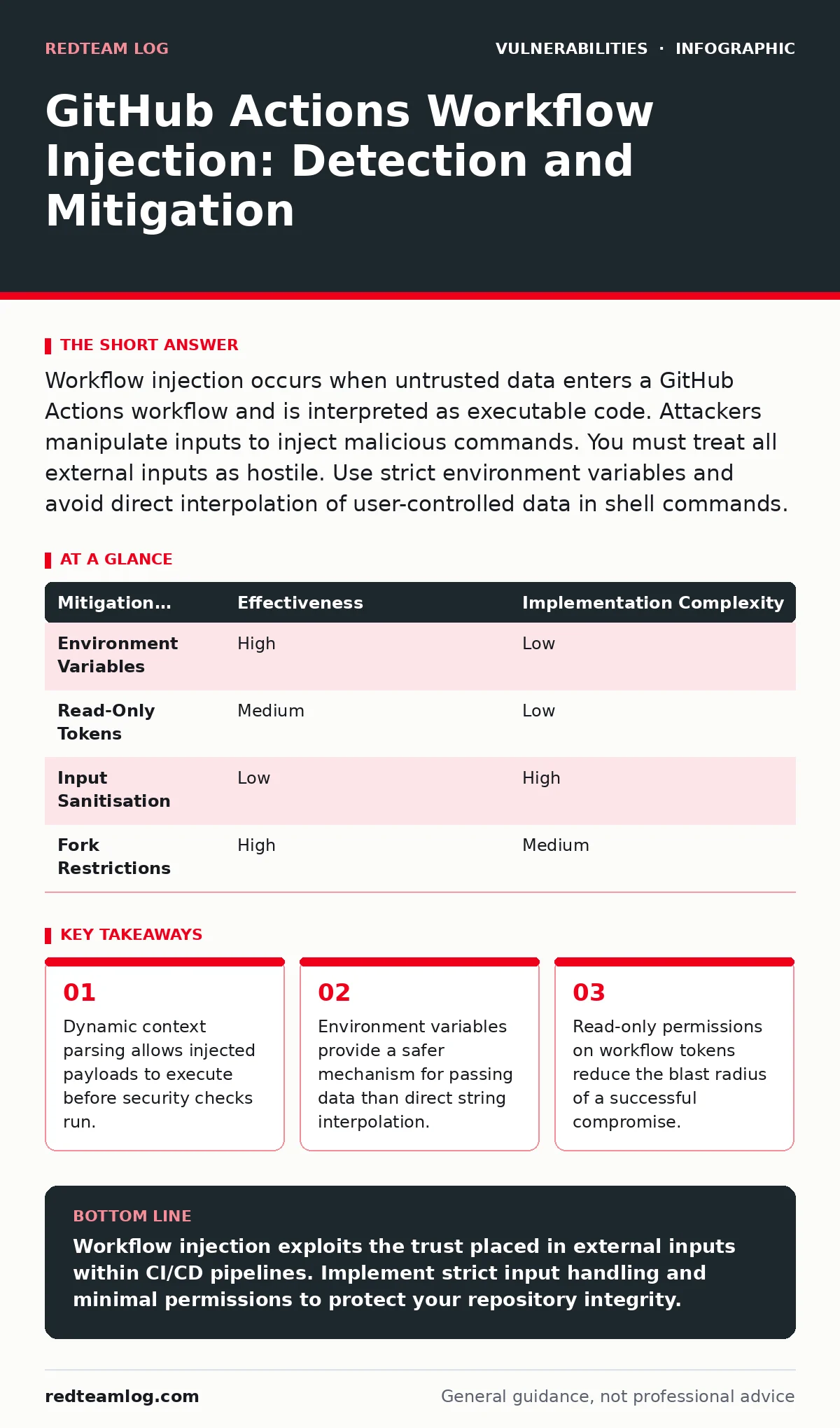
Mitigation requires changing how workflows handle external data. Use environment variables to pass inputs instead of direct interpolation. This separates data from code execution. Restrict workflow permissions to the minimum required for the task. Disable workflow execution on pull requests from forks unless explicitly approved. These measures reduce the attack surface and limit the impact of any successful injection.
| Mitigation Strategy | Effectiveness | Implementation Complexity |
|---|---|---|
| Environment Variables | High | Low |
| Read-Only Tokens | Medium | Low |
| Input Sanitisation | Low | High |
| Fork Restrictions | High | Medium |
What role do permissions play in security?
Permissions determine what a workflow can access after execution. A compromised workflow with write access can modify repository code or secrets. A workflow with read-only access can only view data. Setting the GITHUB_TOKEN to read-only minimises the damage if an injection succeeds. This principle of least privilege is fundamental to secure CI/CD operations.
How does this relate to other vulnerabilities?
Workflow injection often co-occurs with other security flaws. For example, an attacker might use injection to exfiltrate hard-coded credentials stored in the environment. They might also attempt PHP object injection if the workflow builds a PHP application. Understanding these adjacent risks helps in creating a defence-in-depth strategy. See our guide on vulnerability scanning for broader detection methods.
What are the long-term prevention strategies?
Long-term prevention involves architectural changes to your CI/CD pipeline. Implement automated checks that validate workflow syntax before execution. Use signed commits to verify the source of code changes. Regularly audit third-party actions used in your workflows. Integrate remediation tracking to ensure that identified injection risks are closed promptly. This proactive approach reduces reliance on reactive measures.
How do you balance security and developer velocity?
Strict security controls can slow down development if they require manual approval for every change. Automate the enforcement of security rules within the workflow itself. Use templates that enforce best practices by default. This allows developers to work quickly while maintaining a secure baseline. The goal is to make security the path of least resistance, not a barrier.
What is the impact of a successful injection?
A successful injection can lead to full repository compromise. The attacker can steal secrets, modify code, or deploy malicious artifacts. They can also pivot to other systems if the runner has access to external networks. The impact extends beyond the immediate repository to any connected services or downstream deployments. This cascading effect makes early detection critical.
How do you verify your mitigation is working?
Verification requires regular testing of your workflow configurations. Simulate injection attempts in a safe environment to confirm that controls block them. Review audit logs to ensure that permission restrictions are enforced. Use vulnerability remediation SLAs to track the time taken to fix identified configuration issues. Continuous verification ensures that your security posture remains effective over time.
Key takeaways
- Dynamic context parsing allows injected payloads to execute before security checks run.
- Environment variables provide a safer mechanism for passing data than direct string interpolation.
- Read-only permissions on workflow tokens reduce the blast radius of a successful compromise.
Workflow injection exploits the trust placed in external inputs within CI/CD pipelines. Implement strict input handling and minimal permissions to protect your repository integrity.
Frequently asked questions
Can I use allowlists to prevent workflow injection?
Allowlists can help by restricting which actions or inputs are permitted. However, they do not protect against injection in custom code or dynamic expressions. You must still validate how inputs are processed.
Does enabling branch protection rules stop injection?
Branch protection rules can prevent untrusted code from merging. They do not stop injection in workflows that run on pull requests before merging. You need specific workflow controls for that stage.
Are public repositories more vulnerable to injection?
Public repositories face a higher volume of potential attacks. However, the vulnerability exists in any repository that accepts external inputs. Private repositories are not immune if they process untrusted data.
How often should I review my workflow security?
Review your workflow security after every significant change to the pipeline. Regular audits are necessary to catch new vulnerabilities or misconfigurations. Integrate security checks into your standard development cycle.
How this guide was produced: written by the RedTeam Log editorial team with AI assistance, checked against the public references listed below, and reviewed when the facts change. See our editorial policy or report an error.