
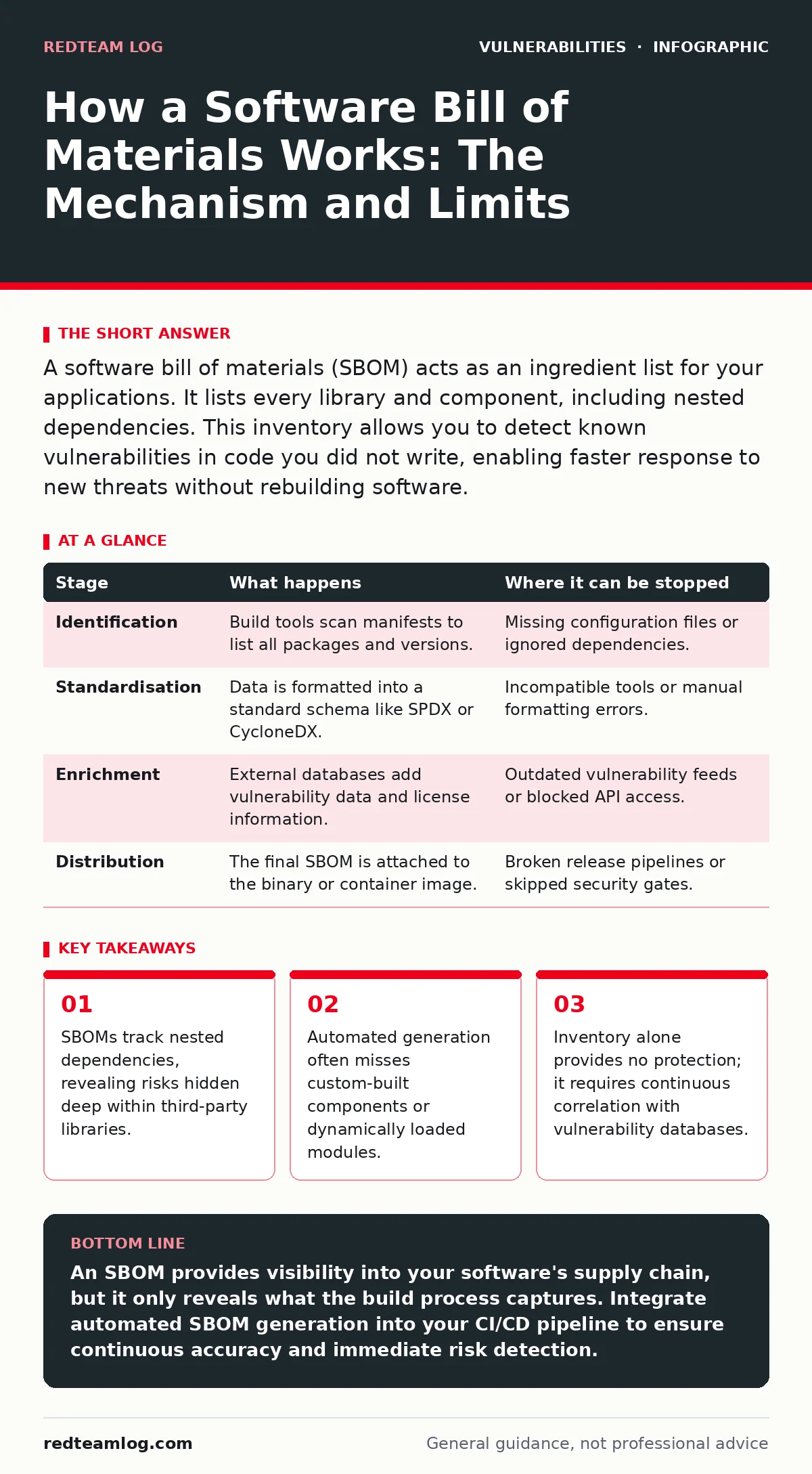
A software bill of materials (SBOM) acts as an ingredient list for your applications. It lists every library and component, including nested dependencies. This inventory allows you to detect known vulnerabilities in code you did not write, enabling faster response to new threats without rebuilding software.
The Foundation of Software Inventory
An SBOM is a structured record of the parts and components that comprise a software product at a given point in time. Think of it as a nutritional label for code, listing every library, framework, and dependency. This documentation does not secure the software. It provides visibility. Visibility is the prerequisite for managing risk in complex supply chains.
Without this list, you cannot know what is inside your application. Modern applications rarely consist solely of original code. They aggregate hundreds of open-source packages. Each package brings its own set of dependencies. This creates a deep tree of components, many of which you never explicitly installed. The SBOM flattens this tree into a readable format, allowing security teams to map risk accurately.
Stage 1: Component Identification and Discovery
The process begins when the build system identifies every artifact required to compile the application. This stage occurs during the continuous integration pipeline. The build tool scans the project configuration files, such as package managers and dependency manifests. It extracts the name, version, and unique identifier of each component.
This step is purely mechanical. The system does not judge the quality of the code. It simply lists what is present. If a developer adds a new library, the build tool must detect it. If the detection fails, the SBOM will be incomplete. An incomplete SBOM creates a false sense of security, hiding potential entry points for attackers who exploit overlooked libraries.
| Stage | What happens | Where it can be stopped |
|---|---|---|
| Identification | Build tools scan manifests to list all packages and versions. | Missing configuration files or ignored dependencies. |
| Standardisation | Data is formatted into a standard schema like SPDX or CycloneDX. | Incompatible tools or manual formatting errors. |
| Enrichment | External databases add vulnerability data and license information. | Outdated vulnerability feeds or blocked API access. |
| Distribution | The final SBOM is attached to the binary or container image. | Broken release pipelines or skipped security gates. |
The Mechanics of Standardisation
Raw data from build tools is often messy and inconsistent. Different package managers use different formats. To make this data useful, it must be converted into a standard schema. The two most common standards are SPDX and CycloneDX. These standards define how to represent components, relationships, and licenses.
Standardisation allows different tools to read the same SBOM. A scanner from one vendor can ingest an SBOM created by a different vendor. This interoperability is vital for large organisations that use multiple security products. Without a common language, the SBOM remains trapped within the tool that created it, limiting its utility for broader risk assessment.
Stage 2: Data Enrichment and Context
Once the SBOM is structured, it needs context. The raw list of components tells you what is there, but not what is wrong with it. Enrichment tools query external databases to add metadata. This includes known vulnerabilities, license types, and supplier information.
This stage transforms a static list into a risk profile. The enrichment process links each component to its threat history. It may also identify components that have reached end-of-life status. This context is critical for prioritising remediation efforts. Not all vulnerabilities are equal. Some affect critical functions, while others impact rarely used features. Understanding this difference helps teams focus on the most dangerous risks first.
Limitations and Hidden Costs
An SBOM is not a security solution. It is an inventory tool. It does not scan for vulnerabilities in real-time. It does not patch code. It does not prevent exploitation. Its primary limit is accuracy. If the build process does not capture every component, the SBOM will be wrong.
Custom-built components often fall through the cracks. If a developer writes code from scratch and includes it as a local file, automated tools may not record it. Dynamically loaded modules are another blind spot. These components are added at runtime, not build time. The SBOM cannot list what it does not see during compilation. This creates gaps in visibility that attackers can exploit.
Stage 3: Continuous Monitoring and Integration
The SBOM is a snapshot in time. Software changes constantly. New vulnerabilities are discovered daily. A static SBOM becomes outdated quickly. To remain useful, the SBOM must be regenerated and re-evaluated with every change. This requires integration with the development pipeline.
Continuous monitoring ensures that new risks are identified immediately. When a new vulnerability is published, the system checks the current SBOM against the threat data. If a match is found, alerts are triggered. This process shifts security left, catching issues before they reach production. It also supports emergency patching by providing the exact components that need updating, reducing the time to resolution.
The Role of Nested Dependencies
The true power of an SBOM lies in its ability to trace nested dependencies. When you install a package, it often installs other packages. Those packages may install more. This creates a deep graph of dependencies. Traditional security tools often only see the top-level packages. They miss the deeper layers.
An SBOM reveals the entire graph. It shows that Package A depends on Package B, which depends on Package C. If Package C has a vulnerability, the SBOM links it back to Package A. This depth is crucial for identifying risks in complex applications. It prevents the "black box" problem where third-party code is treated as opaque and unexamined. This visibility is particularly important for mitigating risks like prototype pollution or insecure direct object references (IDOR) that may originate in deep dependencies.
Interpreting Risk and Action
Having an SBOM generates data, not decisions. You must interpret this data to take action. This involves correlating the SBOM with vulnerability scores and exploit likelihood. An EPSS score can help prioritise which vulnerabilities are most likely to be exploited in the wild. Not every CVE requires immediate attention.
The goal is to reduce risk within acceptable bounds. You may not be able to patch every vulnerability immediately. Some components may no longer be maintained. In these cases, you must implement compensating controls. This might involve network segmentation, strict access controls, or Content Security Policy headers to limit the impact of exploitation. The SBOM informs these decisions by highlighting the specific components at risk.
See also: CISA KEV Due Dates: How To Calculate Compliance Timelines · Remediation Tracking: Build a Closed-Loop System That Prevents Repeat Vulnerabilities
The Human Element in Automation
Automation drives SBOM creation, but humans drive the strategy. Developers must understand why SBOMs matter. They must ensure that their build processes are clean and consistent. Security teams must define the standards and tools used. Leadership must support the cultural shift towards transparency.
Without human oversight, the SBOM becomes a bureaucratic exercise. It generates reports that are ignored. The value comes from integrating the SBOM into the daily workflow. It should influence hiring decisions, vendor selection, and release approvals. It is a living document that reflects the health of the software supply chain.
Beyond the Inventory: Strategic Value
The SBOM extends beyond immediate vulnerability management. It supports compliance with regulatory requirements. Many governments and industries now mandate SBOMs for software procurement. Having a ready-made SBOM simplifies audits and demonstrates due diligence.
It also improves relationships with vendors. When you request an SBOM from a supplier, you gain insight into their security posture. If they cannot provide one, it signals a lack of visibility in their own processes. This information can inform procurement decisions, steering you away from risky suppliers. The SBOM is a tool for accountability, forcing transparency across the entire ecosystem.
By understanding the mechanism, limits, and strategic value of an SBOM, you can move beyond basic compliance. You can build a more resilient software supply chain. The SBOM is not the end of security. It is the beginning of informed risk management. It provides the clarity needed to navigate the complex world of modern software development.
Key takeaways
- SBOMs track nested dependencies, revealing risks hidden deep within third-party libraries.
- Automated generation often misses custom-built components or dynamically loaded modules.
- Inventory alone provides no protection; it requires continuous correlation with vulnerability databases.
An SBOM provides visibility into your software's supply chain, but it only reveals what the build process captures. Integrate automated SBOM generation into your CI/CD pipeline to ensure continuous accuracy and immediate risk detection.
Frequently asked questions
Does an SBOM automatically fix vulnerabilities in my code?
No, an SBOM is only an inventory list. It identifies components and their versions but does not apply patches or modify code. You must manually or automatically update the affected components to fix vulnerabilities.
How often should I regenerate my software bill of materials?
You should regenerate the SBOM for every build or release candidate. This ensures the inventory matches the exact state of the software being deployed, capturing any new dependencies or version changes introduced during development.
Can an SBOM detect zero-day vulnerabilities?
No, an SBOM relies on known data from vulnerability databases. It cannot identify unknown flaws or zero-day exploits. It helps you manage known risks but does not provide protection against novel attack methods.
What is the difference between an SBOM and a signature scan?
A signature scan checks code against known patterns of malicious behaviour. An SBOM lists the ingredients of the software. The SBOM helps you understand what you have, while a signature scan checks what you have for known bad code.
How this guide was produced: written by the RedTeam Log editorial team with AI assistance, checked against the public references listed below, and reviewed when the facts change. See our editorial policy or report an error.