
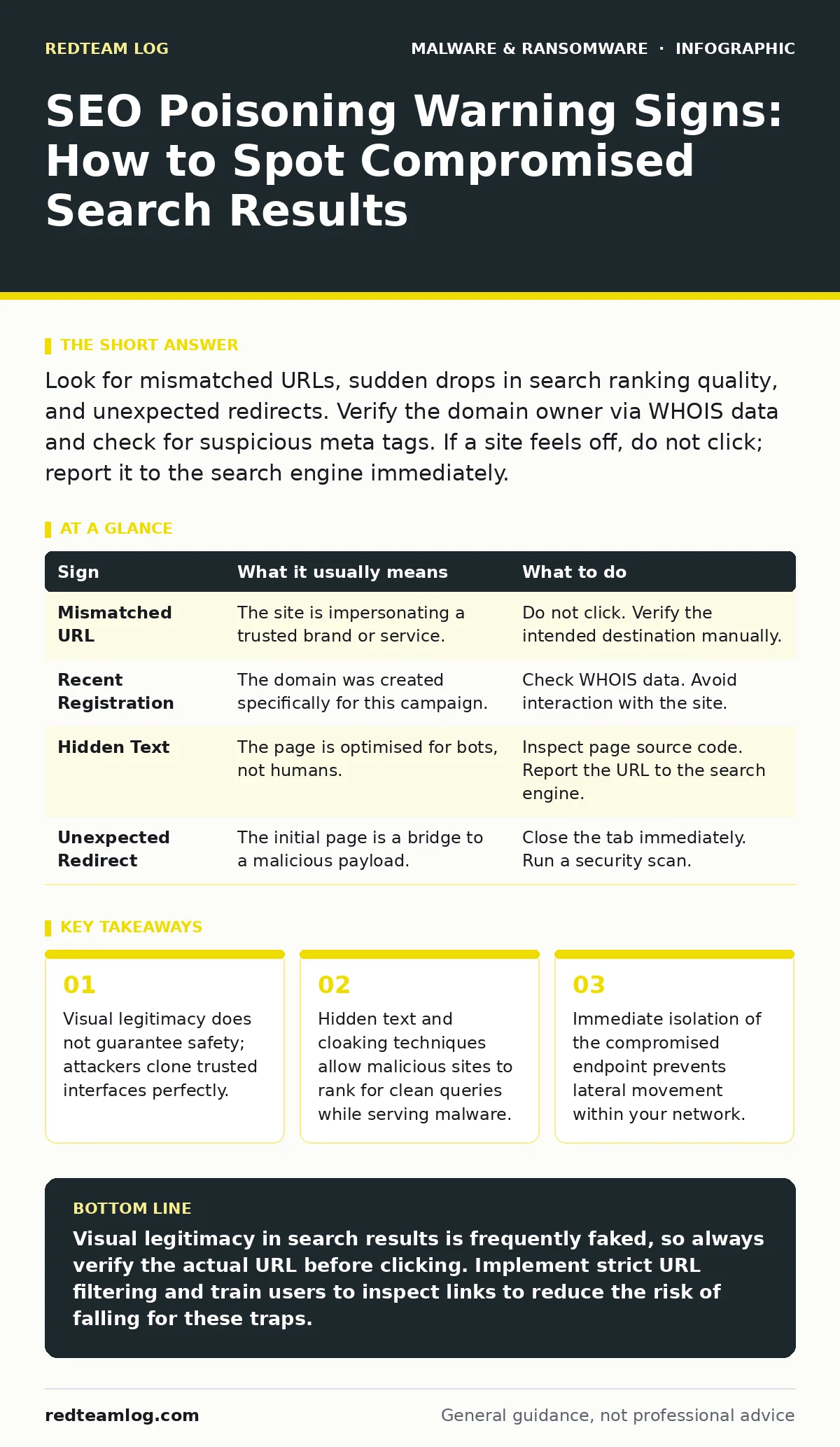
Look for mismatched URLs, sudden drops in search ranking quality, and unexpected redirects. Verify the domain owner via WHOIS data and check for suspicious meta tags. If a site feels off, do not click; report it to the search engine immediately.
The Illusion of Legitimacy
Search engine optimisation poisoning, often called SEO spam, tricks search engines into ranking malicious pages highly. Attackers do not need to hack the search engine itself. Instead, they manipulate the algorithms that determine relevance. You might see a result that looks perfectly normal in the snippet. The title matches your query. The description appears helpful. This is the first layer of the trap. The goal is to exploit your trust in the search interface. You assume that if a page ranks highly, it has been vetted. It has not. It has simply been optimised to appear relevant to the crawler.
Immediate Red Flags in Search Results
Some signs appear before you ever click the link. These are the warnings you notice first because they break the pattern of normal browsing. A mismatched URL is the most common indicator. The displayed title might say "Official Support Portal," but the actual web address points to a random string of characters or a different domain entirely. Check the address bar carefully. Another sign is an unusual domain extension. While many are valid, a sudden shift to obscure top-level domains can indicate a disposable hosting environment. Do not ignore these discrepancies. They are often the only hint that the result is fraudulent.
The Subtle Mechanics of Cloaking
Signs that are easy to miss require looking beyond the surface. Cloaking is a technique where the server shows different content to search engine bots than to human visitors. To the crawler, the page might contain useful, keyword-rich text. To you, it serves a download prompt or a phishing form. This is why visual inspection alone fails. You might also encounter hidden text. Attackers place large blocks of keywords in white text on a white background. This is invisible to you but heavy with signals for the algorithm. This method allows a malicious site to rank for legitimate terms while remaining undetected by casual observers. It is a silent manipulation of the ranking system.
Analyzing Domain Reputation
When a link feels suspicious, you must investigate the domain itself. Use a WHOIS lookup to see who registered the site. If the registration date is very recent, treat the site with extreme caution. Established brands do not suddenly change their domain providers. Look for privacy protection services that hide the owner's details. While privacy is legal, new domains combined with hidden ownership often signal a throwaway asset. Check the SSL certificate details. A valid certificate only means the connection is encrypted. It does not mean the site is safe. Attackers can obtain free certificates for malicious domains. Do not confuse encryption with trust.
Handling Suspicious Clicks
If you have already clicked a link and suspect poisoning, act immediately. Do not enter any credentials. If you did, change them from a different device. Disconnect the infected machine from the network to stop data exfiltration. Run a full system scan using your local security tools. Be aware that some threats use fileless malware techniques, which operate in memory rather than on the disk. Standard scans might miss these if they are not designed to inspect running processes. Clear your browser cache and cookies to remove any tracking scripts. This limits the attacker's ability to monitor your subsequent behaviour.
| Sign | What it usually means | What to do |
|---|---|---|
| Mismatched URL | The site is impersonating a trusted brand or service. | Do not click. Verify the intended destination manually. |
| Recent Registration | The domain was created specifically for this campaign. | Check WHOIS data. Avoid interaction with the site. |
| Hidden Text | The page is optimised for bots, not humans. | Inspect page source code. Report the URL to the search engine. |
| Unexpected Redirect | The initial page is a bridge to a malicious payload. | Close the tab immediately. Run a security scan. |
The Role of Browser Extensions
Your browser environment can also be compromised independently of search results. Malicious browser extensions can alter search results locally. They might inject ads or redirect specific queries to phishing sites. This happens even if the search engine itself is clean. Check your installed extensions regularly. Remove any you do not recognise or no longer use. Look for extensions with excessive permissions. An extension that claims to block ads should not need access to your browsing history or form data. This is a common vector for persistent tracking and data theft.
Reporting and Mitigation Strategies
You must report poisoned results to the search engine. Most major engines have a mechanism for flagging spam or malware. This helps remove the link from public visibility. For your own network, implement strict URL filtering. Block known malicious domains and categories. Train users to hover over links before clicking. This simple habit reveals the true destination. Encourage a culture of scepticism. If a result seems too good to be true, it likely is. Regular updates to your security software are necessary, but they are not sufficient. Human vigilance remains the final barrier against these social engineering attacks.
Long-Term Defence Posture
SEO poisoning is a persistent threat because it exploits human psychology. Defending against it requires a layered approach. Combine technical controls with user education. Monitor your own organisation's digital footprint. Ensure your legitimate pages are ranked highly. This crowds out malicious results. Regularly audit your web properties for signs of compromise. If you manage servers, keep firmware malware off your devices. Outdated firmware can allow attackers to take control of hardware, which can then be used to host poisoned content. Maintain a clean infrastructure to protect your reputation and your users.
Key takeaways
- Visual legitimacy does not guarantee safety; attackers clone trusted interfaces perfectly.
- Hidden text and cloaking techniques allow malicious sites to rank for clean queries while serving malware.
- Immediate isolation of the compromised endpoint prevents lateral movement within your network.
Visual legitimacy in search results is frequently faked, so always verify the actual URL before clicking. Implement strict URL filtering and train users to inspect links to reduce the risk of falling for these traps.
Frequently asked questions
Can SEO poisoning infect my device just by viewing the search results?
No, viewing the search engine results page is generally safe. Infection occurs only when you click the link and interact with the malicious site or download a payload.
What is the difference between SEO poisoning and malware payloads?
SEO poisoning is the method used to deliver the user to a malicious site. The malware payload is the actual malicious code that runs on the device once the user interacts with the site.
How this guide was produced: written by the RedTeam Log editorial team with AI assistance, checked against the public references listed below, and reviewed when the facts change. See our editorial policy or report an error.